

.LL Přípona souboru
Mezireprezentace LLVM
| Vývojář | LLVM Developer Group |
| Popularita |
3,5 | 2 hlasy |
Soubor LL je mezireprezentace vytvořená kompilátorem LLVM. Obsahuje zdrojový kód přeložený do platformně nezávislého assemblerového jazyka LLVM. Soubory LL se používají k optimalizaci programů pro různé cílové architektury.
Další informace
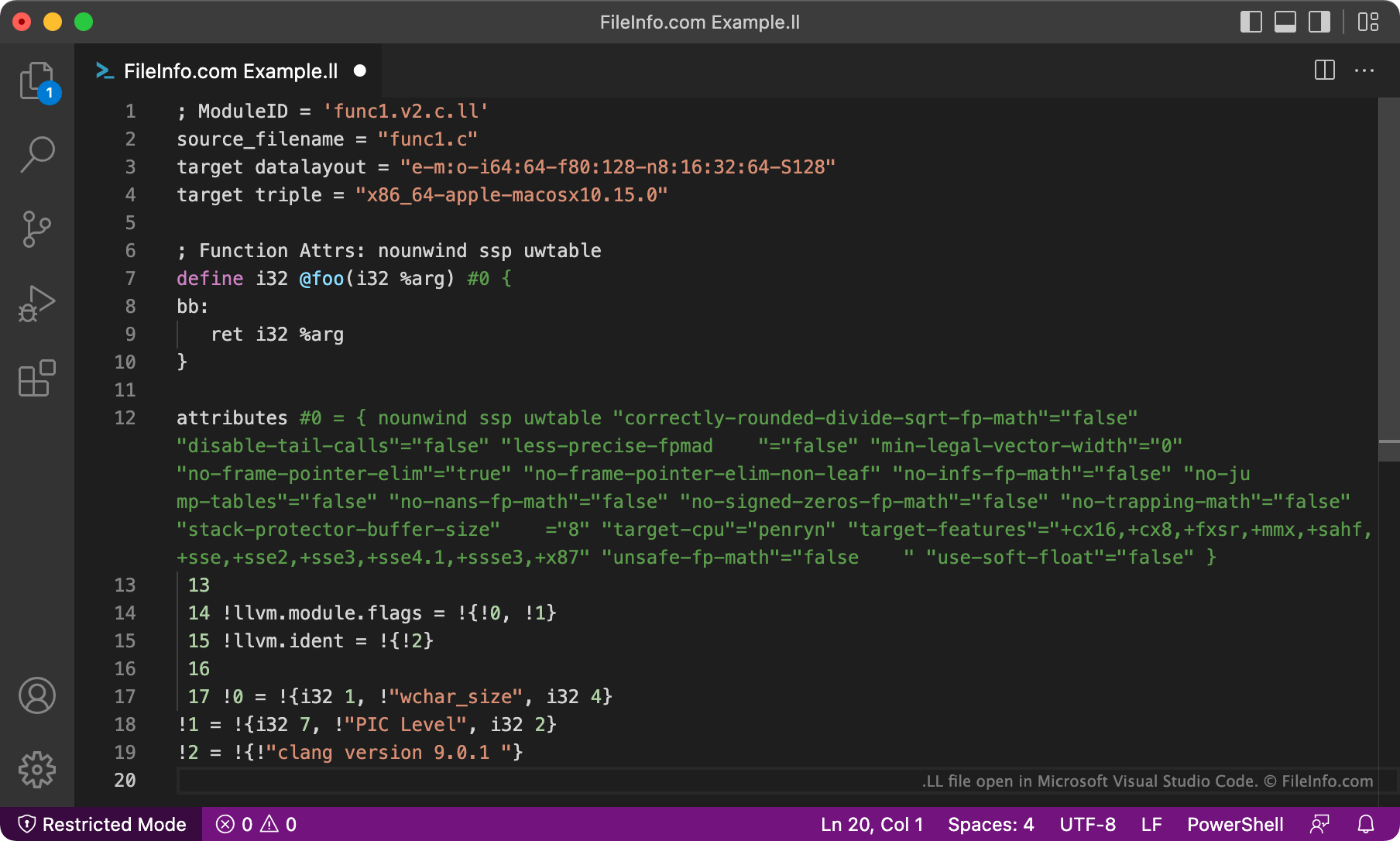
LLVM je soubor modulárních a opakovaně použitelných technologií pro kompilátory a nástrojové řetězce. Vývojáři používají LLVM především k optimalizaci programů napsaných v různých programovacích jazycích pro jednu nebo více cílových architektur.
V rámci tohoto optimalizačního procesu LLVM zkompiluje původní zdrojový kód programu do mezireprezentace, která se skládá z přeložené verze původního kódu programu. Tento překlad se uloží do souboru LL. Vývojáři mohou soubory LL kompilovat pomocí statického kompilátoru LLVM a optimalizovat je tak pro konkrétní architekturu.
Jak otevřít soubor LL
Soubor LL můžete otevřít a upravovat v libovolném textovém editoru nebo editoru zdrojového kódu, například v programu Microsoft Visual Studio Code nebo GitHub Atom. Pomocí LLVM můžete soubor LL zkompilovat do spustitelného programu.