

.GSITE Přípona souboru
Zástupce Google Sites
| Vývojář | |
| Popularita |
3,9 | 12 hlasů |
Co je soubor GSITE?
Soubor GSITE je zástupce používaný k otevření projektu webu Google Sites uloženého na Disku Google. Obsahuje odkaz na projekt webu, který otevírá, a také účet Gmail použitý k vytvoření projektu. Soubory GSITE vytváří Disk Google pro počítače.
Další informace
Disk Google pro počítače je program, který uživatelům Disku Google umožňuje zálohovat a otevírat soubory z Disku Google na počítačích s Windows a Mac. Disk Google pro počítače sice ukládá skutečné zálohy některých typů souborů (například souborů .JPG a .DOCX) do počítačů uživatelů, ale neukládá kopie souborů vytvořených pomocí aplikací Dokumenty Google, Tabulky Google, Google Sites a dalších aplikací Google Workspace. Místo toho Disk Google pro počítače ukládá soubory zástupců, které po dvojitém kliknutí otevřou přidružený soubor ve webové verzi příslušné aplikace Google Workspace.
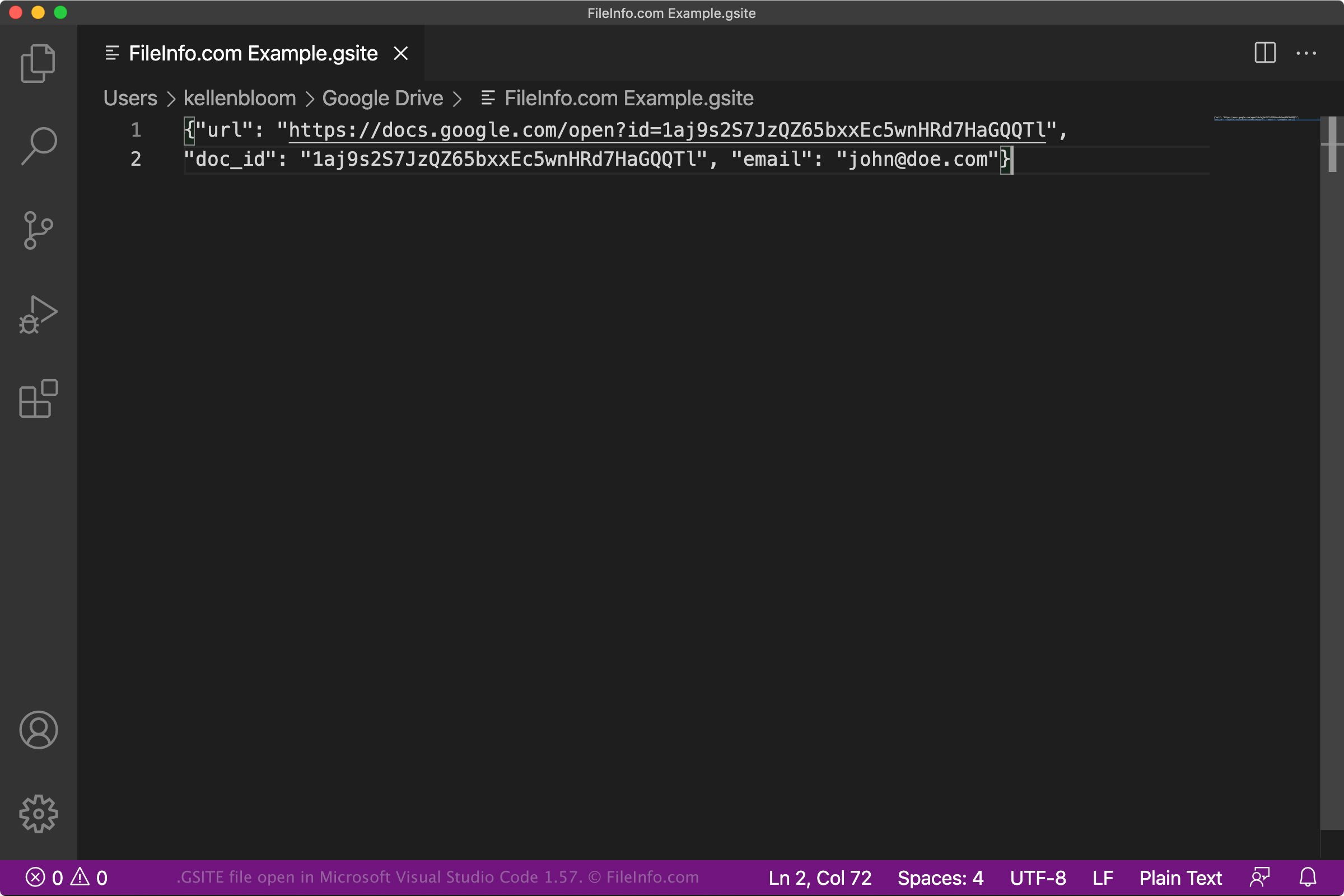
Soubory GSITE jsou zástupci Disku Google pro počítače, kteří otevírají projekty webů Google Sites. Když uživatel Disku Google pro počítače dvakrát klikne na soubor GSITE, související projekt webu se otevře v Google Sites, pokud je uživatel přihlášený k účtu Gmail, který má k projektu přístup. Každý soubor GSITE je soubor JSON, který obsahuje URL projektu a ID dokumentu spolu s názvem účtu Gmail použitého k vytvoření projektu.
POZNÁMKA: Soubory GSITE dříve vytvářel program Backup and Sync from Google. Google v říjnu 2021 nahradil Backup and Sync programem Disk Google pro počítače.
Jak otevřít soubor GSITE
Pokud máte v počítači nainstalovaný Disk Google pro počítače nebo používáte zařízení s Chrome OS, můžete dvojitým kliknutím na soubor GSITE otevřít projekt webu, na který odkazuje, v Google Sites. K jeho otevření se možná budete muset přihlásit ke svému účtu Gmail nebo požádat o přístup k projektu.
V případě potřeby můžete soubor GSITE otevřít také v libovolném textovém editoru a zobrazit si URL, ID dokumentu a informace o účtu Gmail, které obsahuje. To může být užitečné například v případě, že máte potíže s použitím souboru GSITE k otevření projektu v Google Sites. Pokud se po dvojitém kliknutí na soubor GSITE projekt webu neotevře, můžete zkusit zkopírovat URL souboru a vložit ho do webového prohlížeče, abyste získali přístup ke svému projektu webu.