.GSITE 文件扩展名

Google Sites Shortcut

开发者 Google
受欢迎程度
3.9  |  12 
 

什么是 GSITE 文件?

A GSITE file is a shortcut used to open a Google Sites website project stored within Google Drive. It contains a reference to the website project it opens, as well as the Gmail account used to create the project. GSITE files are created by Google Drive for Desktop.

更多信息

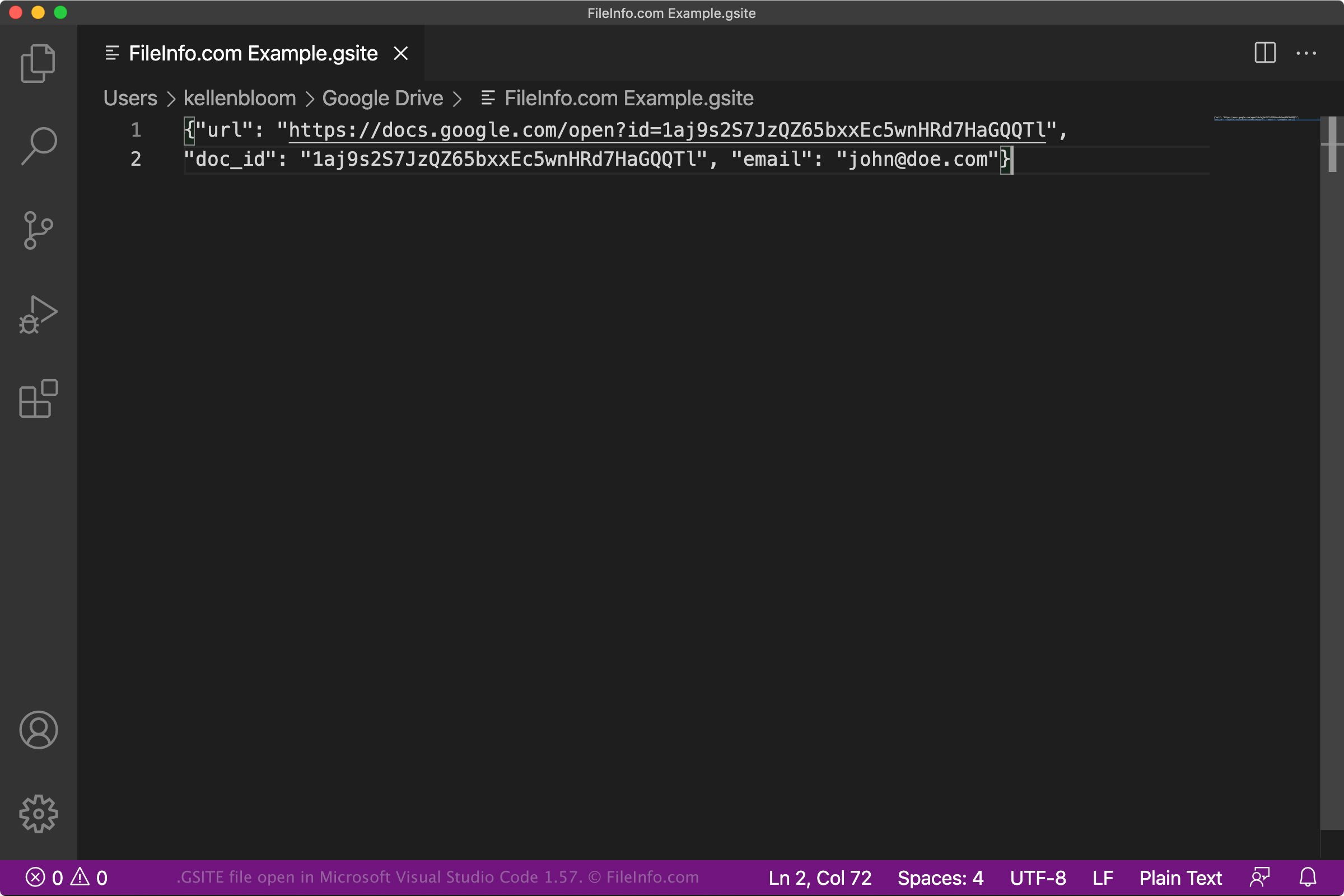
在 Microsoft Visual Studio Code 1.57 中打开的 .gsite 文件截图
在 Microsoft Visual Studio Code 1.57 中打开的 GSITE 文件

Google Drive for Desktop is a program that allows Google Drive users to back up and open their Google Drive files on Windows and Mac PCs. While Drive for Desktop stores actual backups of some types of files (such as .JPG and .DOCX files) on users' computers, it does not store copies of files created using Google Docs, Sheets, Sites, and other Google Workspace applications. Instead, Drive for Desktop stores shortcut files that, when double-clicked, open the associated file in the web version of the correct Google Workspace application.

GSITE files are Drive for Desktop shortcuts that open Google Sites website projects. When a Drive for Desktop user double-clicks a GSITE file, the related website project opens in Google Sites, provided the user is signed in to a Gmail account allowed to access the project. Each GSITE file is a JSON file that contains a project's URL and document ID, as well as the name of the Gmail account used to create the project.

注: GSITE files were previously created by Backup and Sync from Google. Google replaced Backup and Sync with Drive for Desktop in October 2021.

如何打开 GSITE 文件

If you have Google Drive for Desktop installed on your PC, or you are using a Chrome OS device, you can double-click a GSITE file to open the website project it references in Google Sites. You may have to sign in to your Gmail account or request access to the project to open it.

If necessary, you can also open a GSITE file in any text editor to view the URL, document ID, and Gmail account information it contains. You may want to do this, for example, if you are having trouble using your GSITE file to open a project in Google Sites. If double-clicking your GSITE file does not open a website project, you can try copying and pasting your file's URL into your web browser to access your website project.

使用File Viewer Plus打开 400 多种文件格式。免费下载

可打开 GSITE 文件的程序

Linux
Chrome OS
操作系统自带
分类: 文本
更新时间: 2021-07-30

验证者 FileInfo.com

FileInfo.com 团队 独立研究了本页面列出的 Google Sites Shortcut 文件格式和 Mac, Windows, and Linux 应用。 我们的目标是达到 100% 的准确率,并且仅发布我们已验证过的文件类型信息。

如果您想为此页面提出新增或更新建议,请告诉我们