

.YRCBCK 文件扩展名
Weblink备份
| 开发者 | YRC Group |
| 受欢迎程度 |
2.8 | 4 票 |
什么是 YRCBCK 文件?
YRCBCK文件是由YRC Group Weblink创建的备份文件。YRC Group Weblink是一款适用于Windows的网页浏览器。该文件包含用户历史记录的副本、书签存档文件(.YRCBKM文件)、保存的表单信息和设置。Weblink用户可以加载YRCBCK文件,将其中的数据导入Weblink的另一个实例。
更多信息
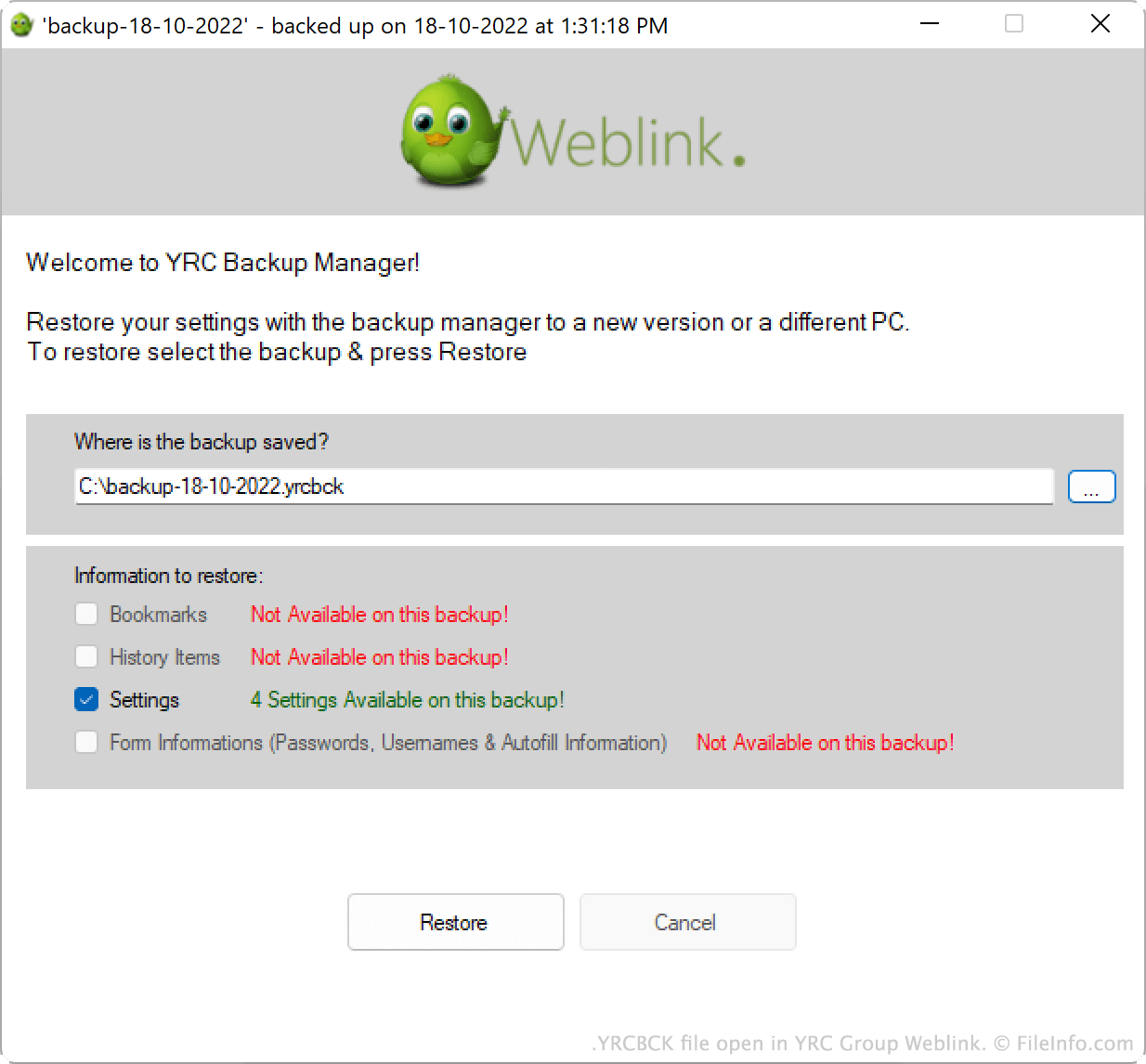
Weblink是一款由印度公司YRC Group发布的网页浏览器,该公司后来更名为Yash Impacts。YRC Group于2014年停止开发Weblink,但你仍然可以从Yash Impacts的网站下载该程序。
用户可以将Weblink数据的副本保存为YRCBCK文件。这样,他们就能备份数据,并在例如被迫重新安装Weblink时重新加载这些数据。要在Weblink中创建YRCBCK文件:
- 从Weblink的菜单中选择。
- 在YRC Backup Manager窗口中,选择。
- 选择要保存的Weblink数据。然后选择。
YRCBCK文件将使用backup-dd-mm-yy.yrcbck格式的文件名保存。这样,你可以快速查看文件的创建时间。
如何打开 YRCBCK 文件
你可以将YRCBCK文件中的数据导入YRC Group Weblink(Windows)。操作步骤如下:
- 从Weblink的菜单中选择。
- 在YRC Backup Manager窗口中,选择。
- 选择按钮,然后找到并打开YRCBCK文件。
- 选择要导入的信息。
- 选择。
可打开 YRCBCK 文件的程序
Windows