.VSCODEIGNORE 文件扩展名

Visual Studio Code Extension Ignore File

开发者 Microsoft
受欢迎程度
3.0  |  1 
 

什么是 VSCODEIGNORE 文件?

A VSCODEIGNORE file is a text file used to exclude unnecessary files when packaging a Microsoft Visual Studio Code extension. It contains a collection of glob patterns that specify what source code files will not be included in the extension's final .VSIX file. VSCODEIGNORE files allow developers to reduce their VSIX files' file sizes, before publishing the files to the Visual Studio Code Extension Marketplace.

更多信息

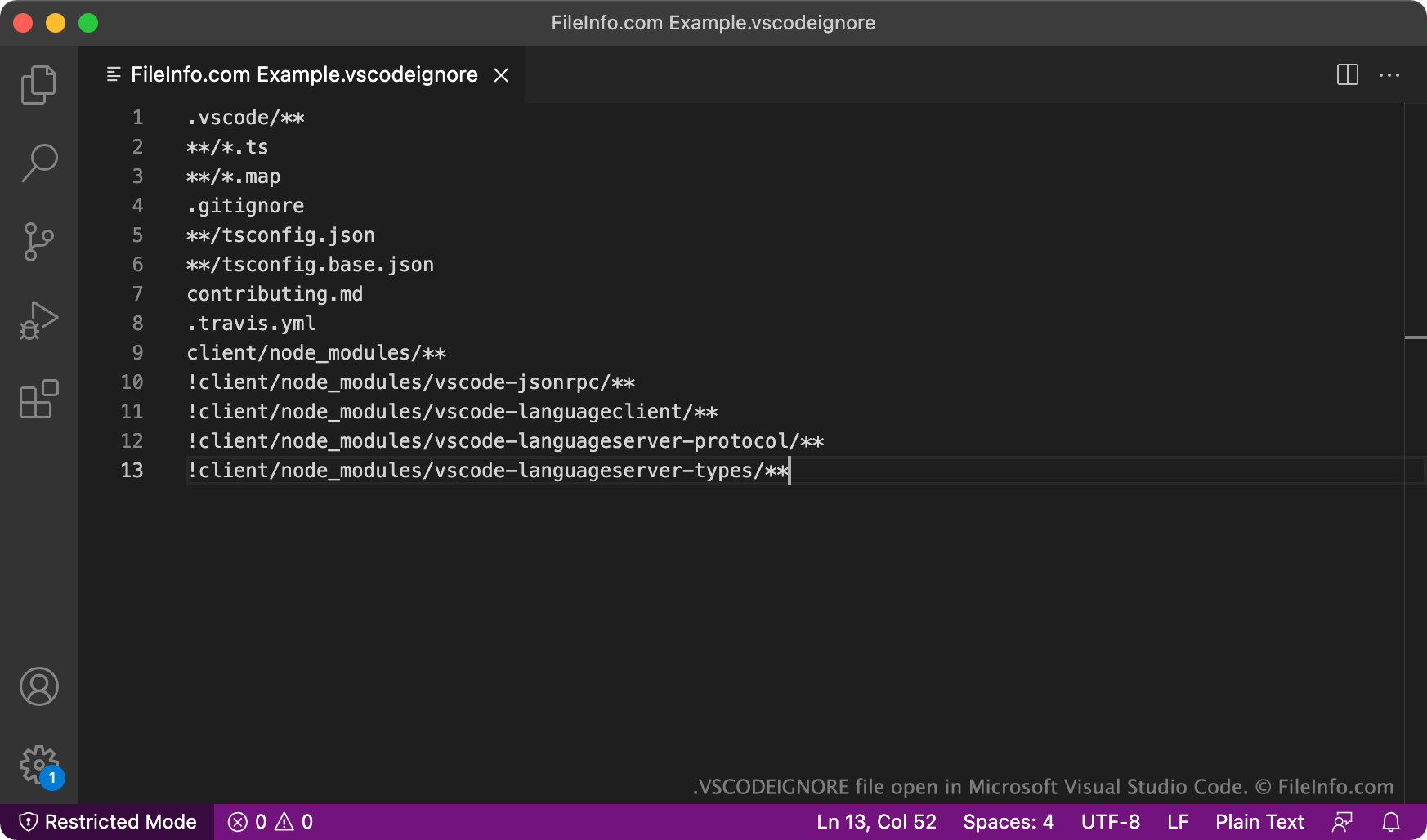
在 Microsft Visual Studio Code 中打开的 .vscodeignore 文件截图
在 Microsft Visual Studio Code 中打开的 VSCODEIGNORE 文件

Microsoft Visual Studio Code is a popular cross-platform code editor. Developers who want to extend Visual Studio Code's capabilities can search for and install Visual Studio Code extensions, which contain one or more additional Visual Studio Code features. For the most part, developers search for and install extensions from Visual Studio Code's Extension Marketplace.

Any developer can create and publish an extension to the Visual Studio Code Extension Marketplace. To do so, a developer must first develop their extension in Visual Studio Code. Then, the developer must publish their extension to the Marketplace, using the Visual Studio Code Extensions command-line tool.

Often, a developer's extension project includes files that do not need to be part of the extension's final, published VSIX package. For example, a developer who developed their extension in TypeScript will likely want to exclude .TS files from the extension's VSIX package. To exclude files from an extension's VSIX file, a developer must create a VSCODEIGNORE file and place it within their extension project.

After creating a VSCODEIGNORE file, a developer can open the file and specify what source code files should be excluded when Visual Studio Code Extensions packages their extension. Developers specify file exclusions using a list of glob patterns. Any files that match a pattern are excluded from the extension's VSIX file.

如何打开 VSCODEIGNORE 文件

You can open a VSCODEIGNORE file in any text or source code editor. Most likely, you'll want to open your VSCODEIGNORE file in Microsoft Visual Studio Code (cross-platform), as part of a Visual Studio Code extension development project.

使用File Viewer Plus打开 400 多种文件格式。免费下载

可打开或引用 VSCODEIGNORE 文件的程序

分类: 开发者
更新时间: 2021-09-23

验证者 FileInfo.com

FileInfo.com 团队 独立研究了本页面列出的 Visual Studio Code Extension Ignore 文件格式和 Mac, Windows, and Linux 应用。 我们的目标是达到 100% 的准确率,并且仅发布我们已验证过的文件类型信息。

如果您想为此页面提出新增或更新建议,请告诉我们