.SH 文件扩展名

Bash Shell Script

开发者 不适用
受欢迎程度
4.0  |  223 
 
🔍使用File Helper直接在您的网络浏览器中打开 .SH 文件在线查看

什么是 SH 文件?

An SH file is a script that can be run with the Bash Unix shell. It contains instructions written in the Bash command language. Users can execute the commands an SH file contains by calling the file in a Bash shell.

更多信息

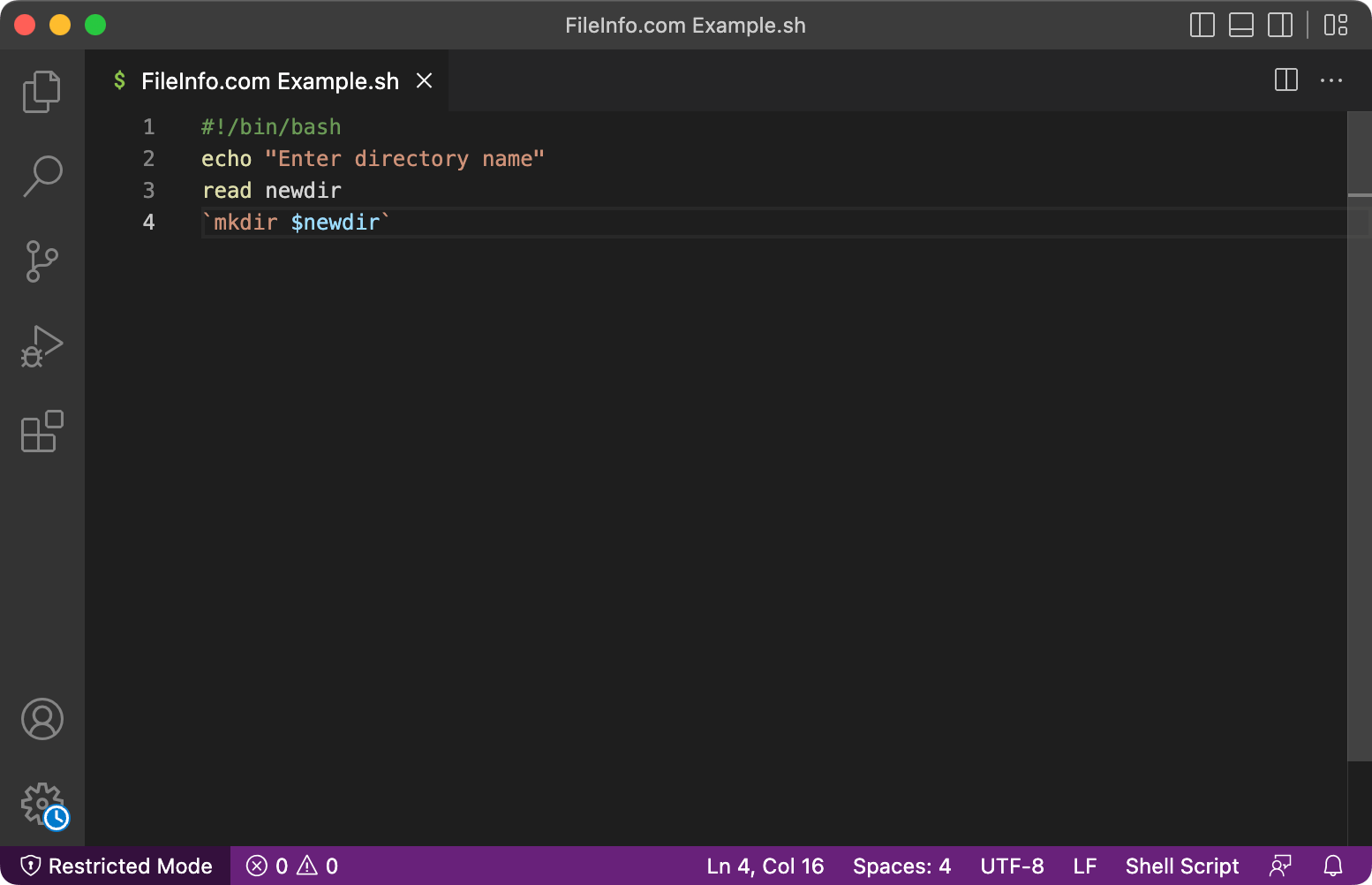
在 Microsoft Visual Studio Code 中打开的 .sh 文件截图
在 Microsoft Visual Studio Code 中打开的 SH 文件

Bash, or Bourne-Again SHell, is a Unix shell that replaced the Bourne shell (thus Bash's full name). Many Linux distributions include the Bash shell. Bash was also previously macOS's default login shell. (It has since been replaced by zsh. MacOS users can still manually set their shell to Bash.)

With the Bash shell, users can execute default Bash commands or execute scripts written in the Bash command language. Bash scripts are typically saved as SH files.

Some other Unix shells, such as Bourne, C shell, and Korn, also use scripts saved as SH files. One way to recognize a Bash script is to look for the string #!/bin/bash in the script's first line. Most Bash SH files include this string, which tells the shell that the script the file contains should be executed using the Bash interpreter.

如何打开 SH 文件

You can open an SH file and view or edit the script it contains in Microsoft Notepad (Windows), Apple TextEdit (Mac), Vim (Linux), or any other text editor.

To execute the script an SH file contains, open the Bash shell, navigate to the directory that contains your file, and enter bash YourFileName.sh.

可打开 SH 文件的程序

Windows
免费
免费
免费
免费
免费
Mac
操作系统自带
免费
免费
免费
Linux
免费
免费
Web
Android
Chrome OS
免费

Unix Shell Archive

开发者 不适用
受欢迎程度
3.5  |  42 
 

Self-extracting "shar" archive that contains files and a shell script with instructions on how to extract the contents; created with the Unix shar utility program; typically only usable on Unix computers with the Bourne shell installed.

更多信息

Shar files also use the .SHAR file extension.

可打开 SH 文件的程序

Windows
ZipZag
Linux
unshar
分类: 压缩
更新时间: 2007-09-18

验证者 FileInfo.com

FileInfo.com 团队 独立研究了本页面列出的所有文件格式和软件程序。 我们的目标是达到 100% 的准确率,并且仅发布我们已验证过的文件类型信息。

如果您想为此页面提出新增或更新建议,请告诉我们