.PERFETTO-TRACE 文件扩展名
Android System Trace
| 开发者 | |
| 受欢迎程度 |
4.1 | 34 票 |
什么是 PERFETTO-TRACE 文件?
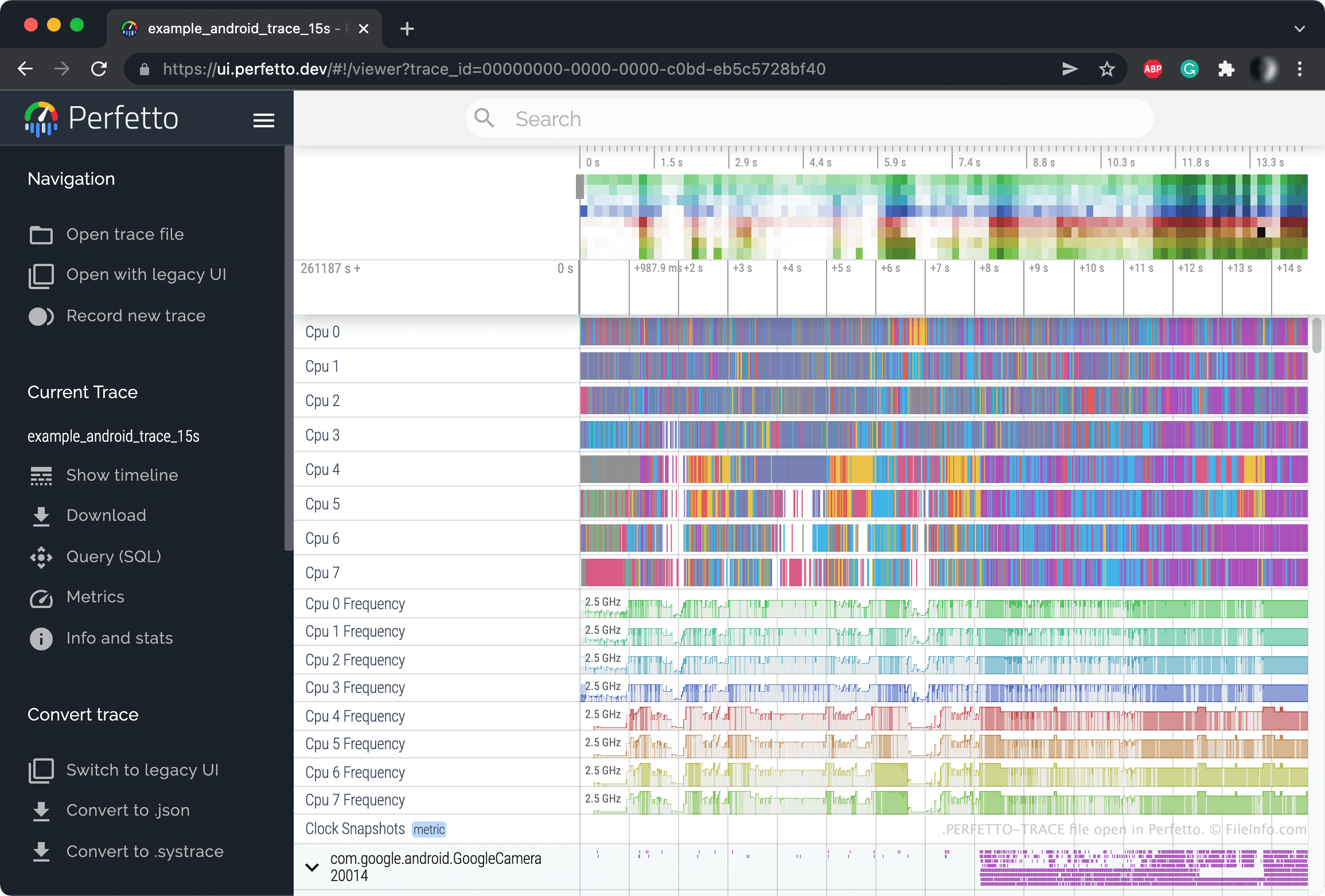
A PERFETTO-TRACE file is a system trace file created by an Android device running Android 10 or later. It contains a record of device activity over a period of time. PERFETTO-TRACE files can be opened in Perfetto, a web-based trace review platform.
更多信息
System tracing allows Android users and developers to record information about their device's activity and performance. Developers can use this information to review, troubleshoot, and optimize an application's performance. For example, a developer may discover that their app's CPU usage is too intensive, thanks to the information recorded in a system trace.
Android 10 and later versions use a system tracing tool called Perfetto to perform and record traces. Traces saved using Perfetto-based tools, such as the Android Studio CPU profiler, System tracing utility, and Perfetto command-line tool, are saved as PERFETTO-TRACE files.
How do I create a PERFETTO-TRACE file?
To perform a system trace on your device and save it as a PERFETTO-TRACE file, you must:
- Enable developer options on your device if you have not already done so.
- Open the Developer Options settings screen.
- In the Debugging section, select System Tracing.
- The System Tracing app opens. Make sure Trace debuggable applications is selected.
- Select Record trace.
- Perform the actions you'd like traced.
- Deselect Record trace.
Your device will then save your trace as a PERFETTO-TRACE file.
注: In previous versions, Android used a system tracing tool called Systrace to save traces as .CTRACE files.
如何打开 PERFETTO-TRACE 文件
You can open a PERFETTO-TRACE file in Perfetto (Web). To do so:
- Open your web browser and go to https://ui.perfetto.dev.
- Select Open trace file.
- Navigate to and open your PERFETTO-TRACE file.