.MADESKTOP 文件扩展名

macOS Desktop Background Configuration File

开发者 Apple
受欢迎程度
2.0  |  1 
 

什么是 MADESKTOP 文件?

An MADESKTOP file is a configuration file used by macOS to store desktop background settings. It contains information about the wallpaper image applied to a user's desktop, including the file path, display scaling, position, and other appearance options in the XML standard. macOS uses MADESKTOP files to store the user's chosen desktop background when they log in or restart their computer.

更多信息

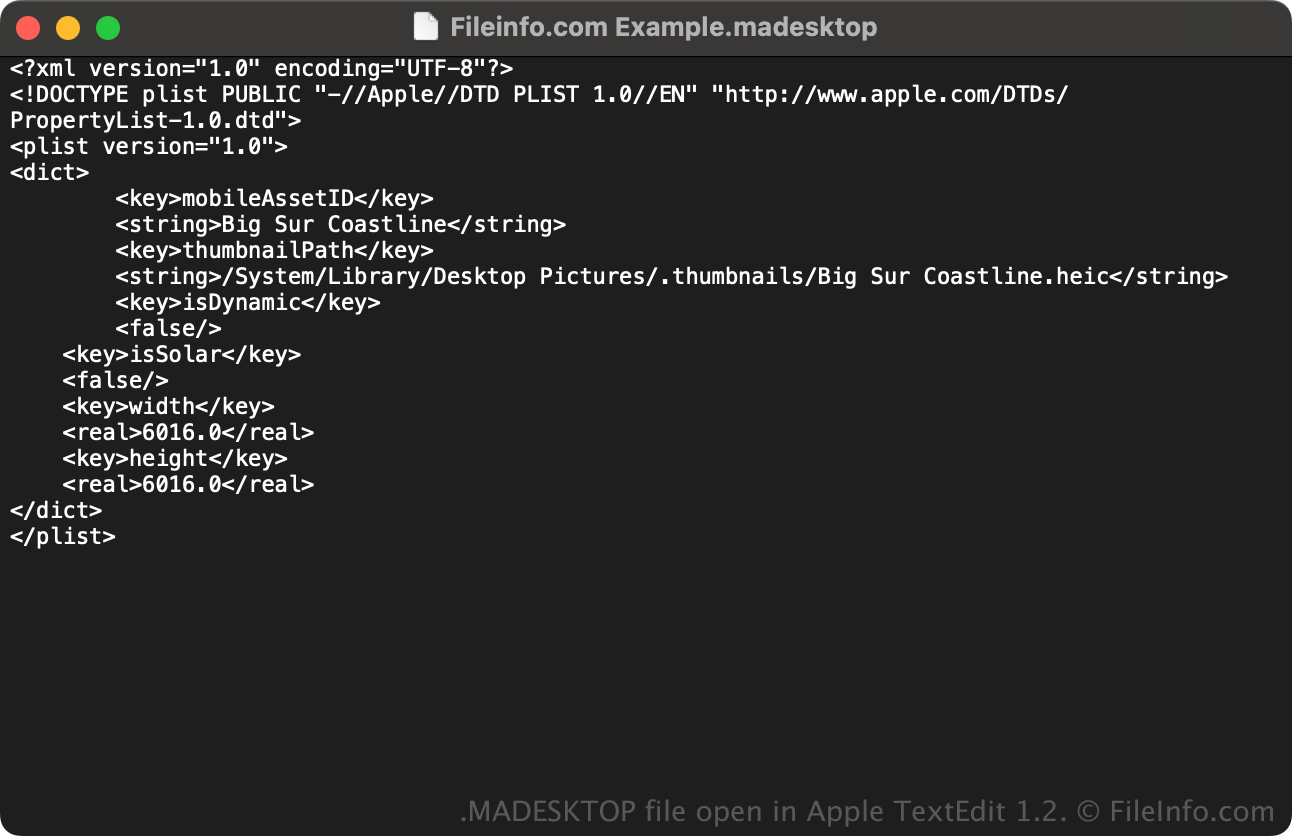
在 Apple TextEdit 1.2 中打开的 .madesktop 文件截图
在 Apple TextEdit 1.2 中打开的 MADESKTOP 文件

Apple introduced the MADESKTOP file type in macOS Monterey 12.3, which is part of the Dynamic Desktop feature, enabling users to set wallpapers that change according to the time of day. Before this update, macOS only used .HEIC files for wallpapers.

They are typically stored within system or user preference directories and are used internally by the operating system's desktop management services. Changing a wallpaper through System Settings → Wallpaper updates the associated MADESKTOP file behind the scenes.

Most users will never directly interact with a MADESKTOP file. However, those who customize or troubleshoot macOS desktop preferences might encounter one when inspecting configuration data or transferring wallpaper settings between user accounts.

注: You can find MADESKTOP files in the following location:

/​System/​Library/​Desktop Pictures

如何打开 MADESKTOP 文件

MADESKTOP files are not meant to be opened or edited manually. Instead, macOS automatically creates and references MADESKTOP files.

Since MADESKTOP files are plain-text property lists, advanced users can view their contents with a text editor, but macOS may not recognize manual changes until the operating system reloads the desktop settings.

使用File Viewer Plus打开 400 多种文件格式。免费下载

可打开或引用 MADESKTOP 文件的程序

All Platforms
Mac
操作系统自带
分类: 系统
更新时间: 2025-10-07

验证者 FileInfo.com

FileInfo.com 团队 独立研究了本页面列出的 macOS Desktop Background Configuration 文件格式和 Mac 应用。 我们的目标是达到 100% 的准确率,并且仅发布我们已验证过的文件类型信息。

如果您想为此页面提出新增或更新建议,请告诉我们