

.IPT 文件扩展名
Inventor零件
| 开发者 | Autodesk |
| 受欢迎程度 |
3.4 | 50 票 |
什么是 IPT 文件?
IPT文件是由Autodesk Inventor创建的二维或三维模型。Autodesk Inventor是一款用于设计三维产品原型的程序。该文件包含一个零件,这个零件用于与其他零件组合成装配体(.IAM文件)。
更多信息
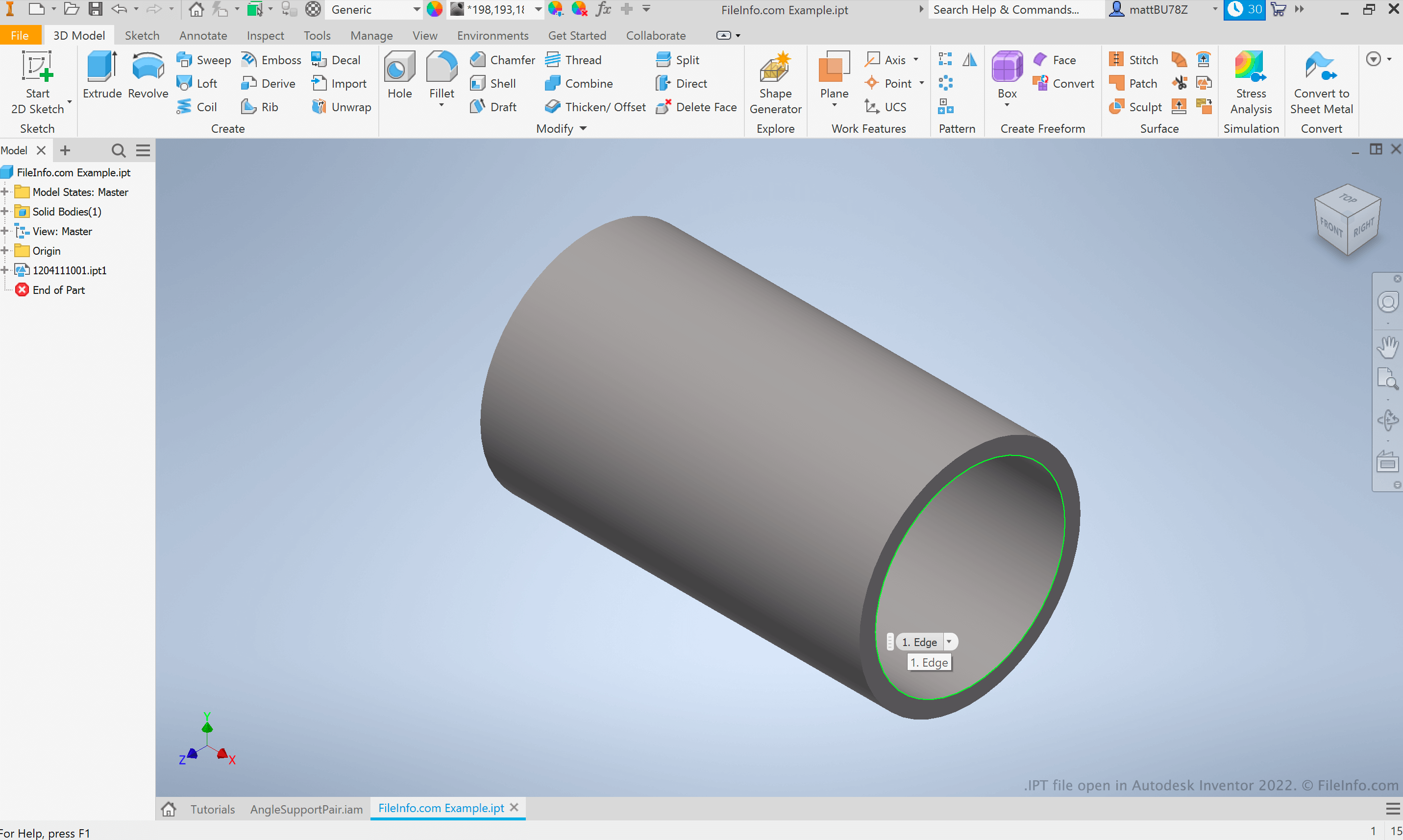
Autodesk Inventor是一款计算机辅助设计(CAD)应用程序,工程师和产品设计师使用它来制作机械产品原型。这些原型被称为装配体,由用户组合在一起的多个独立零件组成。每个Inventor零件都会保存在自己的IPT文件中。
Inventor用户可以从程序外部导入零件,也可以使用Inventor的零件设计工具创建自己的零件。通常,用户会先创建零件的二维图纸,然后将该图纸转换为三维模型。因此,IPT文件可能包含二维或三维对象。
如何打开 IPT 文件
你可以在Autodesk Inventor(Windows)、Autodesk Fusion 360(跨平台)和Autodesk Viewer(Web)中打开IPT文件。如果你只需要查看IPT文件包含的零件,最简单的方法是在Autodesk Viewer中打开它。
可打开 IPT 文件的程序
All Platforms
免费+
Web
iOS
Android