.DEB 文件扩展名

Debian Software Package

开发者 Debian Project
受欢迎程度
4.0  |  461 
 

什么是 DEB 文件?

A DEB file is a software package used by the Debian Linux distribution and its variants, such as Ubuntu. DEB files are used primarily to install or update Unix applications. Each DEB file is a standard Unix archive that contains two .TAR archives: one for installer control information and another for installable data.

更多信息

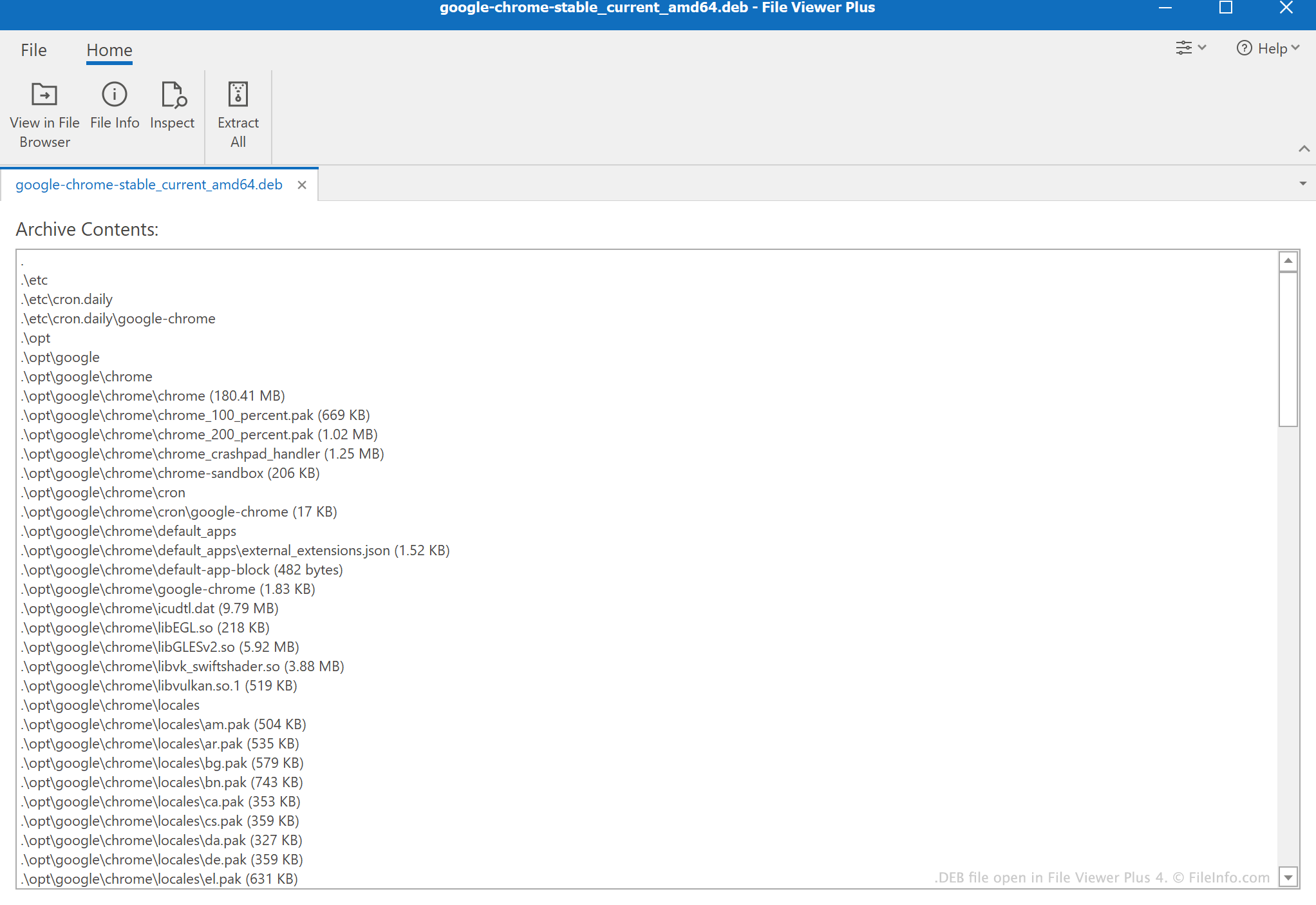
在 File Viewer Plus 4 中打开的 .deb 文件截图
在 File Viewer Plus 4 中打开的 DEB 文件

Debian, Ubuntu, and other supported Linux distribution users install and manage DEB files using either the Debian package management system (dpkg) or APT package management software. Users can also decompress DEB files to view their contents before installation. The TAR archives that DEB files contain are commonly compressed using bzip or gzip compression.

What is the difference between DEB files and UDEB files?

Some Debian packages are available as .UDEB files, which are also known as udebs or "micro debs." UDEB files are structured similarly to DEB files, but they contain only the essential files a program needs to function.

如何打开 DEB 文件

You can install the software stored in a DEB file in a supported Linux distribution, such as Debian or Ubuntu, using the dpkg command. For example, to install an example.deb file, enter dpkg -i /path/to/example.deb on the Linux command line.

iOS device users who have jailbroken their device can install the software a DEB file contains using Cydia (iOS) or iFunbox (Windows, Mac).

You can also extract the contents of a DEB file with decompression utility, such as 7-Zip (Windows), B1 Free Archiver (multiplatform), or PeaZip (Windows, Linux).

如何转换 DEB 文件

You can convert DEB files to the .RPM, .TGZ, and other Linux software package formats using Alien, a Linux package conversion tool.

使用File Viewer Plus打开并查看 .deb 文件。免费下载

可打开 DEB 文件的程序

Windows
免费
免费
免费
免费
Mac
iOS
免费
分类: 压缩
更新时间: 2022-02-02

验证者 FileInfo.com

FileInfo.com 团队 独立研究了本页面列出的 Debian Software Package 文件格式和 Mac, Windows, Linux, Android, and iOS 应用。 我们的目标是达到 100% 的准确率,并且仅发布我们已验证过的文件类型信息。

如果您想为此页面提出新增或更新建议,请告诉我们