.CLIPCHAMP 文件扩展名

Microsoft Clipchamp Project

开发者 Microsoft
受欢迎程度
3.3  |  3 
 

什么是 CLIPCHAMP 文件?

A CLIPCHAMP file is a project created by Microsoft Clipchamp, a video editor for casual and professional users. It contains information about a project, including the placement of elements on the timeline, edits, the location of imported media assets, and settings. Clipchamp creates CLIPCHAMP files when users save their projects to preserve their progress, which users eventually export to an .MP4 or .GIF file to share after editing.

更多信息

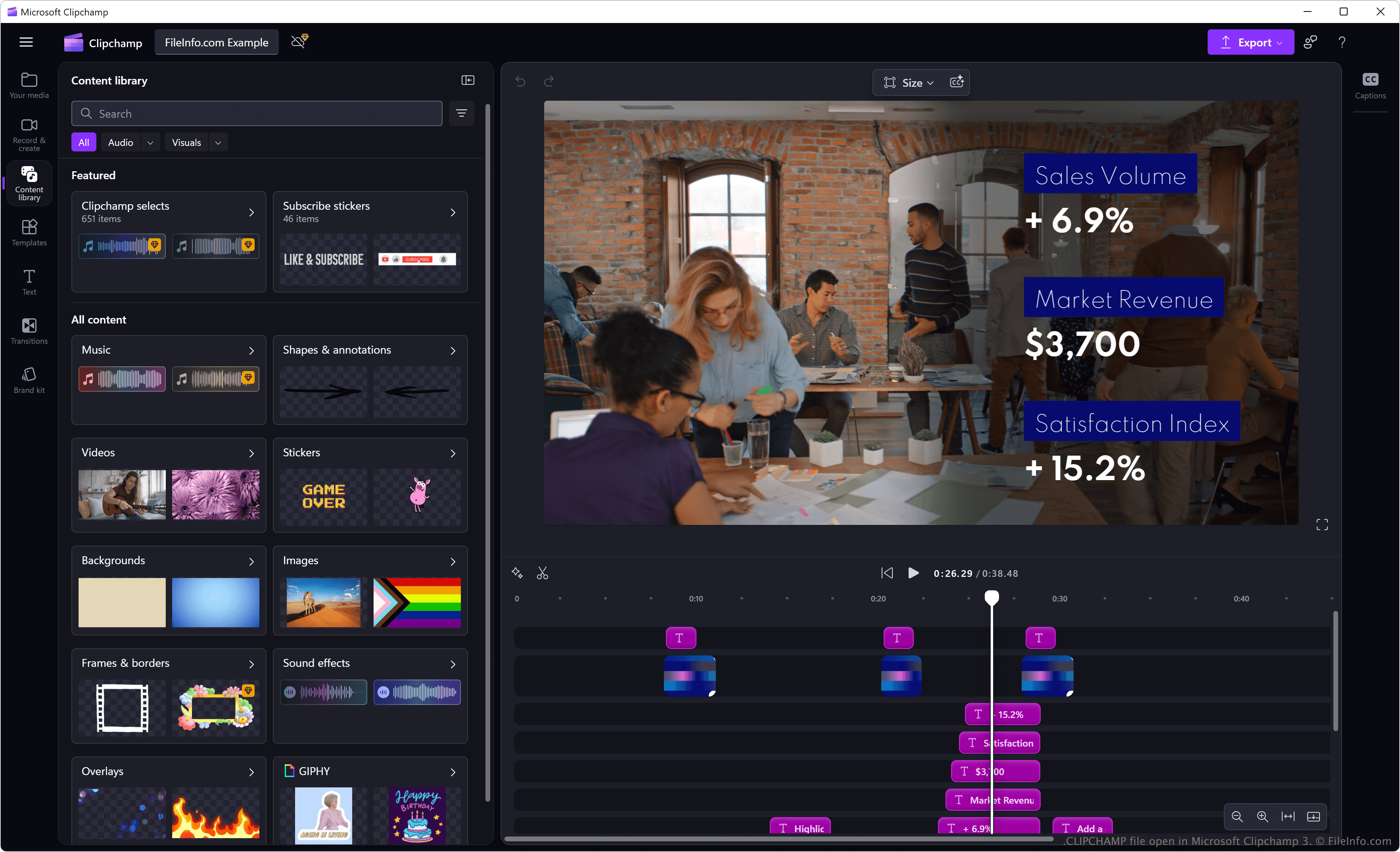
在 Microsoft Clipchamp 3 中打开的 .clipchamp 文件截图
在 Microsoft Clipchamp 3 中打开的 CLIPCHAMP 文件

The Australian company Clipchamp Pty Ltd initially developed Clipchamp, and Microsoft acquired it in 2021 to integrate it into its suite of productivity tools. It is a video editing application used by content creators, educators, businesses, and casual users looking to create social media videos, presentations, and marketing content.

The software is available for Windows and as an online tool in personal and work versions. While each version saves projects as CLIPCHAMP files, only the Work version allows users to share CLIPCHAMP files for collaborative editing by selecting the Share button in the upper-right corner of the program. Users can then choose recipients to invite to modify the project via OneDrive or SharePoint (recipients can click the link to download the CLIPCHAMP project and open it with Clipchamp).

如何打开 CLIPCHAMP 文件

You can open CLIPCHAMP files with the Windows desktop and web versions of Microsoft Clipchamp. While Clipchamp is available for iOS devices, this version does not support CLIPCHAMP files.

如何转换 CLIPCHAMP 文件

Microsoft Clipchamp can convert CLIPCHAMP files to .MP4 video and .GIF image files. To do so, select the Export button in the upper-right corner of the program.

使用File Viewer Plus打开 400 多种文件格式。免费下载

可打开 CLIPCHAMP 文件的程序

Windows
Web
分类: 设置
更新时间: 2025-02-20

验证者 FileInfo.com

FileInfo.com 团队 独立研究了本页面列出的 Microsoft Clipchamp Project 文件格式和 Windows 应用。 我们的目标是达到 100% 的准确率,并且仅发布我们已验证过的文件类型信息。

如果您想为此页面提出新增或更新建议,请告诉我们