

.CCCTASK 文件扩展名
Carbon Copy Cloner任务配置
| 开发者 | Bombich Software |
| 受欢迎程度 |
2.7 | 3 票 |
什么是 CCCTASK 文件?
CCCTASK文件是由Bombich Software开发的Mac备份应用Carbon Copy Cloner创建的任务文件。它包含Carbon Copy Cloner用来备份用户硬盘上存储的全部或部分数据的说明。CCCTASK文件存储在Macintosh HD/Library/Application Support/com.bombich.ccc目录中。
更多信息
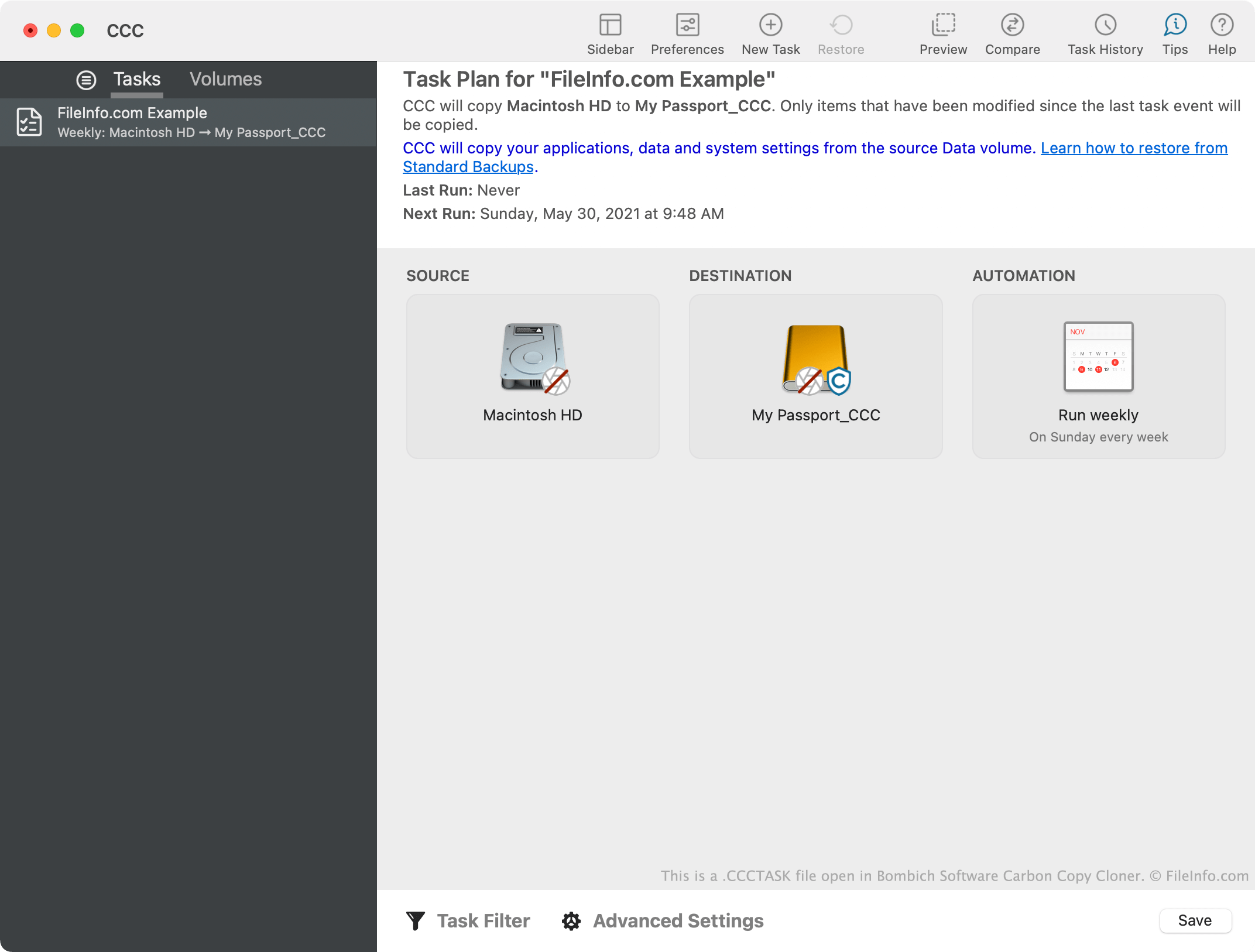
Carbon Copy Cloner用户可以手动备份数据,也可以创建自动备份数据的任务。这些任务存储在CCCTASK文件中。用户通常会将Carbon Copy Cloner设置为定期执行CCCTASK文件,以频繁备份数据。CCCTASK文件还可能包含其他与备份相关的设置,例如在备份过程中和备份完成后要执行的其他任务。
每次Carbon Copy Cloner执行CCCTASK文件时,都会在应用的任务历史记录中保存任务成功或失败的记录。要查看上次使用CCCTASK文件执行备份任务的时间,以及任务是否成功完成,请从Carbon Copy Cloner的工具栏中选择。
注: 如果你在Macintosh HD/Library/Application Support/com.bombich.ccc目录之外遇到CCCTASK文件,它很可能是从Carbon Copy Cloner导出的。用户可以使用Carbon Copy Cloner的、和选项导出CCCTASK文件。
如何打开 CCCTASK 文件
你可以使用Carbon Copy Cloner(Mac)打开CCCTASK文件。要将CCCTASK文件导入Carbon Copy Cloner,请双击该文件。随后,Carbon Copy Cloner会引导你完成任务导入过程。