

.CCCTASK 파일 확장자
Carbon Copy Cloner 작업 구성
| 개발사 | Bombich Software |
| 인기도 |
2.7 | 3 표 |
CCCTASK 파일이란 무엇인가요?
CCCTASK 파일은 Mac 백업 애플리케이션인 Bombich Software Carbon Copy Cloner가 만든 작업입니다. 이 파일에는 Carbon Copy Cloner가 사용자의 하드 드라이브에 저장된 데이터의 전체 또는 일부를 백업하는 데 사용하는 지침이 들어 있습니다. CCCTASK 파일은 Macintosh HD/Library/Application Support/com.bombich.ccc 디렉터리에 저장됩니다.
추가 정보
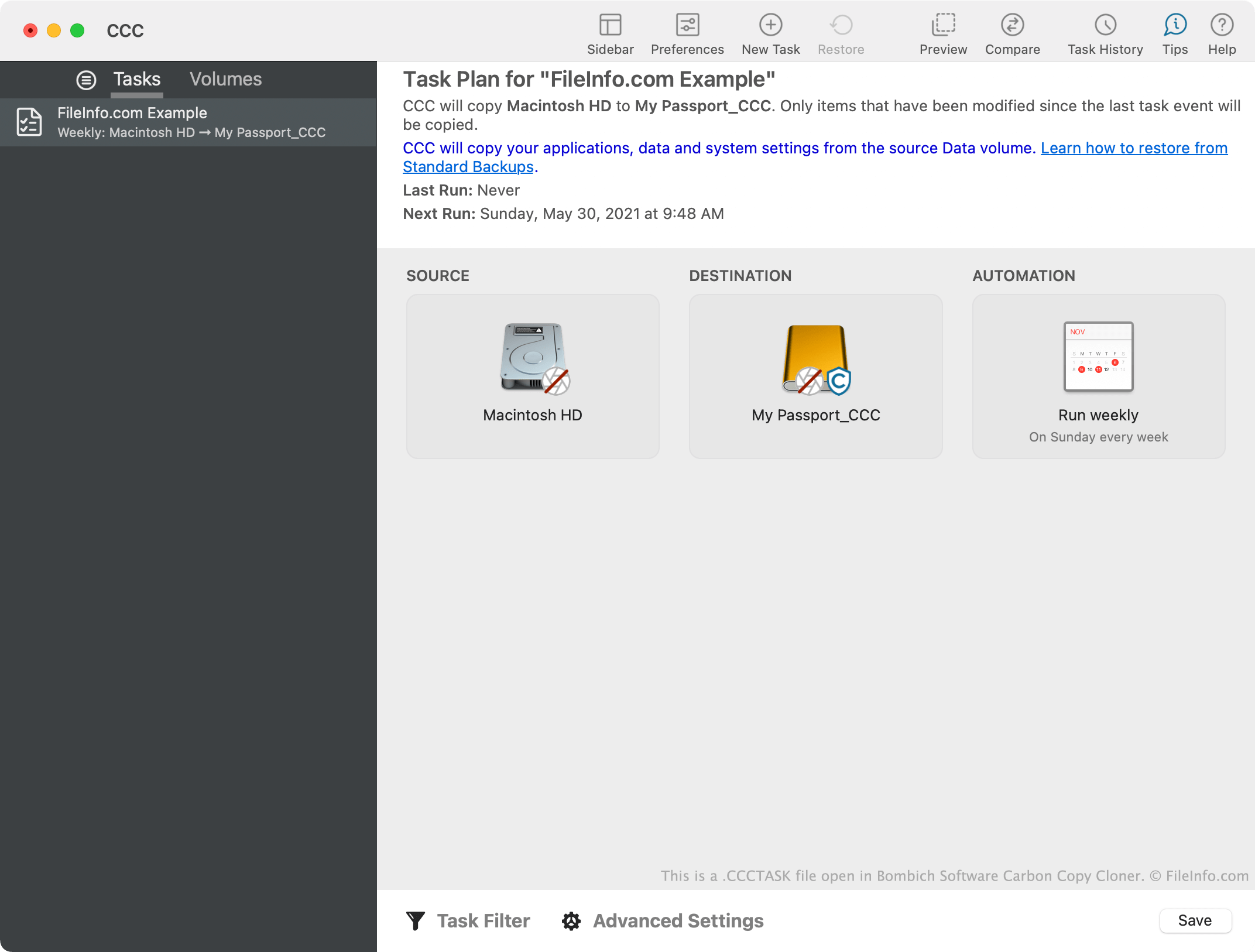
Carbon Copy Cloner 사용자는 데이터를 수동으로 백업하거나 데이터를 자동으로 백업하는 작업을 만들 수 있습니다. 이러한 작업은 CCCTASK 파일에 저장됩니다. 사용자는 데이터를 자주 백업하기 위해 Carbon Copy Cloner가 일정한 간격으로 CCCTASK 파일을 실행하도록 예약하는 경우가 많습니다. CCCTASK 파일에는 백업 프로세스 중이나 후에 수행할 추가 작업과 같은 다른 백업 관련 설정이 포함될 수도 있습니다.
Carbon Copy Cloner가 CCCTASK 파일을 실행할 때마다 앱의 작업 기록에 해당 작업의 성공 또는 실패 기록을 저장합니다. CCCTASK 파일을 사용해 백업 작업을 수행한 마지막 시간과 작업이 성공적으로 완료되었는지 확인하려면 Carbon Copy Cloner의 도구 모음에서 를 선택하십시오.
참고: Macintosh HD/Library/Application Support/com.bombich.ccc 디렉터리 외부에서 CCCTASK 파일을 발견했다면 Carbon Copy Cloner에서 내보낸 파일일 가능성이 높습니다. 사용자는 Carbon Copy Cloner의 , , 옵션을 사용해 CCCTASK 파일을 내보낼 수 있습니다.
CCCTASK 파일을 여는 방법
Carbon Copy Cloner(Mac)에서 CCCTASK 파일을 열 수 있습니다. CCCTASK 파일을 Carbon Copy Cloner로 가져오려면 파일을 두 번 클릭하십시오. 그러면 Carbon Copy Cloner가 작업을 가져오는 과정을 안내합니다.