

.TSPEED Extensão de arquivo
Arquivo de configurações do TyperSpeed Sepia
| Desenvolvedor | Seediffusion |
| Popularidade |
2,0 | 1 Voto |
O que é um arquivo TSPEED?
Um arquivo TSPEED é um arquivo de configurações criado pelo TyperSpeed Sepia, um jogo de digitação para Windows. O TyperSpeed Sepia usa o arquivo TSPEED de um jogador (settings.tspeed ou sepia.tspeed) para carregar as configurações do jogo. Os arquivos TSPEED são arquivos de texto simples que você pode abrir e editar com qualquer editor de texto.
Mais informações
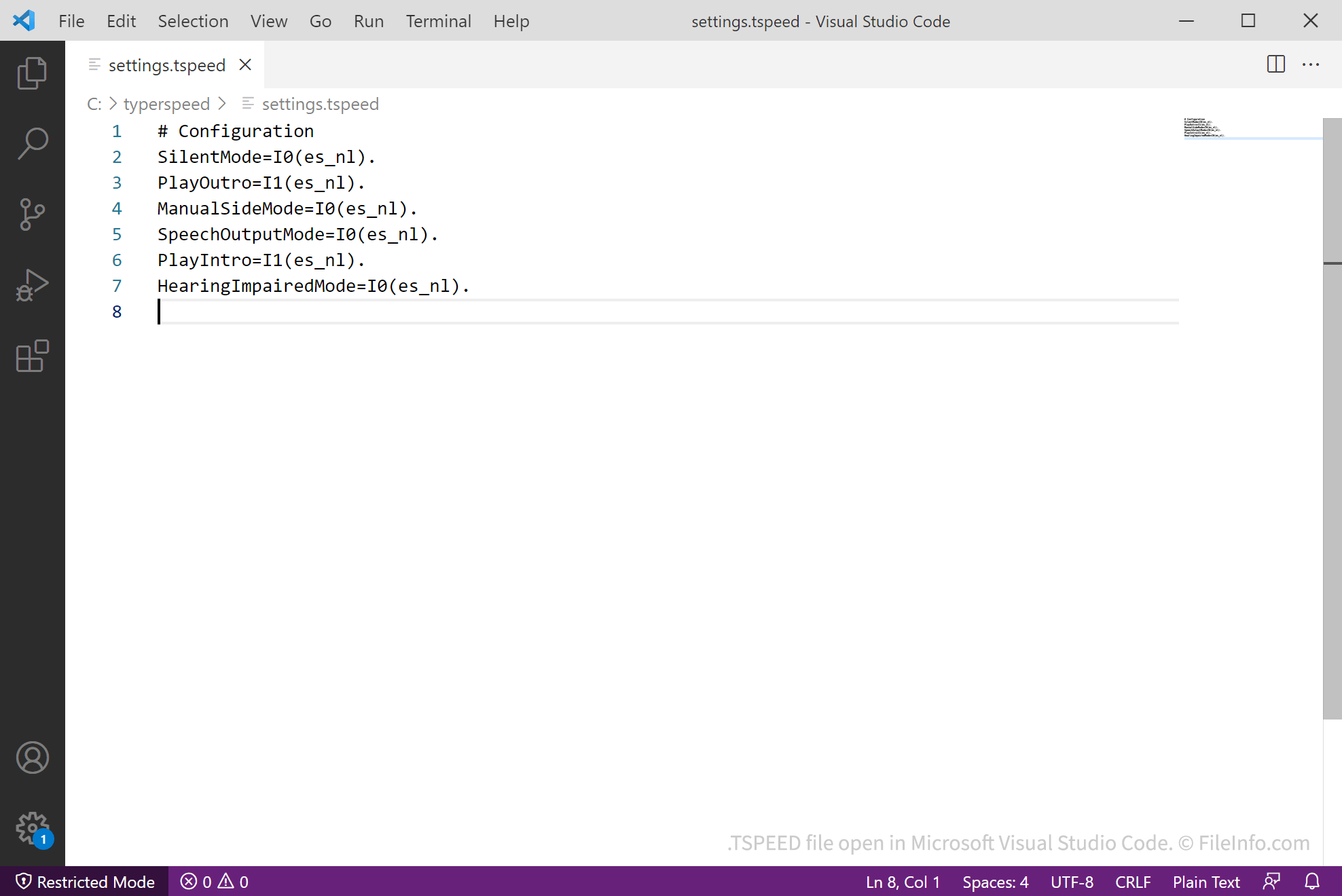
O TyperSpeed Sepia é um jogo de digitação no qual os jogadores têm 35 segundos para digitar o maior número possível de palavras sem cometer erros. Quando um jogador abre o TyperSpeed Sepia pela primeira vez, o jogo cria um arquivo TSPEED, que armazena as configurações do jogo. No TyperSpeed Sepia 3.5 e versões posteriores, o arquivo se chama sepia.tspeed. Nas versões anteriores, ele se chama settings.tspeed.
Na versão 3.6C e posteriores, os jogadores podem alterar as configurações do TyperSpeed Sepia selecionando no menu principal (selecione na versão 3.5). Quando um jogador altera as configurações do TyperSpeed Sepia, o jogo salva automaticamente as novas configurações do jogador no arquivo TSPEED.
Além disso, no Typerspeed Sepia 3.5 e versões posteriores, se um jogador conectasse o TyperSpeed à sua conta do Twitter, o jogo armazenava os dados do token de acesso do Twitter em tweepia.tspeed. No entanto, o Twitter não permite mais que os jogadores do Typerspeed se conectem às suas contas.
NOTA: O TyperSpeed Sepia é a primeira versão do TyperSpeed a usar arquivos TSPEED. As versões anteriores não criavam nem usavam arquivos TSPEED.
Como abrir um arquivo TSPEED
Você pode abrir e editar um arquivo TSPEED com o TyperSpeed Sepia. Para ver e editar no jogo as configurações de um arquivo TSPEED (na versão 3.6C e posteriores), abra o jogo e selecione (selecione na versão 3.5).
Como os arquivos TSPEED armazenam as configurações em texto simples, você pode abri-los com qualquer editor de texto, como o Microsoft Notepad, o Apple TextEdit e o Microsoft Visual Studio Code. Isso permitirá que você veja e edite as configurações do TyperSpeed Sepia.