

.TSPEED Dateiendung
TyperSpeed-Sepia-Einstellungsdatei
| Entwickler | Seediffusion |
| Beliebtheit |
2,0 | 1 Stimme |
Was ist eine TSPEED-Datei?
Eine TSPEED-Datei ist eine Einstellungsdatei, die von TyperSpeed Sepia, einem Tipp-Spiel für Windows, erstellt wird. TyperSpeed Sepia verwendet die TSPEED-Datei eines Spielers (settings.tspeed oder sepia.tspeed), um dessen Spieleinstellungen zu laden. TSPEED-Dateien sind reine Textdateien, die Sie mit jedem Texteditor öffnen und bearbeiten können.
Weitere Informationen
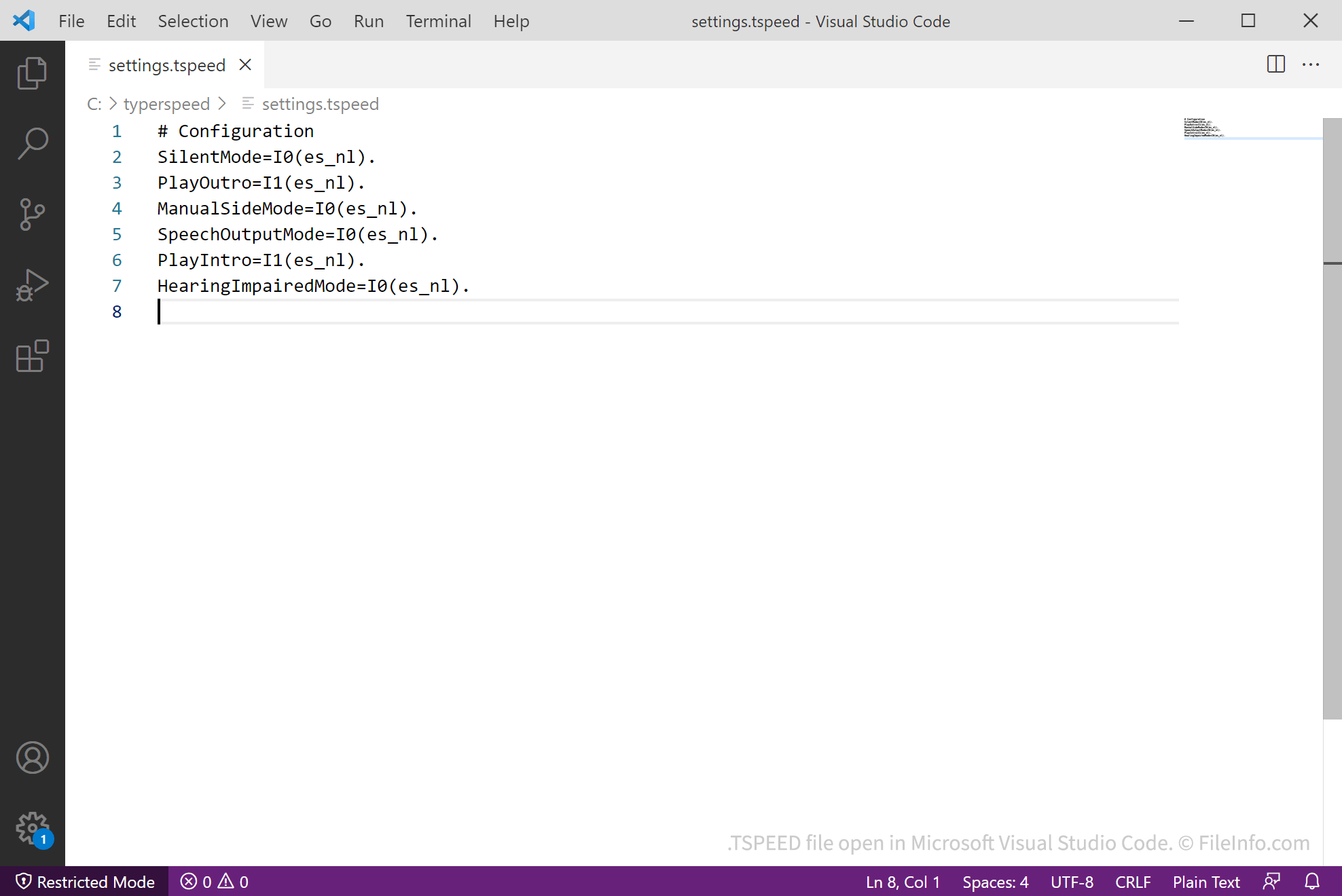
TyperSpeed Sepia ist ein Tipp-Spiel, bei dem Spieler 35 Sekunden Zeit haben, so viele Wörter wie möglich zu tippen, ohne Fehler zu machen. Wenn ein Spieler TyperSpeed Sepia zum ersten Mal öffnet, erstellt das Spiel eine TSPEED-Datei, in der die Einstellungen des Spiels gespeichert werden. In TyperSpeed Sepia 3.5 und höher heißt die Datei sepia.tspeed. In früheren Versionen heißt sie settings.tspeed.
In Version 3.6C und höher können Spieler die Einstellungen von TyperSpeed Sepia ändern, indem sie im Hauptmenü auswählen (in Version 3.5 wählen sie ). Wenn ein Spieler die Einstellungen von TyperSpeed Sepia ändert, speichert das Spiel die neuen Einstellungen des Spielers automatisch in dessen TSPEED-Datei.
Außerdem speicherte TyperSpeed Sepia 3.5 und höher in tweepia.tspeed die Twitter-Zugriffstoken-Daten eines Spielers, wenn dieser TyperSpeed mit seinem Twitter-Konto verbunden hatte. Twitter erlaubt es TyperSpeed-Spielern jedoch nicht mehr, eine Verbindung zu ihren Konten herzustellen.
HINWEIS: TyperSpeed Sepia ist die erste Version von TyperSpeed, die TSPEED-Dateien verwendet. Frühere Versionen erstellten oder verwendeten keine TSPEED-Dateien.
So öffnen Sie eine TSPEED-Datei
Sie können eine TSPEED-Datei mit TyperSpeed Sepia öffnen und bearbeiten. Um die Einstellungen in einer TSPEED-Datei anzuzeigen und sie innerhalb des Spiels zu bearbeiten (Version 3.6C und höher), öffnen Sie das Spiel und wählen Sie (in Version 3.5 wählen Sie ).
Da TSPEED-Dateien Einstellungen im Klartext speichern, können Sie die Dateien mit jedem Texteditor öffnen, beispielsweise mit Microsoft Notepad, Apple TextEdit und Microsoft Visual Studio Code. Dadurch können Sie Ihre TyperSpeed-Sepia-Einstellungen anzeigen und bearbeiten.