

.PAPERLIBRARY Rozszerzenie pliku
Biblioteka papierów Painter
| Deweloper | Corel |
| Popularność |
1,5 | 2 Głosy |
Czym jest plik PAPERLIBRARY?
Plik PAPERLIBRARY przechowuje kolekcję tekstur papieru używanych przez Corel Painter, aplikację do tworzenia cyfrowych dzieł sztuki. Zawiera różne tekstury papieru, w tym Fine Hard Grain, Rough Plaster i Ribbed Pastels, które użytkownicy stosują do różnych mediów, takich jak pędzle, na płótnie w programie Painter.
Więcej informacji
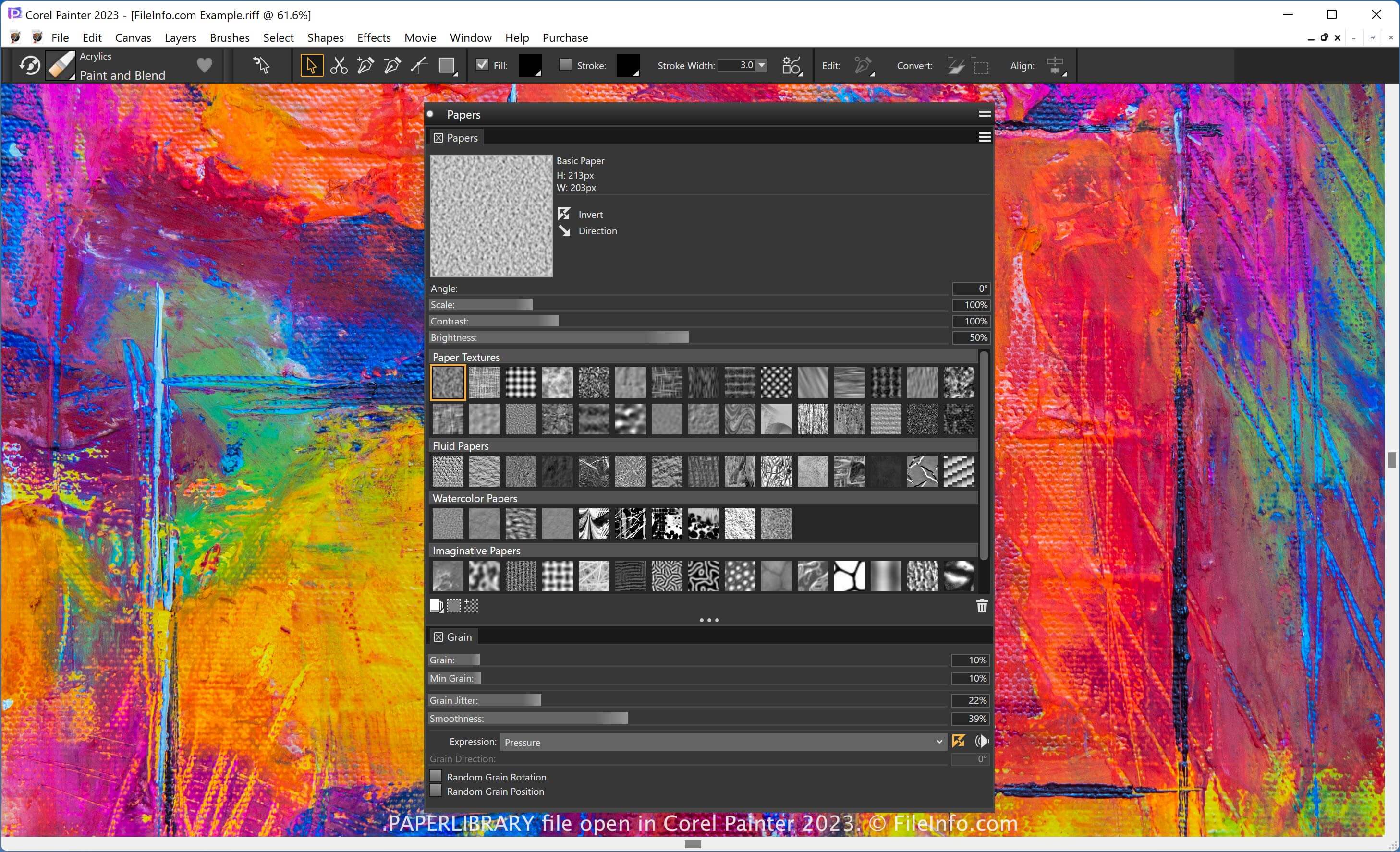
Painter to aplikacja używana przez artystów cyfrowych do tworzenia realistycznych obrazów i edytowania zdjęć. Udostępnia różne narzędzia, w tym pędzle, kształty i efekty obrazu. Aplikacja pozwala także stosować tekstury papieru (zawarte w plikach PAPERLIBRARY) do narzędzi, takich jak pędzle, aby zmieniać ich wygląd.
Bibliotekę tekstur papieru można wyświetlić w panelu "Papers" w programie Painter. Aby uzyskać dostęp do papierów, wybierz .
UWAGA: Firma Corel zastąpiła format .PAPERS formatem PAPERLIBRARY.
Jak otworzyć plik PAPERLIBRARY
Plik PAPERLIBRARY można otworzyć za pomocą programu Corel Painter. Aby na przykład zaimportować plik PAPERLIBRARY, wybierz , kliknij ikonę "Manage Libraries", a następnie wybierz .