

.GANTT Bestandsextensie
Online Gantt-grafiek
| Ontwikkelaar | Online Gantt |
| Populariteit |
3,6 | 9 stemmen |
Wat is een GANTT-bestand?
Een GANTT-bestand is een Gantt-diagram dat is gemaakt met Online Gantt. Wanneer je GANTT-bestanden opent in Online Gantt, verschijnen ze als projectplanningen op basis van staafdiagrammen. GANTT-bestanden zijn echter eigenlijk hernoemde .JSON-bestanden die tekst zonder opmaak bevatten die Online Gantt gebruikt om een Gantt-diagram weer te geven.
Meer informatie
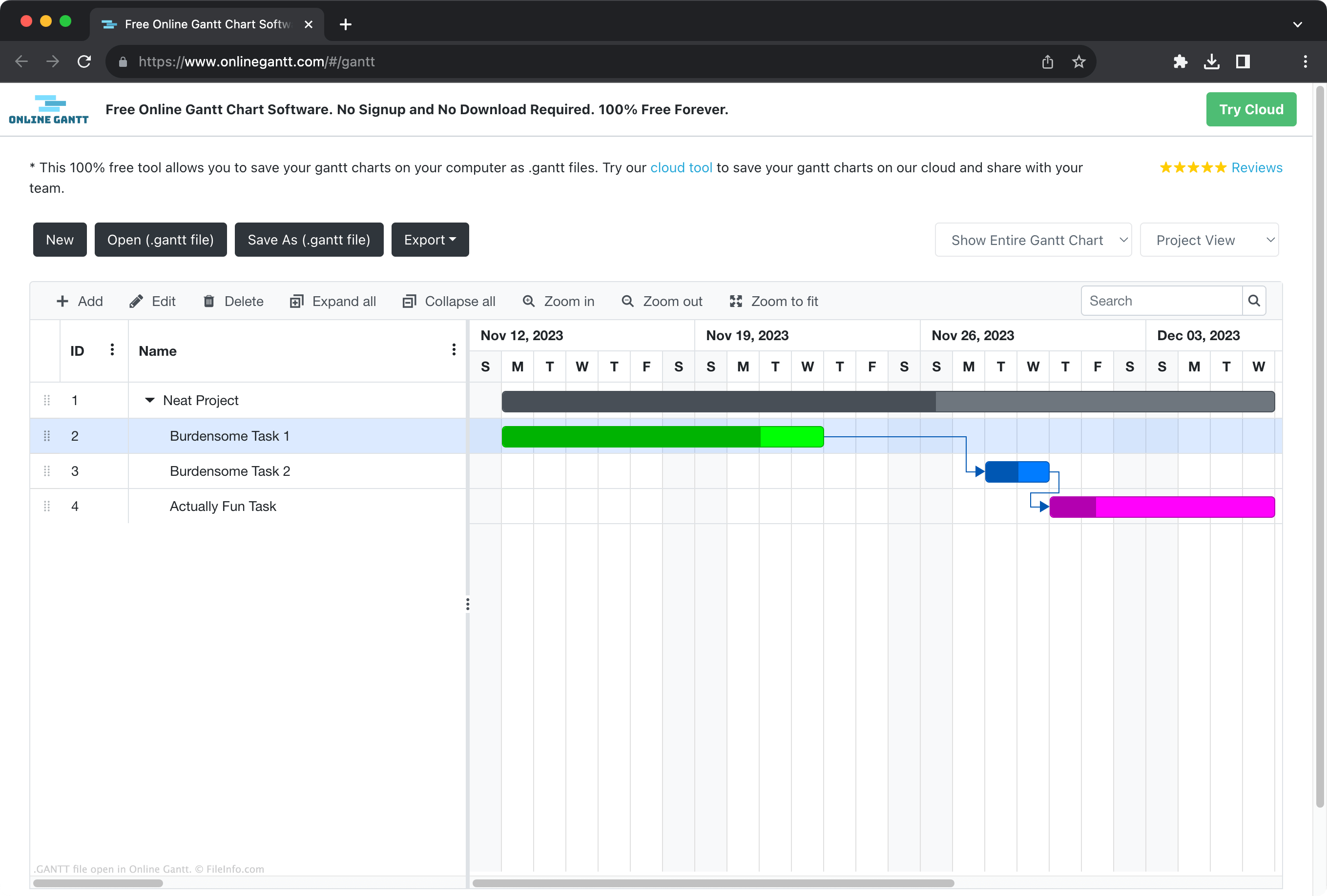
Gantt-diagrammen zijn staafdiagrammen die projectplanningen weergeven. De Y-as van een Gantt-diagram toont de periode waarin een project plaatsvindt en de X-as vermeldt de taken en subtaken van het project. Elke staaf in het diagram vertegenwoordigt de periode waarin aan de bijbehorende taak moet worden gewerkt. Naarmate medewerkers voortgang boeken bij een taak, vullen projectmanagers vaak een overeenkomstig percentage van de staaf van die taak in om aan te geven hoe dicht de taak bij voltooiing is.
Online Gantt is een gratis online tool waarmee projectmanagers Gantt-diagrammen kunnen maken, bewerken en exporteren. Als een gebruiker van Online Gantt weet dat die een gemaakt diagram verder wil bewerken, kan die het diagram opslaan als GANTT-bestand. Dit bestand bevat gegevens in JSON-indeling die het uiterlijk van het diagram en verschillende project- en diagramgerelateerde metagegevens definiëren, zoals beschikbare projectresources en diagraminstellingen.
Een GANTT-bestand openen
Je kunt een GANTT-bestand openen met Online Gantt (web). Ga hiervoor als volgt te werk:
- Open Online Gantt in je webbrowser.
- Selecteer .
- Navigeer naar je GANTT-bestand en open het.
Omdat GANTT-bestanden hernoemde .JSON-bestanden zijn, kun je ze technisch gezien ook openen met Microsoft Notepad, Apple TextEdit of een andere teksteditor. Dat is echter niet erg nuttig. Je kunt een GANTT-bestand daarom het beste openen met Online Gantt.