

.FOR Bestandsextensie
Fortran-broncodebestand
| Ontwikkelaar | ISO/IEC |
| Populariteit |
3,5 | 6 stemmen |
Wat is een FOR-bestand?
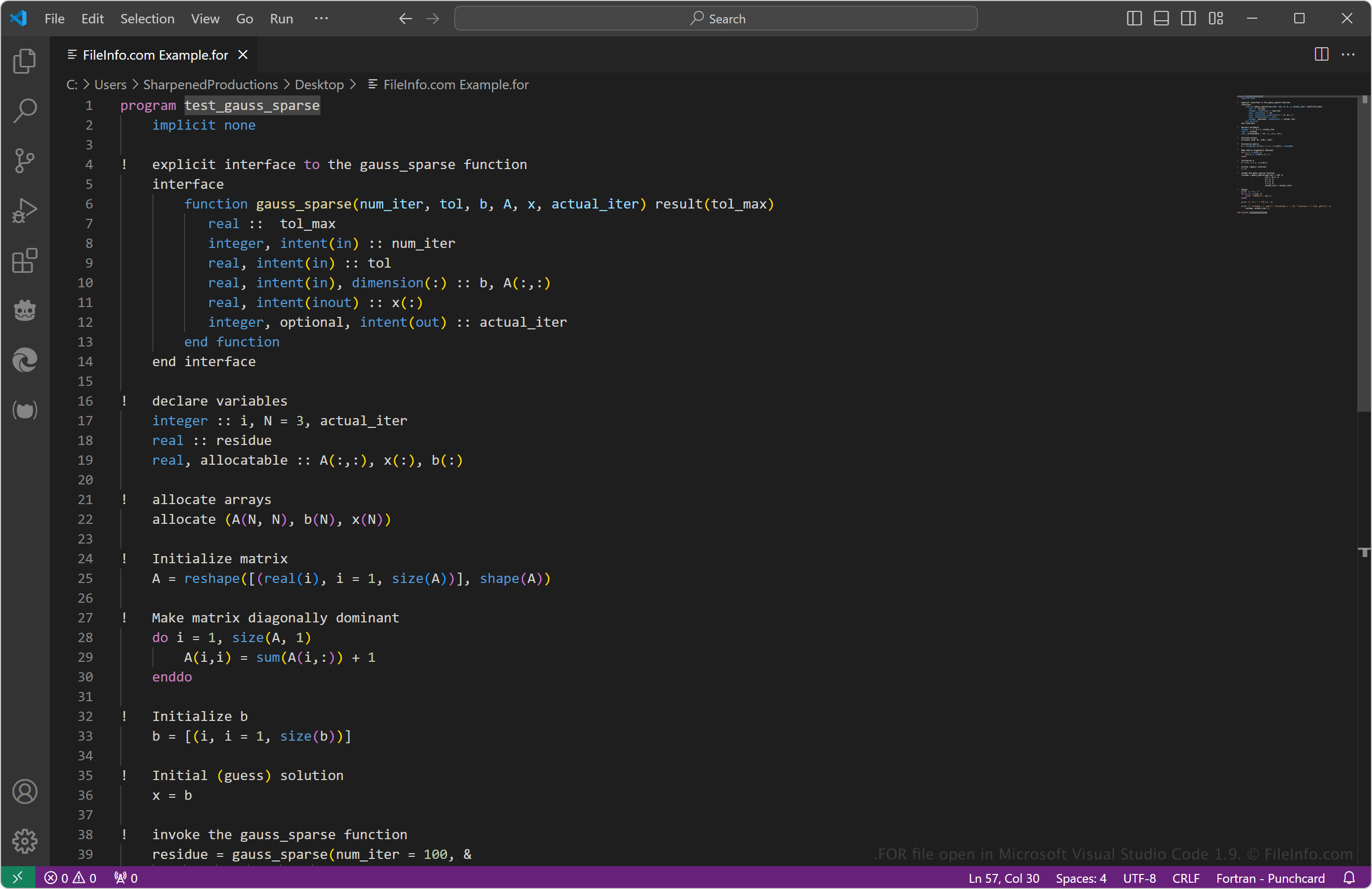
Een FOR-bestand bevat broncode die is geschreven in programmeertalen van Fortran, zoals Fortran 77 (F77), die vaak worden gebruikt voor wetenschappelijke en numerieke berekeningen. Het bestand slaat meestal F77-code op in een indeling met vaste vorm, die is overgenomen van ponskaarten met 80 kolommen die vroege computerontwikkelaars gebruikten om programma's op te slaan. Je kunt FOR-bestanden openen en bewerken met een teksteditor of IDE die syntaxismarkering biedt.
Meer informatie
IBM (specifiek medewerker John Backus) ontwikkelde aanvankelijk de programmeertaal FORmula TRANslation (Fortran) en bracht deze uit in 1957. Het is een programmeertaal voor algemene doeleinden die vaak wordt gebruikt voor het uitvoeren van wetenschappelijke en numerieke berekeningen. Ontwikkelaars kunnen bijvoorbeeld code in Fortran schrijven en deze vervolgens compileren om een programma te maken dat numerieke gegevens berekent om weersystemen te voorspellen.
Sinds 1957 zijn er verschillende versies uitgebracht, waarbij de nummers staan voor de jaren waarin ze werden voorgesteld (F77 werd bijvoorbeeld in 1977 voorgesteld). F77 biedt onder andere ondersteuning voor gestructureerd programmeren en gegevens op basis van tekens, terwijl de oorspronkelijke Fortran-taal dat niet deed.
De meeste ontwikkelaars slaan hun F77-broncode op als FOR- of .F-bestanden, die gemakkelijk herkenbaar zijn als broncodebestanden op basis van Fortran. Sommigen slaan hun code echter op in .F77-bestanden om aan te geven dat de bestanden specifiek F77-broncode bevatten en geen code die met een andere Fortran-variant is geschreven. Latere versies van Fortran, zoals Fortran 90 of Fortran 2003 (die broncode in vrije vorm ondersteunen), worden meestal opgeslagen als .F90- en .F2K-bestanden.
OPMERKING: De International Organization for Standardization (ISO) en de International Electrotechnical Commission (IEC) ontwikkelen momenteel Fortran.
Een FOR-bestand openen
Je kunt FOR-bestanden openen met elke teksteditor of broncode-editor. Je kunt FOR-bestanden bijvoorbeeld openen met eenvoudige teksteditors zoals Microsoft Notepad in Windows, Apple TextEdit in macOS of gedit in Linux.
Broncode-editors, zoals Microsoft Visual Studio Code (voor meerdere platforms) en MacroMates TextMate (voor meerdere platforms), bevatten echter handige hulpmiddelen die het lezen en bewerken van FOR-bestanden eenvoudiger maken.