.WHTML 파일 확장자

TinyMCE HTML Document

개발사 Dustin Brett
인기도
4.3  |  4 투표
 

WHTML 파일이란 무엇인가요?

A WHTML file is a web document used by the TinyMCE document editor on daedalOS, a browser-based operating system. It stores rich text content, such as notes or pages, created by TinyMCE, which daedalOS supports as its built-in document WYSIWYG editor. WHTML files contain HTML-based content, including text, formatting, and inline styles.

추가 정보

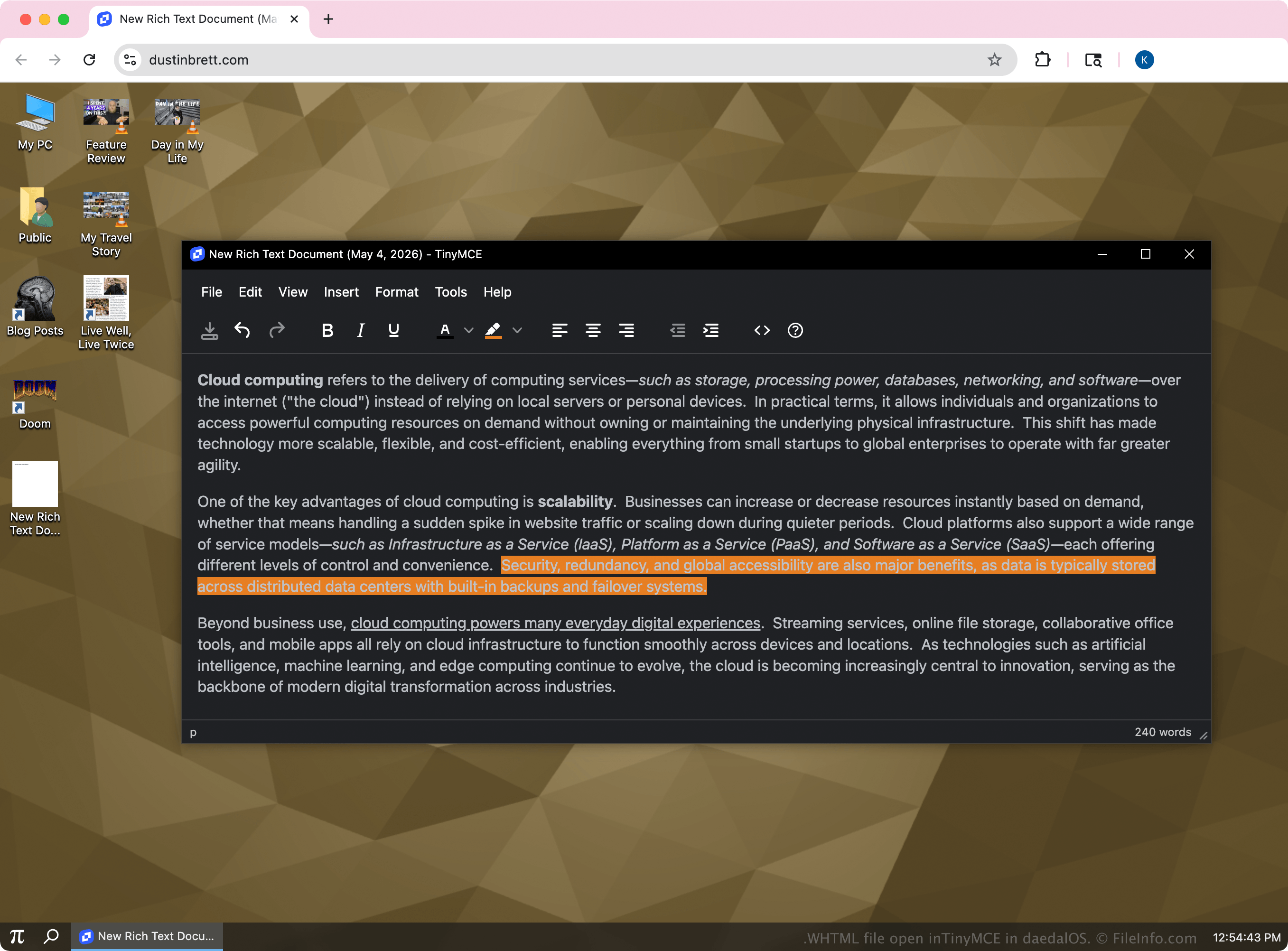
TinyMCE in daedalOS에서 열린 .whtml 파일의 스크린샷
TinyMCE in daedalOS에서 열린 WHTML 파일

The .whtml extension is not a formal or widely adopted standard, but rather a naming convention used by daedalOS to identify editable documents created within its built-in editor. The WHTML files are typically smaller, self-contained documents designed for quick editing and display inside the system. Although they use HTML, they may include inline formatting generated by TinyMCE.

daedalOS users who create and edit documents directly in the browser with TinyMCE are most likely to encounter WHTML files. They function similarly to basic HTML pages but are tailored for use within the system's document editor and viewer. Outside of daedalOS, WHTML files are generally treated the same as standard HTML files.

WHTML 파일을 여는 방법

You can open WHTML files with TinyMCE in daedalOS using a web browser. Within daedalOS, locate the file in the system's file manager and double-click it as you would any document. The system automatically loads the file into its built-in editor, powered by TinyMCE, allowing you to view and edit the content in a visual interface.

Any text editor will also open a WHTML file, such as Microsoft Notepad, Apple TextEdit, or Microsoft Visual Studio Code. With the editor, you can view or modify the underlying code.

File Viewer Plus(으)로 400개 이상의 파일 형식을 여세요.무료 다운로드

WHTML 파일을 여는 프로그램

All Platforms
Windows
OS에 포함됨
Mac
OS에 포함됨
Linux
무료
Web
무료
카테고리: 텍스트
업데이트: 2026-05-04

검증자 FileInfo.com

FileInfo.com 팀 이 페이지에 나열된 TinyMCE HTML Document 파일 형식과 Mac, Windows, and Linux 앱을 독자적으로 조사했습니다. 저희의 목표는 100% 정확성이며, 검증한 파일 유형에 대한 정보만 게시합니다.

이 페이지에 추가하거나 업데이트할 내용을 제안하고 싶으시면 알려 주세요.