

.WB 파일 확장자
Web Blox 프로젝트
| 개발사 | Daffy22 |
| 인기도 |
1.0 | 1 표 |
WB 파일이란 무엇인가요?
WB 파일은 MIT Scratch 1.4의 수정 버전인 Web Blox로 만든 개발 프로젝트입니다. 여기에는 Scratch 프로그래밍 언어를 사용해 만든 웹페이지가 포함되어 있습니다. WB 파일은 Web Blox에서만 열 수 있으며, 기본 버전의 Scratch에서는 열 수 없습니다.
추가 정보
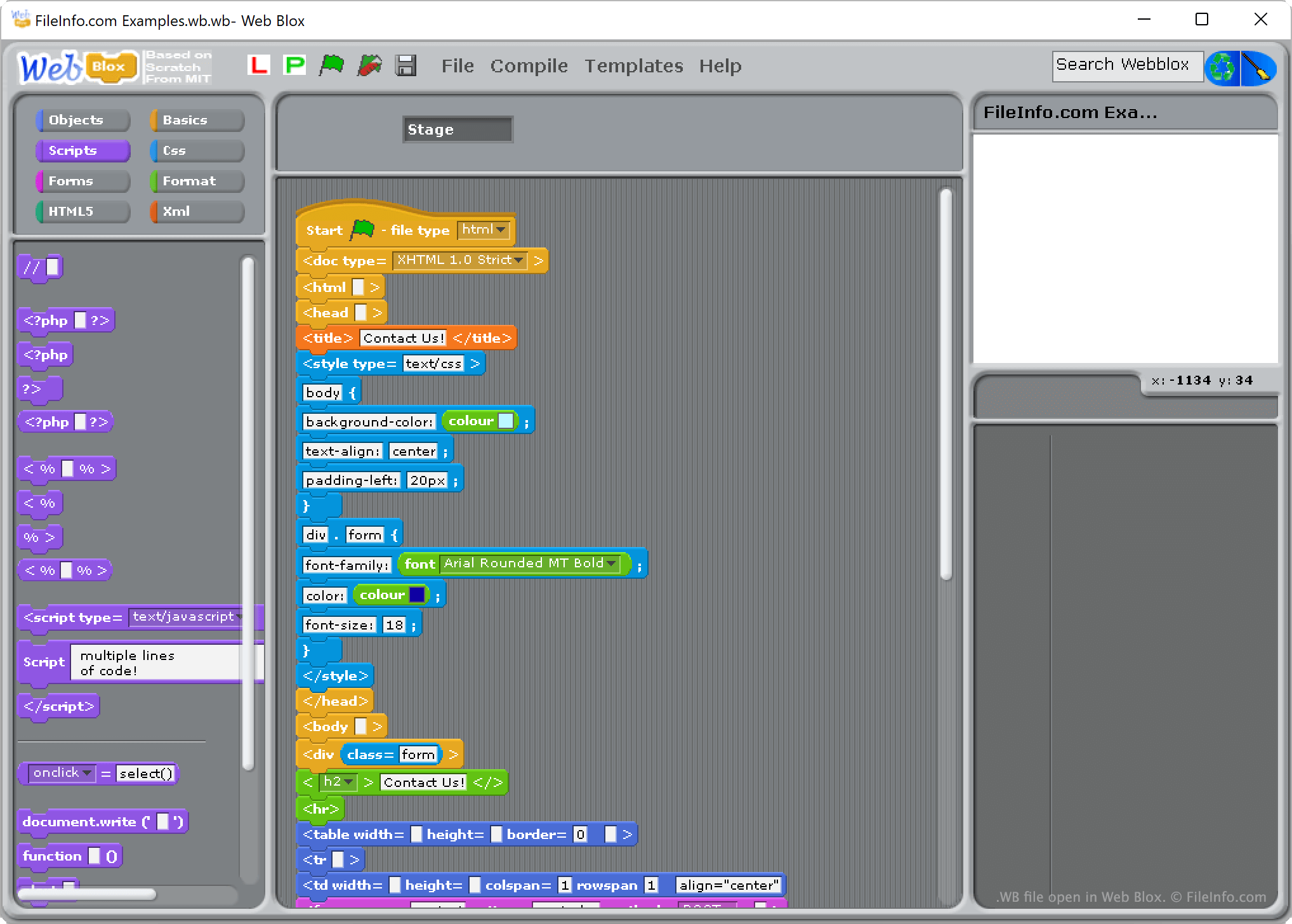
Scratch는 코딩을 배우는 어린이(및 다른 초보 프로그래머)가 사용하는 블록 기반 개발 환경입니다. Web Blox는 개발자가 사용자 지정 Scratch 블록을 사용해 HTML 웹페이지를 만들 수 있도록 수정된 Scratch 1.4 버전입니다.
기본 버전의 Scratch 1.4에서는 개발자의 프로젝트를 .SB 파일로 저장하는 반면, Web Blox에서는 개발자의 프로젝트를 WB 파일로 저장합니다. 이 사용자 지정 확장자는 해당 프로젝트가 Web Blox에서 만들어졌으며 Web Blox에서만 열 수 있음을 나타냅니다.
WB 파일을 여는 방법
Web Blox(Windows)로 WB 파일을 열 수 있습니다. 그러려면 프로그램의 메뉴 모음에서 을 선택합니다. 그런 다음 WB 파일이 있는 위치로 이동하여 파일을 엽니다.
WB 파일을 변환하는 방법
Web Blox를 사용하면 WB 파일에 정의된 웹페이지를 .HTML 파일로 변환할 수 있습니다. 그런 다음 웹 브라우저(또는 HTML 파일을 지원하는 다른 프로그램)에서 이 파일을 열 수 있습니다. 변환하려면:
- Web Blox에서 WB 파일을 엽니다.
- 을 선택합니다.
- 창이 나타나면 을 클릭합니다.
그러면 Web Blox가 웹페이지의 HTML 버전을 WB 파일과 같은 폴더에 저장합니다.
WB 파일을 여는 프로그램
Windows
무료