

.ONC 파일 확장자
Open Network Configuration
| 개발사 | |
| 인기도 |
3.2 | 5 표 |
ONC 파일이란 무엇인가요?
ONC 파일은 Chromebook과 같은 Chrome OS 기기를 네트워크에 연결하는 데 사용되는 구성 파일입니다. 이 파일에는 네트워크의 유형, 구성 및 연결 자격 증명을 정의하는 설정이 포함되어 있습니다. Chrome OS 사용자는 Google Chrome을 사용하여 ONC 파일을 가져오고 파일에 설명된 네트워크에 연결할 수 있습니다.
추가 정보
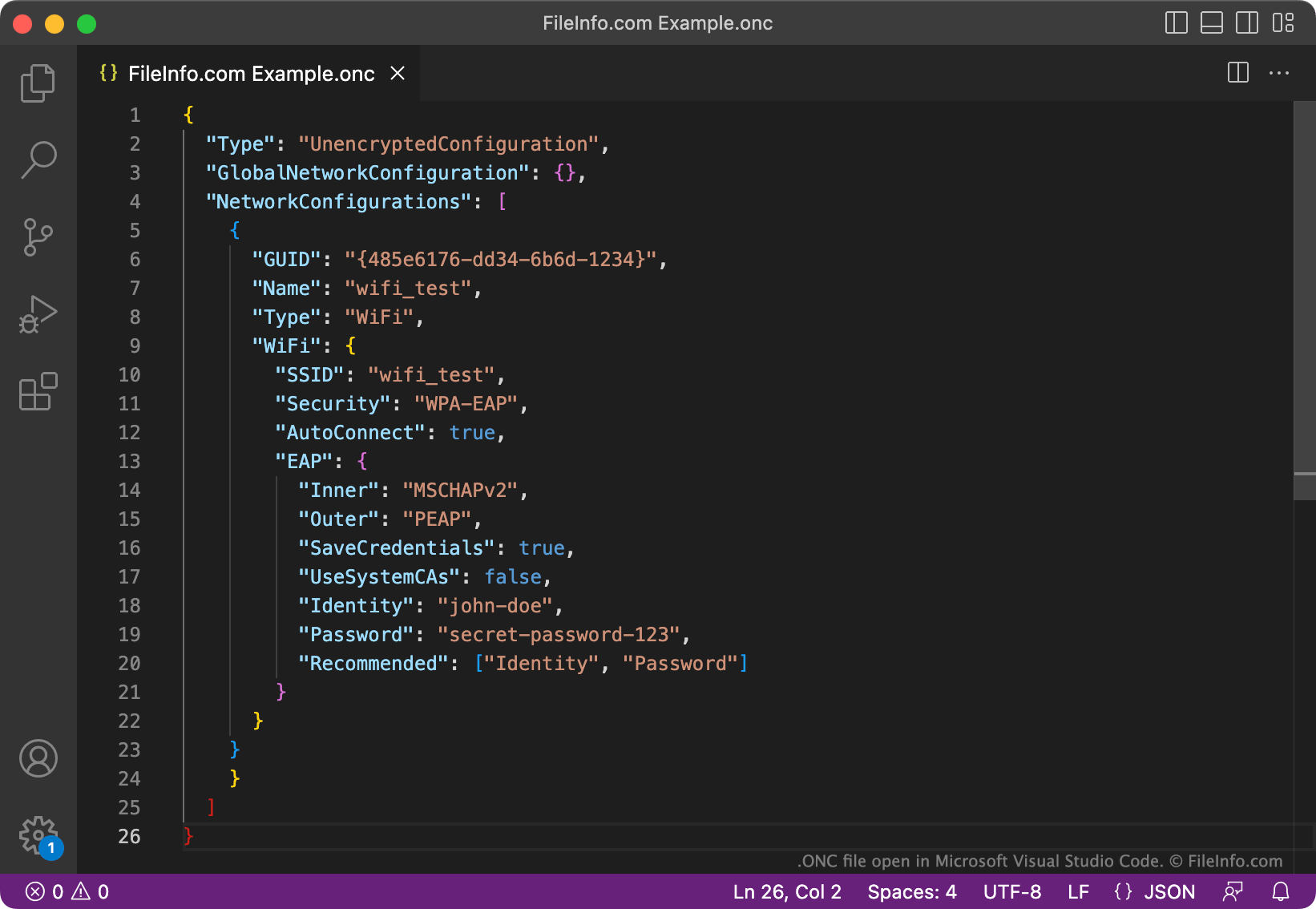
Google은 네트워크 관리자가 사용자에게 네트워크 연결 자격 증명을 제공할 수 있도록 Open Network Configuration 또는 ONC 파일 형식을 개발했습니다. 이론적으로 여러 유형의 운영 체제와 기기를 사용하는 사용자는 ONC 파일에 포함된 설정을 불러와 하나 이상의 네트워크에 연결할 수 있습니다. 그러나 2022년 기준으로는 Chrome OS 기기만 ONC 파일을 사용하여 네트워크에 연결합니다.
각 ONC 파일에는 하나 이상의 네트워크 사양 목록이 포함되어 있습니다. 이러한 사양에는 네트워크 이름, 유형, 연결 자격 증명 및 기타 설정이 포함됩니다. 예를 들어 Wi-Fi 네트워크에 관한 정보가 포함된 ONC 파일에는 네트워크 이름, 네트워크에서 사용하는 보안 유형, 네트워크에 연결하는 데 사용되는 비밀번호가 지정됩니다.
일반적으로 ONC 파일은 일반 텍스트 JSON 형식으로 저장됩니다. 그러나 ONC 파일은 암호화되고 비밀번호로 보호될 수도 있으므로, 사용자는 파일의 비밀번호를 모르면 해당 파일을 사용할 수 없습니다.
ONC 파일을 여는 방법
ONC 파일을 사용하여 네트워크에 연결하려면:
- Chrome OS 기기에서 Google Chrome을 엽니다.
- chrome://network로 이동합니다.
- 일반 탭을 선택합니다.
- ONC 파일 가져오기 섹션에서 을 선택합니다.
- ONC 파일로 이동하여 가져옵니다.
경우에 따라 네트워크 연결을 완료하려면 사용자별 자격 증명(예: 사용자별 사용자 이름과 비밀번호)을 수동으로 입력해야 할 수도 있습니다. 이렇게 하려면 Wi-Fi 설정에서 네트워크를 선택하고 사용자별 자격 증명을 입력합니다.
ONC 파일이 암호화되지 않은 경우 Google Chrome Text 또는 다른 텍스트 편집기에서 파일을 열고 포함된 설정을 확인하고 편집할 수 있습니다.