

.I7XP 파일 확장자
Inform 7 확장 프로젝트
| 개발사 | Graham Nelson |
| 인기도 |
3.5 | 2 표 |
I7XP 파일이란 무엇인가요?
I7XP 파일은 Zoom 또는 Frotz와 같은 Z-code 인터프리터에서 사용되는 인터랙티브 픽션(IF) 프로그램을 만들기 위한 IDE인 Inform이 생성하는 아카이브입니다. 이 파일에는 "Build", "Index", "Source" 폴더의 다양한 파일과 .PLIST 파일을 비롯한 확장 프로젝트의 내용이 저장됩니다.
추가 정보
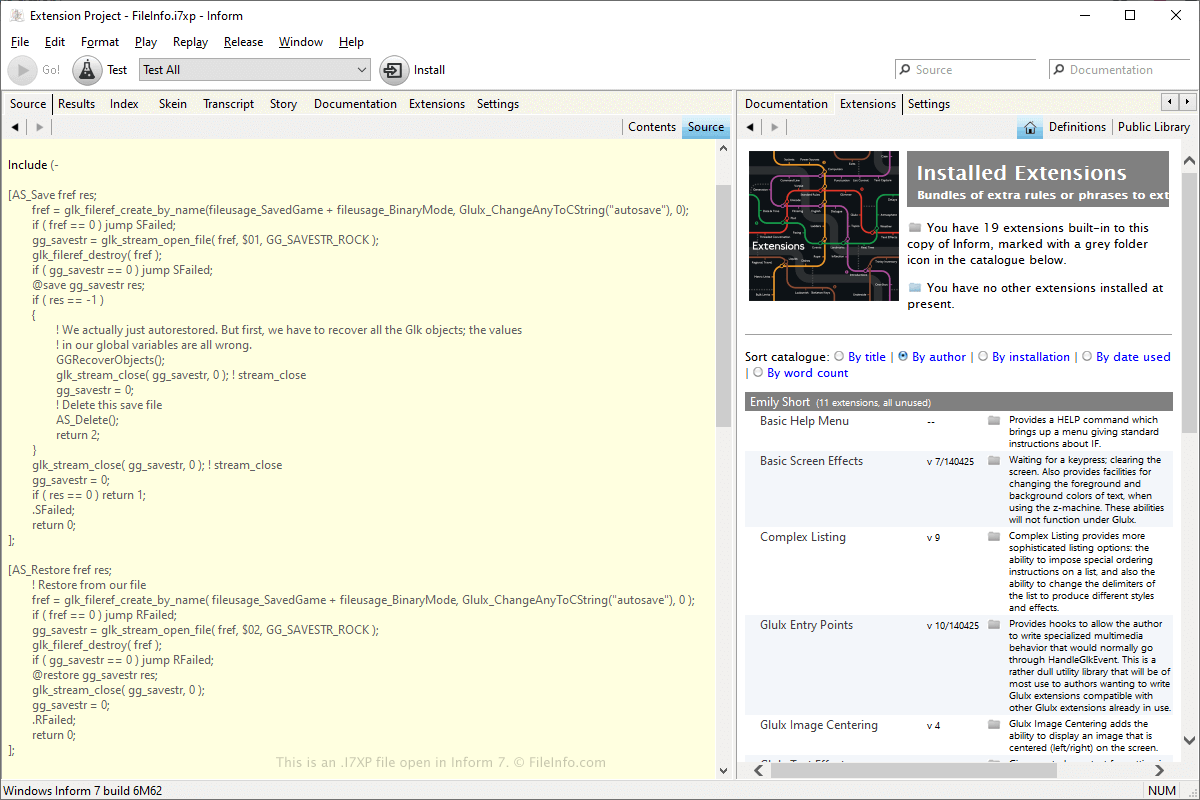
Inform은 IF 스토리를 만들기 위한 다양한 도구를 제공하는 무료 프로그램입니다. 이 애플리케이션은 Inform의 기능을 확장하는 .I7X 확장을 지원하며, 여기에는 사용자 인터페이스 기능 업그레이드나 IF 스토리 제작을 위한 향상된 기능 등이 포함됩니다. I7X 확장은 Inform이 I7XP 프로젝트 파일에서 생성합니다.
또는 을 선택하여 I7XP 파일을 만들 수 있습니다. I7XP 아카이브는 실제로는 폴더이지만, Inform은 파일을 열 때 이를 하나의 파일로 취급합니다. I7XP 파일은 기본적으로 다음 디렉터리에 저장됩니다:
C:\Users\[username]\Documents\Inform\Projects\
참고: I7XP 파일은 Inform 7 출시와 함께 도입되었습니다.
I7XP 파일을 여는 방법
를 선택하고 I7XP 파일의 위치로 이동한 다음 파일을 선택하고 을 클릭하면 Inform에서 I7XP 파일을 열 수 있습니다.
I7XP 파일은 단순한 폴더이므로 Windows 파일 탐색기에서 파일을 두 번 클릭하여 열 수 있습니다. 그런 다음 "Source" 폴더에 있는 I7X 파일(들)을 비롯한 파일의 내용을 확인할 수 있습니다.