.VPDOC ファイル拡張子

VoodooPad Document

開発元 Primate Labs
人気度
2.0  |  1 
 

VPDOCファイルとは?

A VPDOC file is a text document created by Primate Labs VoodooPad, a note-taking application available for macOS. It contains one or more pages of notes, which may be linked together by hyperlinks. VPDOC files are saved as macOS packages, which contain .PLIST, .RTFD, and other files used to show notes in VoodooPad.

詳細情報

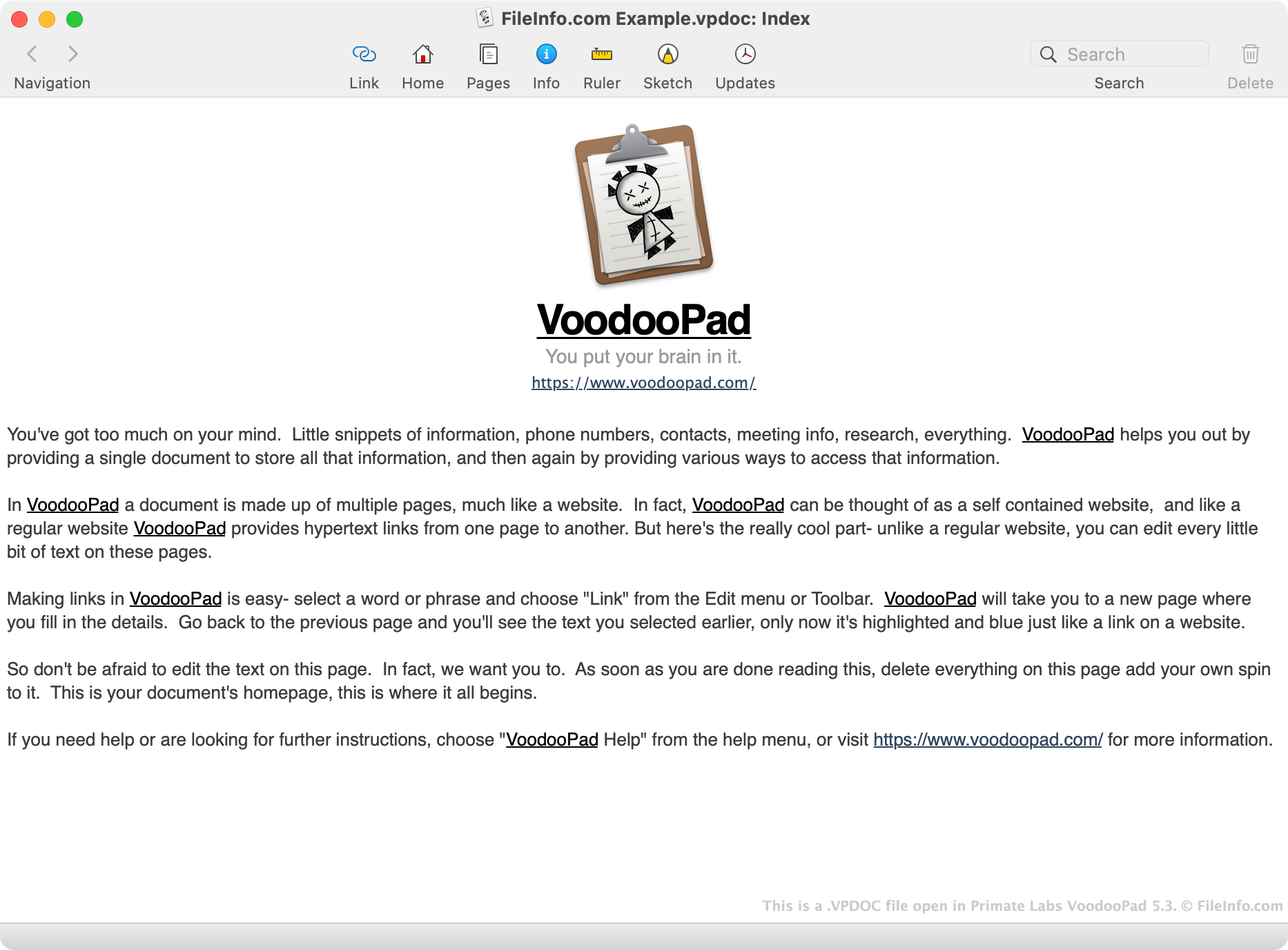
Primate Labs VoodooPad 5.3で開いた.vpdocファイルのスクリーンショット
Primate Labs VoodooPad 5.3で開いたVPDOCファイル

VoodooPad is a note-taking application that allows users to create their own personal wikis. These wikis, which may contain any number of pages, are saved as VPDOC files. When opened in VoodooPad, VPDOC files appear and function in much the same way as simple web-based wikis. For example, a user can click a link found in a VPDOC file to open another page of the document in a separate tab, or to access an external webpage via their web browser.

However, while VPDOC files appear as text documents in VoodooPad, they are actually macOS packages. This allows VoodooPad to store and link the many files a wiki contains within just one file. (In macOS, you can view a package's contents by locating the package in Finder, right-clicking it, and selecting Show Package Contents.)

VoodooPad users can export the notes their VPDOC files contain as .PDF, .EPUB, RTFD, .DOC, and .XML documents. When a user exports the notes a VPDOC file contains, VoodooPad may save the notes as one or several documents, depending on the format a user has chosen to export their notes to.

VPDOCファイルの開き方

You can open a VPDOC file in Primate Labs VoodooPad (Mac). To do so, select File → Open... from VoodooPad's menu bar, then navigate to and open your VPDOC file. The VPDOC file's Home Page will appear in VoodooPad.

File Viewer Plusで400種類以上のファイル形式を開けます。無料ダウンロード

VPDOCファイルを開くプログラム

Mac
無料体験版

検証者 FileInfo.com

FileInfo.comチーム は、このページに掲載されているVoodooPad Documentファイル形式とMacアプリについて独自に調査しました。 私たちの目標は100%の正確性であり、検証済みのファイルタイプに関する情報のみを公開しています。

このページへの追加や更新をご提案いただける場合は、お知らせください。