

.POTX ファイル拡張子
Microsoft PowerPointプレゼンテーションテンプレート
| 開発元 | Microsoft |
| 人気度 |
3.3 | 24 票 |
POTXファイルとは?
POTXファイルは、ユーザーがスライドショー形式のプレゼンテーションを作成できるプログラム、PowerPointで作成されたプレゼンテーションテンプレートです。デフォルトのスタイル、テキスト、レイアウト、書式が含まれています。POTXファイルは、同じ書式の複数の.PPTXファイルを作成するために使用されます。
詳細情報
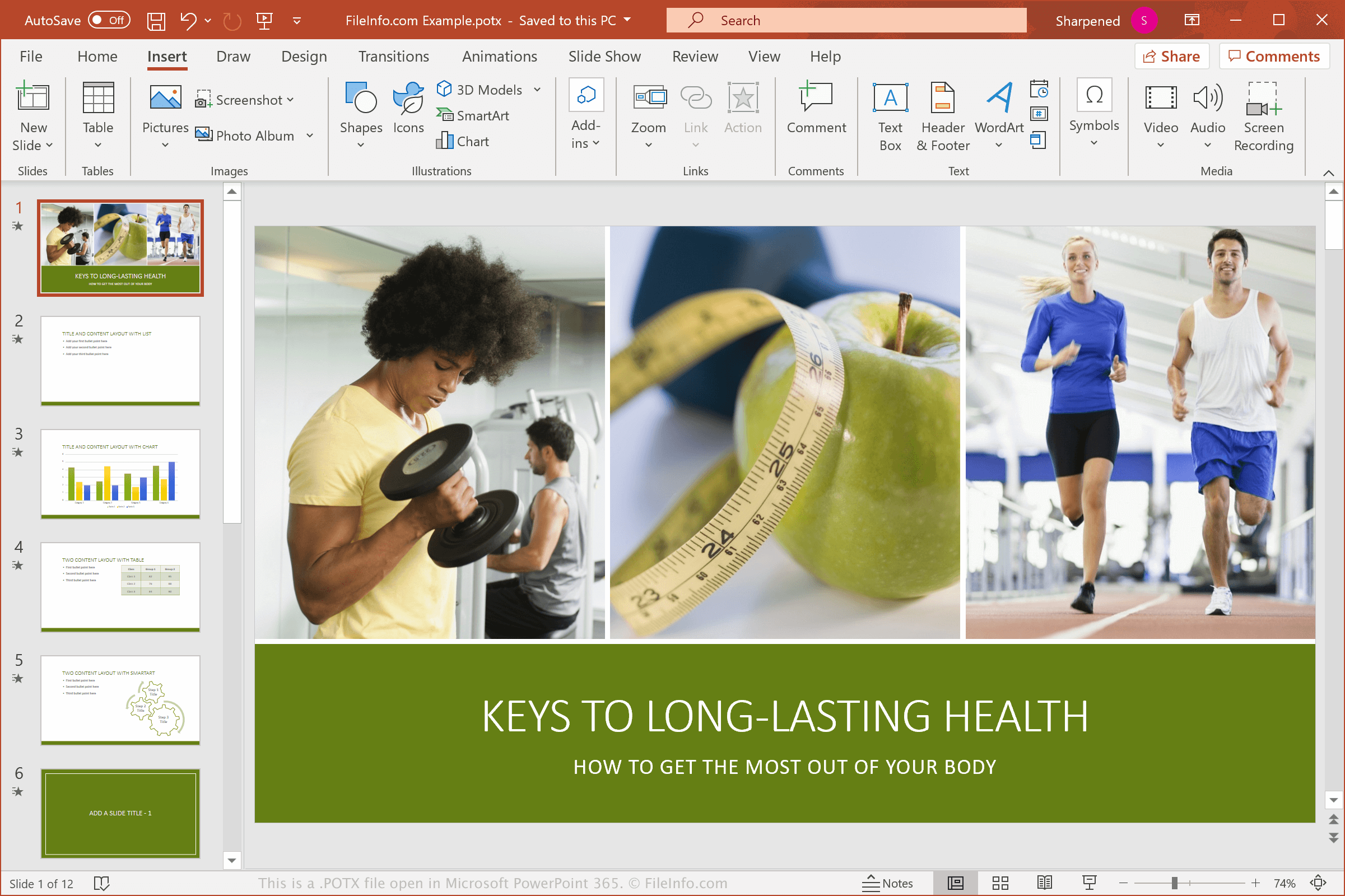
POTXファイルは、Microsoft Office 2007で導入されたOpen XML標準形式で保存されます。POTXファイルは、バイナリ形式で保存され、PowerPoint 97から2003で使用されていた.POTファイルに取って代わりました。
POTXファイルはPowerPointに付属しており、プロがデザインしたテンプレートからプレゼンテーションを作成できます。また、ニーズに合わせたプレゼンテーションを再現するために、独自のカスタムテンプレートを作成することもできます。POTXファイルは、標準のマスタースライド、会社のロゴ、会社のヘッダーとフッターを含むテンプレートとして、企業によってよく作成されます。
POTXファイルの開き方
WindowsおよびmacOSでは、Microsoft PowerPointを使ってPOTXファイルを開き、編集、変換できます。PowerPointはテンプレートの書式を完全にサポートしているため、POTXテンプレートを開くのに最適なアプリケーションです。
ほかにもいくつかのプレゼンテーションプログラムでPOTXファイルを開けますが、テンプレートの書式を完全にはサポートしていない場合があります。選択肢には、Kingsoft Presentation(マルチプラットフォーム)、Apple Keynote(Mac)、Apache OpenOffice Impress(マルチプラットフォーム)などがあります。POTXファイルを表示したいだけのMacユーザーは、macOSに付属するApple Previewを使用できます。
また、POTXファイルをGoogle Slidesにアップロードすることもできます。Google Slidesは、プレゼンテーションの表示、編集、保存、変換ができる無料のWeb(およびモバイル)アプリケーションです。