.MSCH ファイル拡張子

Mindustry Schematic

開発元 Anuke
人気度
4.3  |  4 
 

MSCHファイルとは?

An MSCH file is a Mindustry schematic. It contains data used to import a pre-built structure into a Mindustry game. Saving a structure as an MSCH file allows players to re-use that structure across Mindustry games and share the structure with other players.

詳細情報

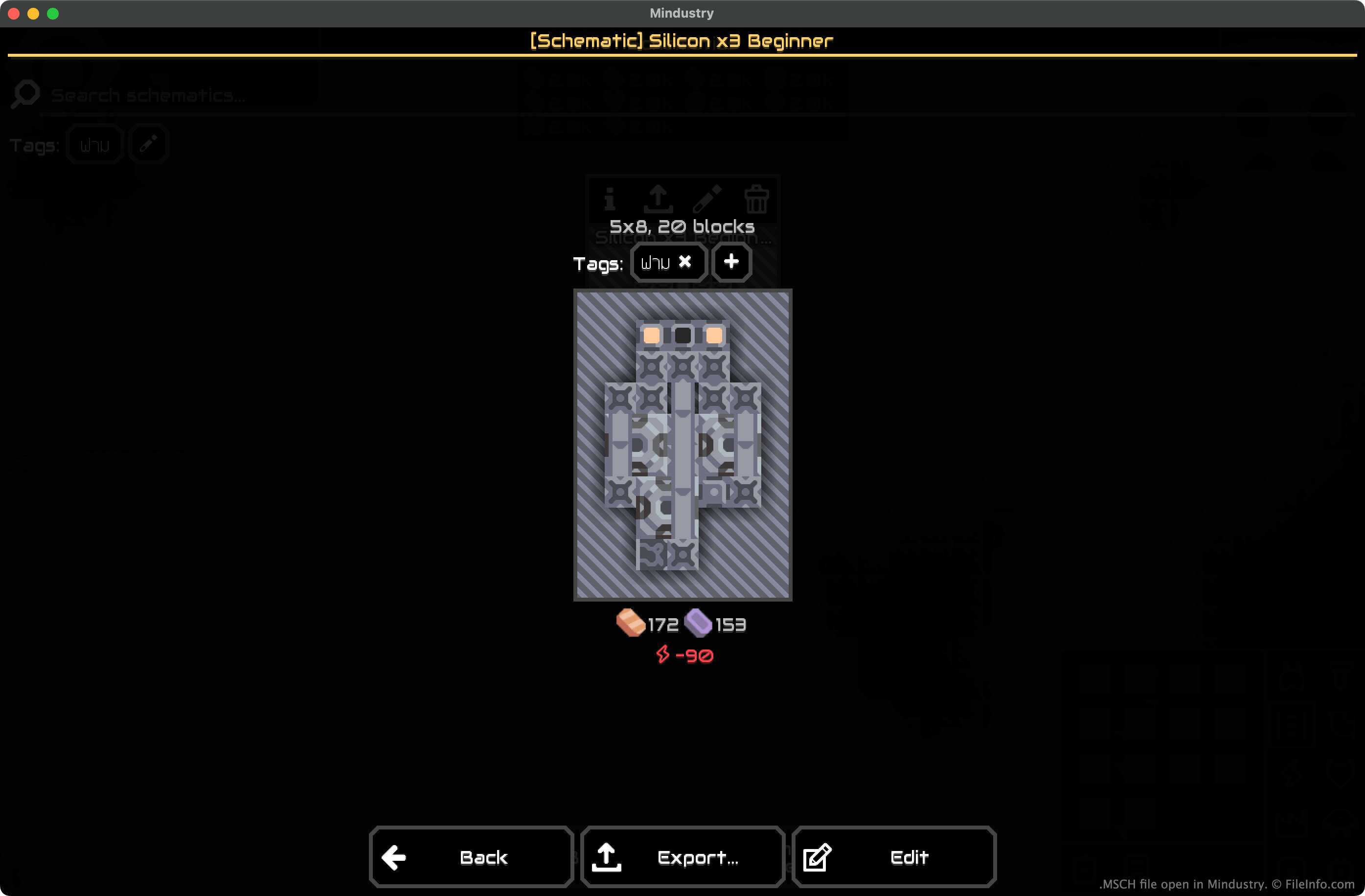
Mindustryで開いた.mschファイルのスクリーンショット
Mindustryで開いたMSCHファイル

In Mindustry, players construct factories and defend them from assaults by NPC enemies and other players. While constructing their factories, players can select all or part of a structure they've built and save that selection as a schematic. Doing so allows the player to quickly place copies of the selection (in their current game) and to export the selection as an MSCH file (for use in other games).

How to create and export an MSCH file

To save a structure as an MSCH file:

  1. Highlight the structure (in the desktop versions of Mindustry, press F and drag your mouse over the structure).
  2. Click Save Schematic.
  3. Name and save your MSCH file.

After creating your MSCH file, you can select Export to export it for use in other Mindustry games. You can also export the file later, by selecting it from the Schematics section of Mindustry's build menu.

MSCHファイルの開き方

To import an MSCH file into a Mindustry game:

  1. Open Mindustry and start or load a game.
  2. From the build menu, select the Schematics button (represented by a clipboard icon).
  3. Select Import Schematic... → Import File.
  4. Navigate to and import your MSCH file.

After importing your MSCH file, you'll be able to use that schematic in your current Mindustry game.

File Viewer Plusで400種類以上のファイル形式を開けます。無料ダウンロード

MSCHファイルを開くプログラム

Windows
無料
Mac
無料
Linux
無料
iOS
Android
無料
カテゴリ: ゲーム
更新日: 2023-12-22

検証者 FileInfo.com

FileInfo.comチーム は、このページに掲載されているMindustry Schematicファイル形式とMac, Windows, Linux, Android, and iOSアプリについて独自に調査しました。 私たちの目標は100%の正確性であり、検証済みのファイルタイプに関する情報のみを公開しています。

このページへの追加や更新をご提案いただける場合は、お知らせください。