

.HBR2 ファイル拡張子
HaxBallリプレイバージョン2
| 開発元 | Mario Carbajal |
| 人気度 |
4.3 | 3 票 |
HBR2ファイルとは?
HBR2ファイルは、オンラインサッカーゲームのHaxBallで作成されたリプレイです。HaxBallの試合の録画が含まれています。プレイヤーや観戦者は、試合をプレイまたは観戦している間にHBR2ファイルを作成できます。
詳細情報
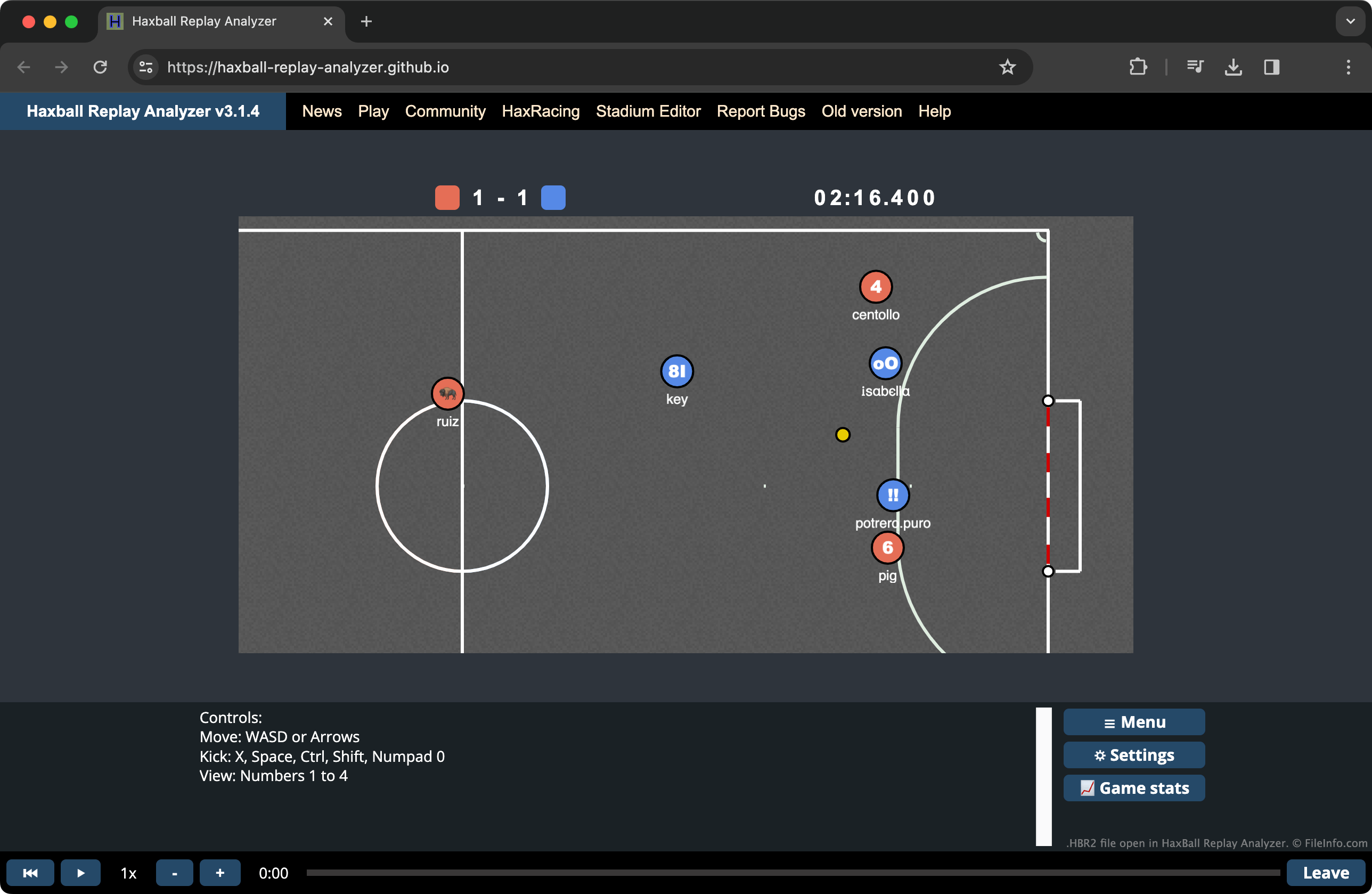
HaxBallでは、プレイヤー同士がシンプルな見た目の2Dサッカーの試合で対戦します。HaxBallの試合をプレイまたは観戦している間、ユーザーはを選択して、その試合の録画を開始できます。録画を終えたら、ユーザーはもう一度を選択して、録画をHBR2ファイルとして保存できます。
HaxBallにはHBR2プレイヤーが含まれており、ゲームの画面からを選択してアクセスできます。また、HaxBallの熱心なファンが、カスタムプレイヤーやリプレイ分析ツールなど、さまざまなカスタムリプレイユーティリティを作成しています。
注: HBR2形式が導入される前は、HaxBallのリプレイはHBR(.hbr)ファイルとして保存されていました。
一般的な.HBR2ファイル名
HBReplay-YYYY-MM-DD-HHhMMm.hbr2 - HaxBallがHBR2ファイルに割り当てるデフォルトの名前です。
HBR2ファイルの開き方
HBR2ファイルは、HaxBallに標準で含まれているプレイヤーなど、複数のHaxBallリプレイプレイヤーで開けます。HaxBallのリプレイプレイヤーでHBR2ファイルを開くには、次の手順に従います。
- HaxBallの画面を開きます。
- を選択します。
- HBR2ファイルに移動して開きます。
HBR2ファイルに含まれているリプレイの再生が始まります。
HBR2リプレイを視聴しながら統計情報も確認したい場合は、Haxball Replay Analyzerを使用できます。
HBR2ファイルを開くプログラム
Web