.BP ファイル拡張子

Spaceflight Simulator Blueprint

開発元 Stefo Mai Morojna
人気度
4.2  |  24 
 

BPファイルとは?

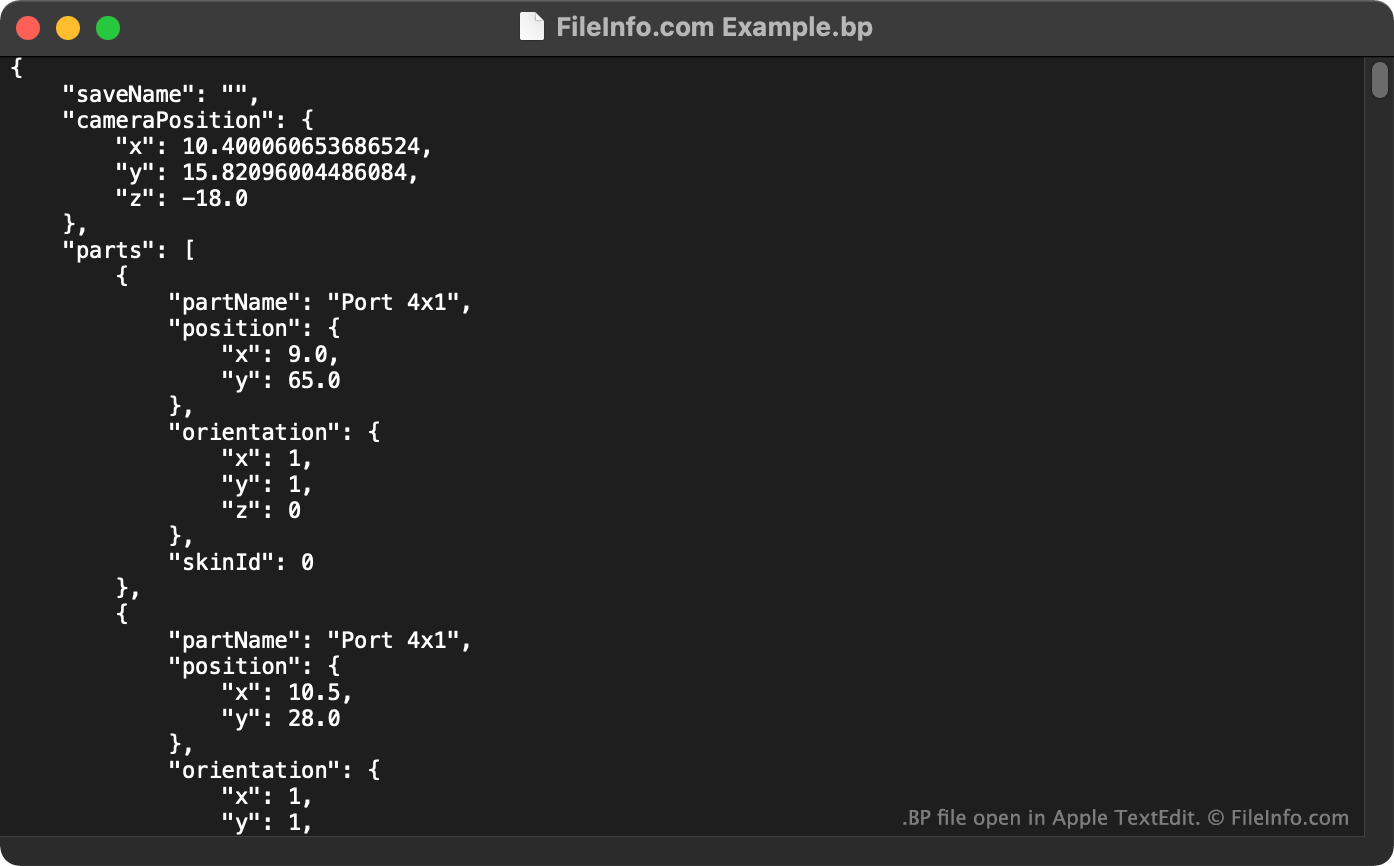
A BP file is a Spaceflight Simulator rocket blueprint. It is a plain text file that contains JSON data, describing a rocket or rocket part's construction. You can use BP files with Spaceflight Simulator by placing them in the game's ~/​Saving/​Blueprints folder.

詳細情報

Apple TextEditで開いた.bpファイルのスクリーンショット
Apple TextEditで開いたBPファイル

Spaceflight Simulator is a multiplatform rocket construction and space exploration game. It allows players to build and launch rockets and then navigate to and land on planets.

In versions 1.4 and below of Spaceflight Simulator, the rockets that players construct are saved as BP files, also known as Spaceflight Simulator blueprints. Players can import and export BP files to use other players' blueprints in Spaceflight Simulator.

注: In versions 1.5 and above of Spaceflight Simulator, BP files have been replaced by Blueprint.txt files, which are saved in rocket-specific sub-folders.

BPファイルの開き方

You can open a BP file in Spaceflight Simulator (multiplatform). To do so, place the BP file in Spaceflight Simulator's ~/​Saving/​Blueprints directory. You can then select the blueprint when constructing a rocket in-game.

If necessary, you can also open a BP file with any text editor, to view the JSON text it contains.

File Viewer Plusで400種類以上のファイル形式を開けます。無料ダウンロード

BPファイルを開くプログラム

Linux
無料
Android
カテゴリ: ゲーム
更新日: 2022-03-15

Boomplay Music File

開発元 Transsnet Music Limited
人気度
4.1  |  12 
 

A BP file is a song that has been saved to listen to offline in the Boomplay music app, available for Android and iOS devices. BP files can be played only in the Boomplay app. They cannot be converted to other audio formats.

詳細情報

Boomplay is a music streaming service that focuses on African and international music. Boomplay apps are available for Android and iOS devices. In addition to streaming music, the Boomplay apps allow users to save music to listen to offline.

Music saved using Boomplay is saved as BP files. These files are encoded such that they can be played only in the Boomplay apps. This prevents users from transferring music downloaded via Boomplay to their personal music libraries.

BPファイルの開き方

You can open a BP file, and play the song it contains, in Boomplay (Android, iOS). To locate the songs you've downloaded in Boomplay:

  1. Open the app and select Library.
  2. Select Downloads.
  3. A list of your downloaded songs, including those saved as BP files, will appear in Boomplay.

BPファイルを開くプログラム

iOS
無料+
Android
無料+

Axiom Blueprint File

開発元 Moulberry
人気度
3.0  |  1 
 

A BP file is a blueprint file created by Axiom, a building and world-editing mod developed by Moulberry for Minecraft: Java Edition. It stores a saved selection of blocks and related building data, allowing players to copy, save, and reuse structures within their Minecraft worlds. BP files make it easier to duplicate buildings, landscapes, and other creations without rebuilding them.

詳細情報

Axiom uses BP files as a portable format for sharing and importing builds between worlds or with other Axiom users. Depending on the structure being saved, a BP file may contain block types, block states, entity information, dimensions, and other data needed to recreate the original build. Minecraft builders, map creators, server administrators, and content creators commonly use BP files to speed up construction, preserve complex builds, and collaborate on large projects.

BPファイルの開き方

You can open BP files with the Moulberry Axiom mod for Minecraft: Java Edition on Windows, macOS, and Linux. To open a BP file, place it in the mod's blueprint directory or import it through Axiom's blueprint management tools. After loading the blueprint, you can preview it, position it within a world, and place the structure using Axiom's building tools.

BPファイルを開くプログラム

Windows
Mac
Linux
カテゴリ: ゲーム
更新日: 2026-07-13

検証者 FileInfo.com

FileInfo.comチーム は、このページに掲載されているすべてのファイル形式とソフトウェアについて独自に調査しました。 私たちの目標は100%の正確性であり、検証済みのファイルタイプに関する情報のみを公開しています。

このページへの追加や更新をご提案いただける場合は、お知らせください。