

.VEG Extension de fichier
Projet vidéo VEGAS
| Développeur | MAGIX |
| Popularité |
4,0 | 149 Votes |
Qu'est-ce qu'un fichier VEG ?
Un fichier VEG est un projet vidéo créé par MAGIX VEGAS Pro, une application professionnelle de montage vidéo et audio pour Windows. Il contient une timeline, notamment les pistes audio et vidéo du projet, les montages, les transitions, le contenu textuel et les effets spéciaux. VEG est le format par défaut utilisé pour enregistrer les projets dans VEGAS Pro.
Plus d'informations
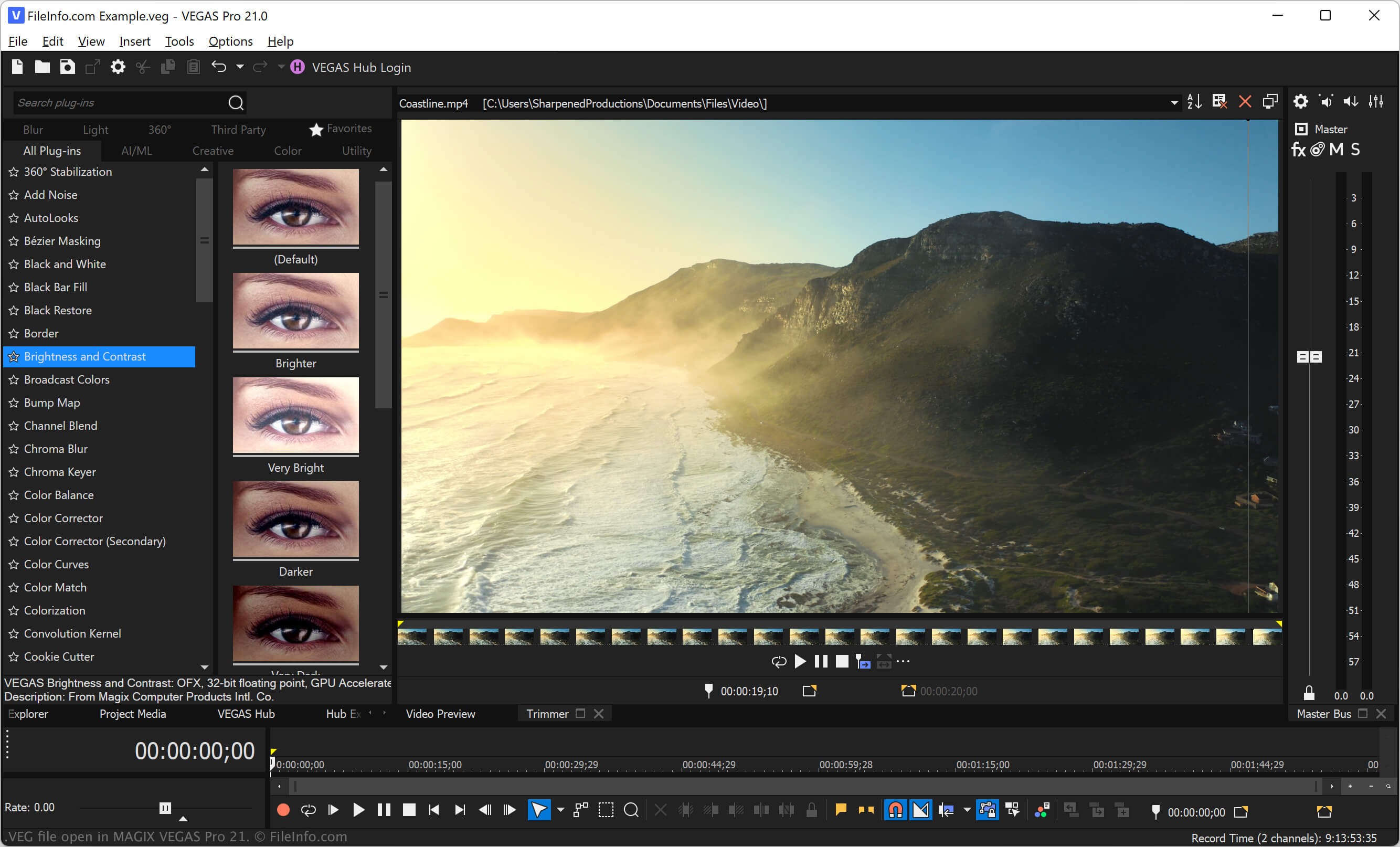
VEGAS Pro (anciennement Sony Vegas) fournit divers outils pour manipuler les vidéos et les fichiers audio. Lorsque vous travaillez sur une production dans VEGAS Pro, vous pouvez enregistrer votre progression dans un fichier VEG, ce qui vous permet de le fermer et de le rouvrir pour poursuivre le montage.
En plus des projets, VEGAS Pro enregistre également les modèles vidéo et les archives sous forme de fichiers VEG. Le format de fichier VEG reste le même dans ces cas, mais leur utilisation diffère.
Par exemple, vous pouvez enregistrer votre projet en tant que modèle VEG afin de conserver les mêmes paramètres dans différents projets. Vous pouvez également enregistrer un fichier VEG en tant qu’archive pour conserver des copies de sauvegarde de projets que vous pourrez ouvrir ultérieurement. Sélectionnez pour enregistrer votre projet en tant qu’archive.
REMARQUE : Sony a précédemment développé les logiciels VEGAS avant que MAGIX ne les acquière en 2016.
Comment ouvrir un fichier VEG
Vous pouvez ouvrir les fichiers VEG avec MAGIX VEGAS Pro sous Windows. Pour ce faire, sélectionnez dans la barre de menus du programme. Ensuite, accédez à votre fichier VEG et ouvrez-le.
Comment convertir un fichier VEG
MAGIX VEGAS Pro peut convertir les fichiers VEG en différents types de fichiers, notamment dans les formats suivants :