

.UFO Dateiendung
Unified Font Object-Datei
| Entwickler | Tal Leming, Justin van Rossum, and Erik van Blokla |
| Beliebtheit |
3,1 | 8 Stimmen |
Eine UFO-Datei ist eine Datei, die im Unified Font Object-Format (UFO) gespeichert wurde. Sie enthält Daten über eine Schriftart, darunter die Formatversion, den Ersteller, Glyphenebenen, Kerning-Informationen, Bilder und Metadaten.
Weitere Informationen
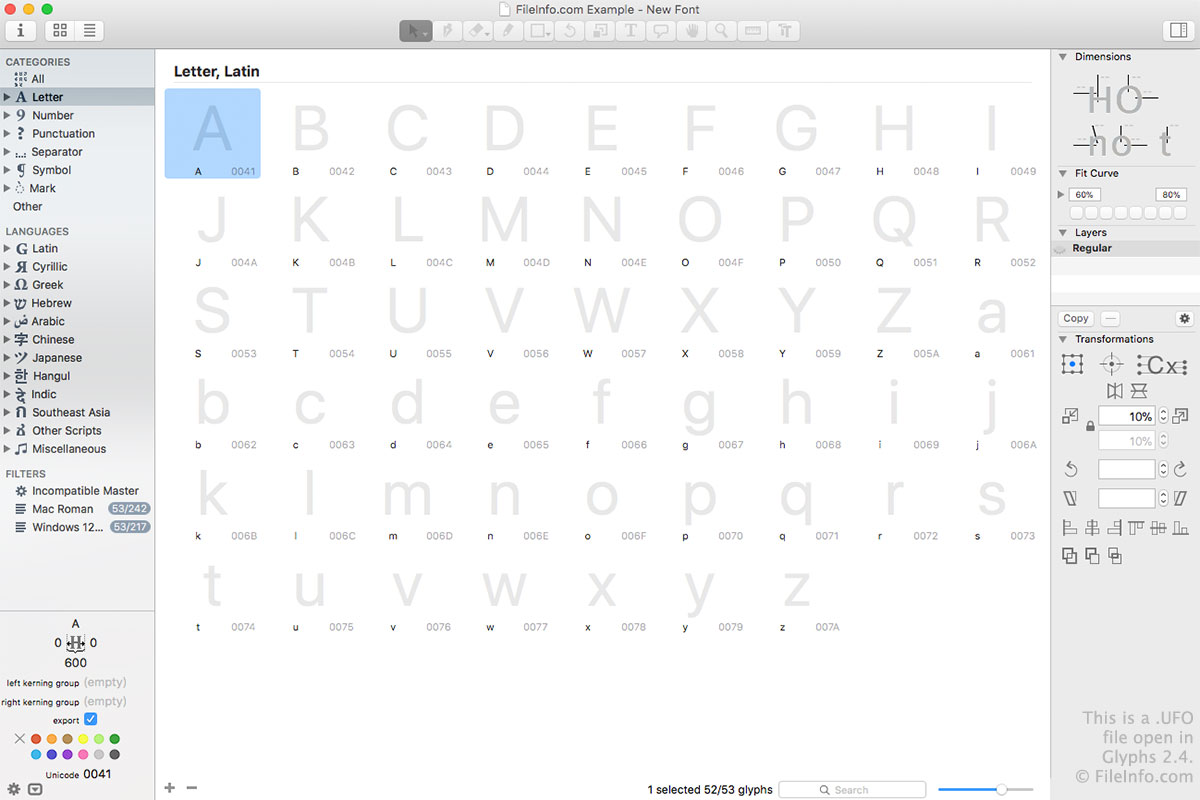
Sie können UFO-Dateien mit Glyphs oder RoboFont erstellen, um eine Schriftart zu speichern. Dabei handelt es sich um Schriftarten-Editoren für macOS. Sie können UFO-Dateien auch mit Glyphs und RoboFont unter macOS oder mit FontForge öffnen und bearbeiten. FontForge ist für Windows, macOS und Linux verfügbar.
UFO-Dateien sind eigentlich Archive, in denen zahlreiche Dateien gespeichert werden, die die Schriftartdaten enthalten. Zu den Dateien, die in einer UFO-Datei zu finden sind, gehören .PLIST, .GLIF, .FEA und .PNG-Dateien.
Die erste Version des UFO-Formats wurde ursprünglich 2004 veröffentlicht, wird aber kaum noch verwendet. Die zweite Version wurde 2009 veröffentlicht und ist die am häufigsten verwendete Version. Die dritte Version wurde 2012 veröffentlicht, wird aber nicht so umfassend übernommen wie die zweite Version. Das Format wurde von Tal Leming, Justin van Rossum und Erik van Blokland entwickelt und wird von ihnen gepflegt.