

.MBWB Dateiendung
Sicherungsdatei für Mine Blocks-Welten und -Einstellungen
| Entwickler | Zanzlanz |
| Beliebtheit |
3,0 | 1 Stimme |
Was ist eine MBWB-Datei?
Eine MBWB-Datei ist eine Sicherungsdatei, die von Mine Blocks, einem auf Minecraft basierenden 2D-Spiel, erstellt wird. Sie enthält eine Kopie der Mine Blocks-Welten und -Einstellungen eines Spielers. Sowohl die Web- als auch die Windows-Version von Mine Blocks verwenden MBWB-Dateien, um die Welten der Spieler zu sichern und wiederherzustellen.
Weitere Informationen
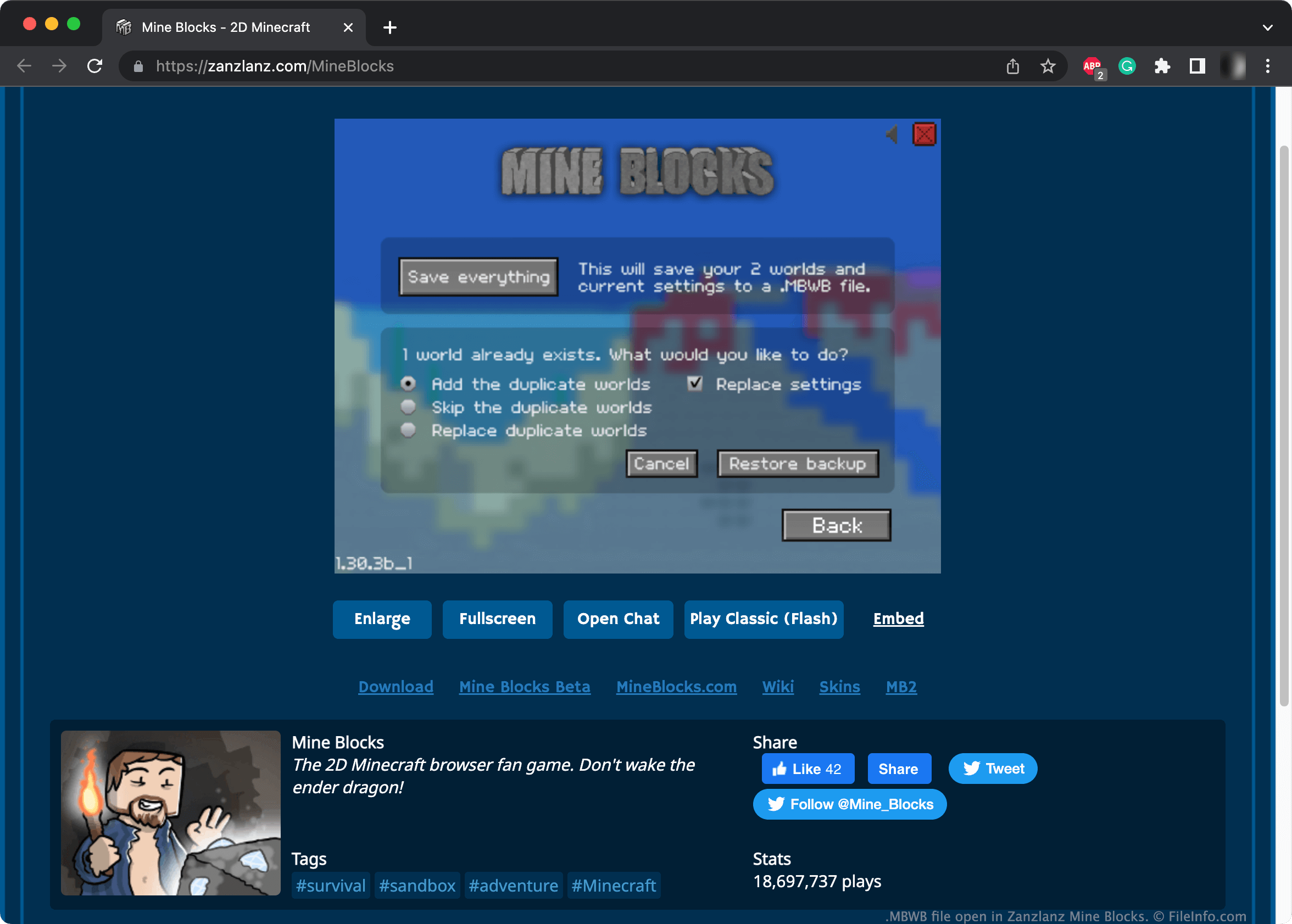
In Mine Blocks erkunden Spieler zufällig generierte Welten, die verschiedene Geländearten, Ressourcen und Kreaturen enthalten. Das Spiel ist sowohl online als auch als Download für Windows verfügbar.
Wenn ein Spieler seine Mine Blocks-Welten und benutzerdefinierten Einstellungen sichern möchte, kann er auf dem Bildschirm zur Wellenauswahl auswählen. Durch die Auswahl von werden die Welten und Einstellungen des Spielers in einer MBWB-Datei gespeichert. Die MBWB-Datei wird nach dem Datum und der Uhrzeit benannt, zu denen die Sicherung erstellt wurde.
HINWEIS: Spieler können einzelne Mine Blocks-Welten auch als .MBW-Dateien sichern.
So öffnen Sie eine MBWB-Datei
Sie können eine MBWB-Datei mit Mine Blocks (Web, Windows) öffnen. Gehen Sie dazu wie folgt vor:
- Wählen Sie auf dem Bildschirm zur Wellenauswahl aus.
- Wählen Sie aus.
- Navigieren Sie zu Ihrer MBWB-Datei und öffnen Sie sie.
- Wählen Sie aus, ob doppelte Welten hinzugefügt, übersprungen oder ersetzt werden sollen.
- Wählen Sie aus, ob Ihre aktuellen Einstellungen ersetzt werden sollen.
- Wählen Sie aus.