

.JOZ Dateiendung
Java OpenStreetMap-Sitzung
| Entwickler | OpenStreetMap |
| Beliebtheit |
3,5 | 2 Stimmen |
Was ist eine JOZ-Datei?
Eine JOZ-Datei enthält eine gespeicherte Java OpenStreetMap- (JOSM-)Sitzung. Sie ist eine umbenannte .ZIP-Datei, die die Metadaten der Sitzung (gespeichert in einer .JOS-Datei) und .OSM-Ebenendaten (gespeichert in einzelnen Verzeichnissen) enthält. Wenn JOZ-Dateien mit JOSM geöffnet werden, erscheinen sie als eine oder mehrere Kartenebenen.
Weitere Informationen
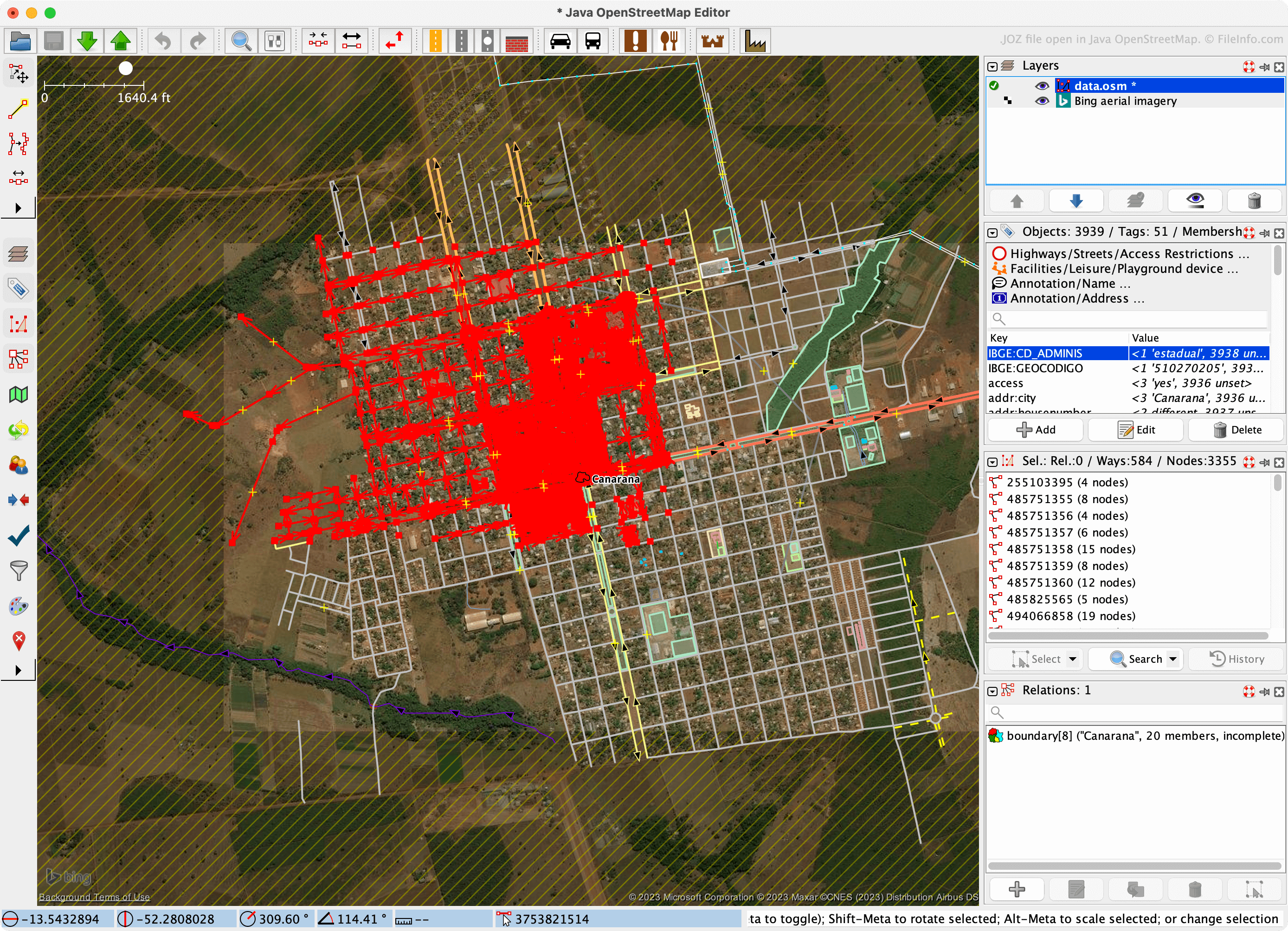
Java OpenStreetMap ist ein kostenloses OpenStreetMap-Kartenprogramm (OSM-Datei) für Windows, macOS und Linux. Es ermöglicht Benutzern, OSM-Karten herunterzuladen oder zu importieren, sie mit markierten Knoten und Wegen zu versehen und ihre Änderungen beim offiziellen OpenStreetMap-Projekt einzureichen.
Beim Bearbeiten von Karten können Benutzer ihre aktuelle Java OpenStreetMap-Sitzung als JOZ-Datei speichern. Dadurch können sie diese Sitzung später erneut öffnen und weiterbearbeiten. JOZ-Dateien sind ZIP-Archive, die Folgendes enthalten:
- Eine JOS-Datei, eine XML-Datei, die die Ebenen, Ansichtsfenstereinstellungen und Version einer Sitzung beschreibt
- Eine oder mehrere OSM-Dateien, die in Unterverzeichnissen gespeichert sind, die den Ebenen der Sitzung entsprechen
So öffnen Sie eine JOZ-Datei
Sie können eine JOZ-Datei mit Java OpenStreetMap (JOSM) öffnen, um die darin enthaltene Sitzung anzuzeigen und zu bearbeiten:
- Wählen Sie in JOSM aus.
- Wechseln Sie zu Ihrer JOZ-Datei und öffnen Sie sie.
Wenn Sie die OSM-Dateien und anderen Daten extrahieren möchten, die eine JOZ-Datei enthält, können Sie dies folgendermaßen tun:
- Benennen Sie die Datei um, sodass sie die .ZIP-Erweiterung verwendet.
- Öffnen Sie sie wie jede andere ZIP-Datei.