

.IMAGEPORTFOLIOLIBRARY Dateiendung
Painter-Bildportfoliobibliothek
| Entwickler | Corel |
| Beliebtheit |
2,2 | 6 Stimmen |
Was ist eine IMAGEPORTFOLIOLIBRARY-Datei?
Eine IMAGEPORTFOLIOLIBRARY-Datei enthält eine Sammlung von Bildern, die von Corel Painter verwendet wird, einer Anwendung zum Erstellen digitaler Kunstwerke. Painter-Benutzer exportieren Bildportfoliobibliotheken als IMAGEPORTFOLIOLIBRARY-Dateien, um sie zu sichern und Bilder schneller auf ihrer Zeichenfläche einfügen zu können. IMAGEPORTFOLIOLIBRARY-Dateien können viele Bilder speichern, darunter die Standardbilder Klavier, Gitarre, Erdbeere, Baum, Kerze und Blatt.
Weitere Informationen
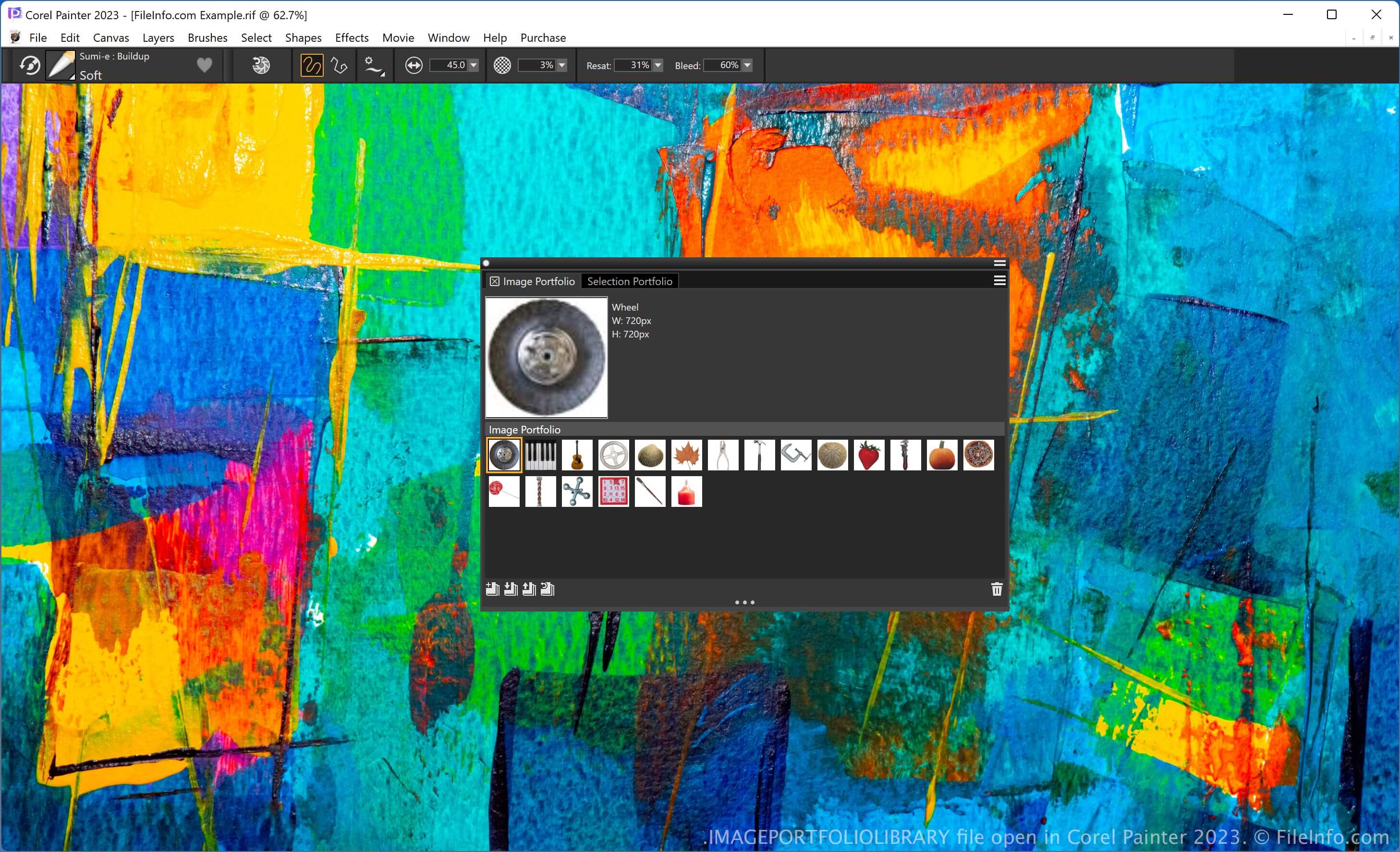
Painter bietet verschiedene Werkzeuge zum Illustrieren von Kunstwerken und Bearbeiten digitaler Fotos. Die Software enthält außerdem eine Bildportfoliobibliothek, einen Speicherort, der Ihnen hilft, Ihre Bildersammlung zu verwalten und zu organisieren.
Sie können Bilder über das Bedienfeld „Medienbibliothek“ zu einem Bildportfolio hinzufügen oder daraus entfernen. Um dieses Bedienfeld zu öffnen, wählen Sie und anschließend die Registerkarte „Image Portfolio“ aus.
So öffnen Sie eine IMAGEPORTFOLIOLIBRARY-Datei
Sie können eine IMAGEPORTFOLIOLIBRARY-Datei mit Corel Painter öffnen. Um beispielsweise eine IMAGEPORTFOLIOLIBRARY-Datei zu öffnen, wählen Sie und klicken Sie auf das Symbol „Import Image Portfolio“ auf der Registerkarte „Image Portfolio“.