

.BBTHEME Dateiendung
Blockbench-Design
| Entwickler | Blockbench |
| Beliebtheit |
2,0 | 1 Stimme |
Was ist eine BBTHEME-Datei?
Eine BBTHEME-Datei ist ein Skin, der für die Verwendung mit Blockbench, einem quelloffenen 3D-Modellierungsprogramm, erstellt wurde. Sie enthält JSON-Daten, die das Erscheinungsbild der Benutzeroberfläche von Blockbench verändern. Mit Blockbench können Benutzer eigene BBTHEME-Dateien erstellen und die Dateien anderer Benutzer importieren. Dafür stehen Funktionen im Fenster des Programms zur Verfügung.
Weitere Informationen
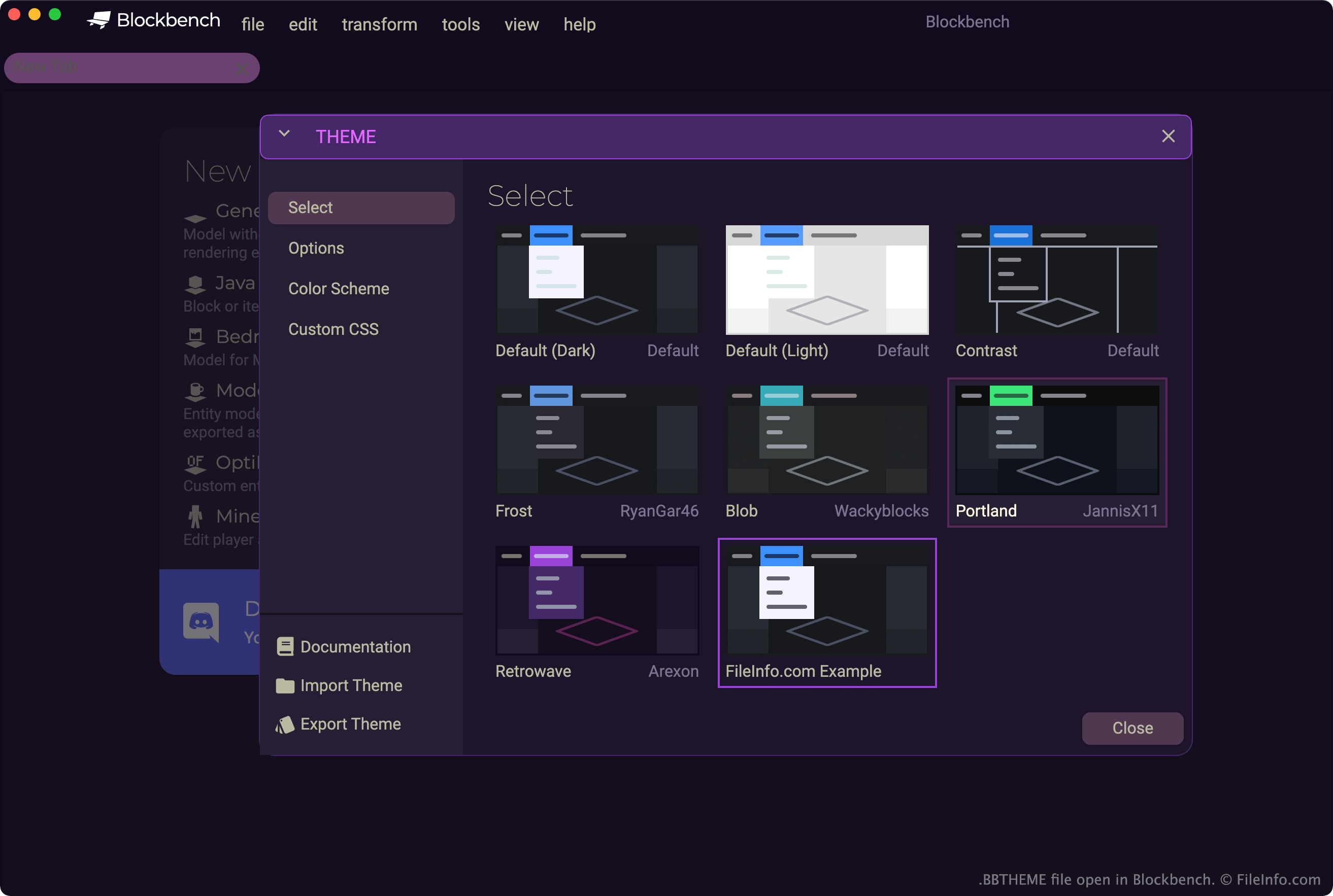
Viele Minecraft-Modder verwenden Blockbench, um eigene Minecraft-Modelle zu erstellen und zu bearbeiten. Das Programm ist für Windows, macOS und Linux sowie im Web über eine browserbasierte Version verfügbar.
Blockbench enthält mehrere Standarddesigns, die das Erscheinungsbild des Programms bestimmen. Beispielsweise legen Designs die Farben der Benutzeroberfläche von Blockbench und die vom Programm verwendeten Schriftarten fest.
Benutzer, die mit den Standarddesigns von Blockbench unzufrieden sind, können mithilfe der im Fenster von Blockbench verfügbaren Werkzeuge eigene Designs erstellen. Das Fenster wird geöffnet, indem Sie in der Menüleiste des Programms auswählen. Anschließend können Benutzer ihre eigenen Designs als BBTHEME-Dateien exportieren, um sie in verschiedenen Blockbench-Versionen zu verwenden oder mit anderen Blockbench-Benutzern zu teilen.
Wie exportiere ich ein Blockbench-Design als BBTHEME-Datei?
So exportieren Sie Ihr aktuelles Blockbench-Design als BBTHEME-Datei:
- Wählen Sie aus.
- Wählen Sie im Fenster die Option aus.
- Geben Sie Ihrem Design einen Namen und speichern Sie es als BBTHEME-Datei.
So öffnen Sie eine BBTHEME-Datei
So verwenden Sie eine BBTHEME-Datei als Blockbench-Design (plattformübergreifend):
- Öffnen Sie Blockbench.
- Wählen Sie aus.
- Wählen Sie im Fenster die Option aus.
- Navigieren Sie zu Ihrer BBTHEME-Datei und öffnen Sie sie.
Blockbench wendet anschließend die in Ihrer BBTHEME-Datei enthaltenen Einstellungen an.
Fortgeschrittene Benutzer können die Daten einer BBTHEME-Datei direkt bearbeiten, indem sie die Datei in Microsoft Notepad|microsoft/notepad} (Windows), Apple TextEdit (Mac) oder einem anderen Text- oder Quelltexteditor öffnen.