

.VMX Přípona souboru
Konfigurační soubor virtuálního počítače VMware
| Vývojář | VMware |
| Popularita |
3,5 | 48 hlasů |
Co je soubor VMX?
Soubor VMX je konfigurační soubor vytvořený virtualizačním softwarem VMware, například VMware Workstation a VMware Fusion. Ukládá nastavení virtuálního počítače ve formátu prostého textu (.VMWAREVM balíček), včetně nastavení paměti, pevného disku a limitu procesoru virtuálního počítače. Soubory VMX se obvykle vytvářejí a ukládají v balíčku VMWAREVM, pro který uchovávají nastavení.
Další informace
Fusion je pokročilý virtualizační program, který umožňuje spouštět Windows, Linux a další operační systémy v systému macOS. Když pomocí Fusion nainstalujete operační systém (OS), software vytvoří virtuální počítač (VM), ve kterém operační systém uloží.
Při vytváření virtuálního počítače Fusion vytváří také různé datové soubory, včetně souborů VMX a .VMDK, které slouží ke konfiguraci virtuálního počítače. Soubory VMX jsou spárovány s virtuálním diskem uloženým v souboru VMDK a používají se k jeho načtení.
Konfigurační soubory v balíčku VMWAREVM najdete tak, že kliknete pravým tlačítkem na soubor VMWAREVM a vyberete možnost . Soubor VMX je pojmenován podle názvu virtuálního počítače. Pokud se například virtuální počítač jmenuje Windows 11 x64, soubor VMX se jmenuje Windows 11 x64.vmx.
Formát VMX
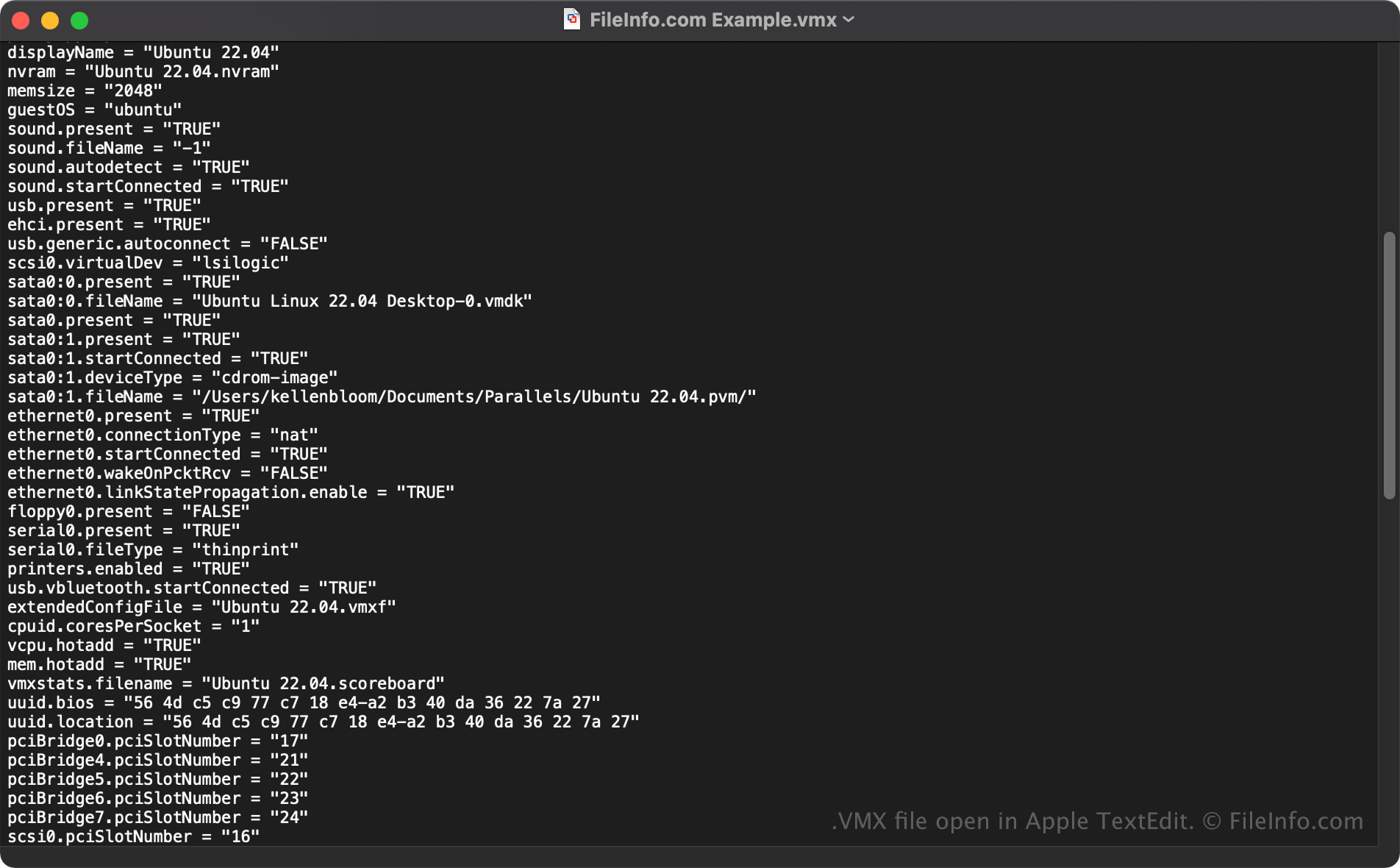
Soubory VMX se ukládají ve formátu prostého textu, který uchovává nastavení ve tvaru property = value. Nastavení limitu paměti virtuálního počítače může například vypadat takto: memsize = "512". To znamená, že maximální povolená paměť pro daný virtuální počítač je 512 MB.
POZNÁMKA: Pokud jste vytvořili virtuální počítač pomocí starší linuxové verze VMware Workstation, může být konfiguračním souborem tohoto počítače soubor .CFG.
Běžné názvy souborů .VMX
[VM name].vmx - Název souboru VMX je stejný jako název virtuálního počítače. Soubor VMX pro virtuální počítač „Windows 8“ se například jmenuje Windows 8.vmx.
Jak otevřít soubor VMX
Neměli byste se pokoušet soubor VMX otevírat ručně. VMware Fusion automaticky načte informace ze souboru VMX při spuštění virtuálního počítače.
Pokud však potřebujete nastavení virtuálního počítače upravit ručně, můžete soubor VMX otevřít a upravit v textovém editoru, například v programu Apple TextEdit (Mac). Mějte na paměti, že pokud soubor upravíte nesprávně, můžete nechtěně způsobit, že virtuální počítač nebude správně fungovat.