.VDF Přípona souboru

Valve Data File

Vývojář Valve
Popularita
4.1  |  675 Hlasů
 

Co je soubor VDF?

A VDF file is a data file format used by Valve's Source game engine. It contains various kinds of game metadata, including data for resources, installation scripts, configuration scripts, and visualization elements.

Další informace

VDF files can often be seen when installing games distributed through Valve's Steam game client, such as Half-Life 2 and Counter-Strike. The file features Valve's KeyValues format, which is a plain text format that saves key-value parameters in a tree hierarchy. The format is similar to JSON and YAML. While VDF files are meant to be used by the Valve Source game engine, you can open the files with a text editor to view the contents.

Use of the VDF format outside of the Valve Source game engine

Steam, which is a video game digital distribution service and storefront, also uses the VDF format. For example, Steam Auto-Cloud allows apps to use Steam Cloud (a remote file storage system for games) without modifying the game. In this case, it creates a steam_autocloud.vdf file in the location(s) specified by the Steamworks cloud paths.

Otevřete více než 400 formátů souborů pomocí File Viewer Plus.Stáhnout zdarma

Programy, které otevírají nebo odkazují na soubory VDF

Windows
Součást operačního systému
Kategorie: Hra
Aktualizováno: 2018-03-02

AntiVir Virus Definitions File

Vývojář Avira Operations
Popularita
3.8  |  81 Hlasů
 

Data file used by AntiVir, an antivirus application for Windows; saves virus definitions, which contain signatures that are used for recognizing viruses on the computer system; often downloaded during software updates so the software can check for new viruses.

Další informace

VDF files are saved to the AntiVir installation directory and have the filenames vbase000.vdf, vbase001.vdf, etc.

Programy, které otevírají nebo odkazují na soubory VDF

Windows
Mac
Kategorie: Data
Aktualizováno: 2011-08-22

VirtualDub Video Filter

Vývojář Avery Lee
Popularita
3.7  |  75 Hlasů
 

A VDF file is a plug-in used by VirtualDub, a video capture and processing utility for Windows. It is used to add additional editing features to VirtualDub. Some VDF files also allow VirtualDub to output video in additional video formats.

Další informace

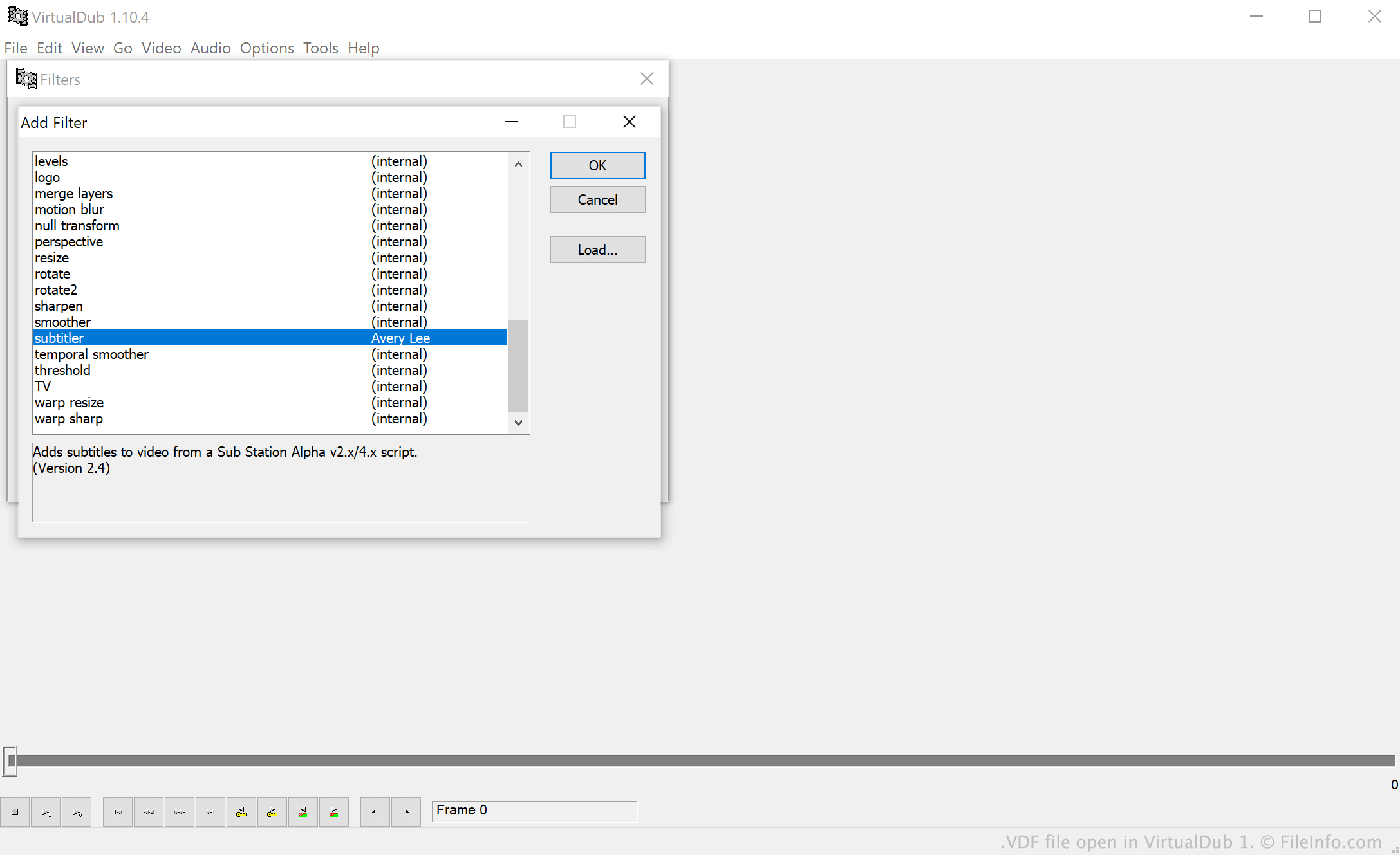
Snímek obrazovky souboru .vdf v VirtualDub 1
Soubor VDF otevřený v VirtualDub 1

VirtualDub is a free application that allows users to capture, edit, and process videos. Users edit and process videos using "filters," which are features that allow users to add special effects, adjust a video's aspect ratio, enhance a video's quality, change a video's encoding, and more.

Users who want to add additional filters to VirtualDub can do so by downloading and installing filter plug-ins, which are saved as VDF files. VirtualDub's many users have created hundreds of custom filter plug-ins, which typically include additional editing features, support for additional encoding formats, or both.

Jak otevřít soubor VDF

To use a VDF file with VirtualDub (Windows), either:

  1. Place the file in VirtualDub's plugins folder. (If your VirtualDub installation does not include a plugins folder, create one in the program's main directory.)
  2. Open VirtualDub, select Video → Filters... → Add... → Load..., and load your VDF file.

You can also use VDF files with VirtualDub2 (Windows) and VirtualDubMod (Windows), which are modified versions of VirtualDub.

Programy, které otevírají nebo odkazují na soubory VDF

Windows

Gothic Game Data File

Vývojář Piranha Bytes
Popularita
3.8  |  50 Hlasů
 

Data file used by the Gothic video game series; contains worlds, characters, 3D models, textures, and sounds; Gothic II VDF files are stored in the /Gothic II/Data folder.

Další informace

VDF files may be edited with GoMan or a hex-editor, but typically should not be altered. Incorrectly modifying VDF files may make them unusable.

Programy, které otevírají nebo odkazují na soubory VDF

Windows
Piranha Bytes Gothic
Piranha Bytes Gothic II
Edit with GoMan
Kategorie: Hra
Aktualizováno: 2009-06-12

Ověřil FileInfo.com

Tým FileInfo.com nezávisle prozkoumal všechny formáty souborů a programy uvedené na této stránce. Naším cílem je 100% přesnost a zveřejňujeme pouze informace o typech souborů, které jsme ověřili.

Pokud chcete navrhnout doplnění nebo aktualizaci této stránky, dejte nám vědět.