

.PRO6 Přípona souboru
Dokument ProPresenter 6
| Vývojář | Renewed Vision |
| Popularita |
4,5 | 4 hlasy |
Co je soubor PRO6?
Soubor PRO6 obsahuje prezentaci vytvořenou v programu ProPresenter 6, který slouží k sestavování produkcí pro sportovní události, bohoslužby a konference. Ukládá informace o prezentaci, včetně počtu snímků, rozvržení jednotlivých snímků a přechodů a časování mezi snímky. Soubory PRO6 také obsahují odkazy na zvukové nebo video soubory v prezentaci.
Další informace
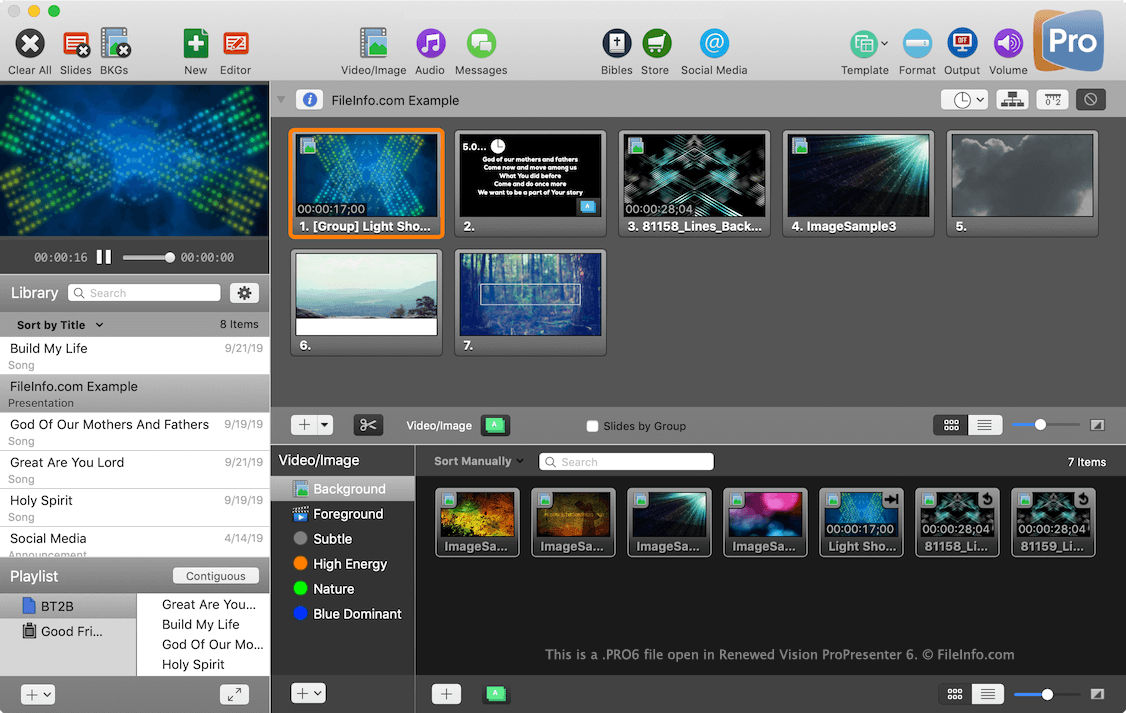
ProPresenter 6 vytváří soubory PRO6 při ukládání nové prezentace. Prezentací může být píseň s více snímky pro sloky a refrény, prezentace s více snímky obsahujícími obrázky a videa nebo jiný typ vlastní prezentace určené k zobrazení v programu ProPresenter.
Všechny dokumenty ProPresenter 6 jsou uloženy v Knihovně, kde mohou uživatelé vyhledávat své různé prezentace a následně je zobrazovat. K umístění, kde je soubor PRO6 uložen, můžete přejít kliknutím pravým tlačítkem na dokument v programu ProPresenter a výběrem možnosti "Open File Location" ve Windows nebo "Reveal in Finder" v macOS.
Soubory PRO6 neobsahují multimediální soubory (např. soubory .MP3, .MOV nebo .WMV) zahrnuté v prezentaci. Pokud chcete multimediální soubory zahrnout spolu s dokumentem, exportujte dokument jako soubor .PRO6X výběrem možnosti . Na existující dokument můžete také kliknout pravým tlačítkem a vybrat možnost .