

.ENPASSBACKUP Přípona souboru
Záloha Enpass
| Vývojář | Enpass Technologies |
| Popularita |
3,0 | 1 hlas |
Co je soubor ENPASSBACKUP?
Soubor ENPASSBACKUP je záloha vytvořená aplikací Enpass (verze 6 a novější), která spravuje hesla a další důvěrné informace. Ukládá zašifrovaný obsah trezoru hesel včetně přihlašovacích údajů, poznámek a dalších citlivých dat uložených v aplikaci.
Další informace
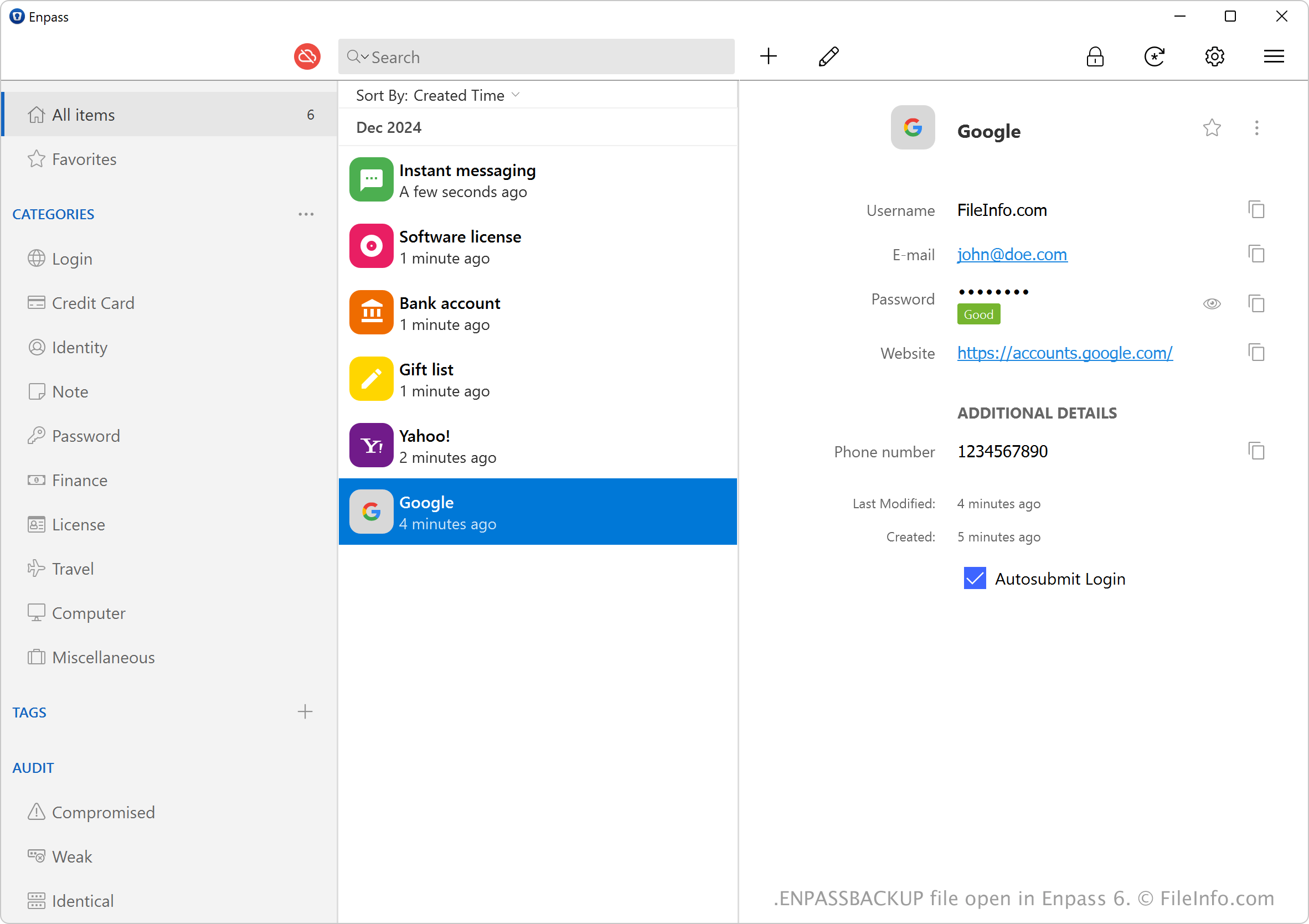
Enpass je aplikace pro správu hesel, která vám pomáhá ukládat a spravovat hesla, poznámky a další citlivé informace v zašifrovaném trezoru. Umožňuje také zálohovat citlivé informace jako soubory ENPASSBACKUP.
Chcete-li vytvořit soubor ENPASSBACKUP, vyberte . Program soubor ENPASSBACKUP pojmenuje podle času jeho vytvoření a počtu položek v zálohovaném trezoru. Záloha s 5 položkami vytvořená 3. prosince 2024 může být například pojmenována 2024-12-03-1733245141-1_vault-5_items.enpassbackup.
POZNÁMKA: Společnost Enpass Technologies zavedla soubory ENPASSBACKUP při vydání verze 6 aplikace Enpass. Předchozí verze aplikace ukládají zálohy jako soubory .WALLETX.
Jak otevřít soubor ENPASSBACKUP
Soubory ENPASSBACKUP můžete otevřít pouze v aplikaci Sinew Enpass (pro různé platformy). Chcete-li otevřít soubor ENPASSBACKUP a obnovit jeho obsah, vyberte na domovské obrazovce a vyberte (k otevření souboru musíte zadat hlavní heslo).