.TVSHOW 文件扩展名

mimoLive Show

开发者 Boinx Software
受欢迎程度
3.7  |  3 
 

什么是 TVSHOW 文件?

A TVSHOW file is a show created by mimoLive, a video editor used to produce broadcasts such as sermons, lectures, podcasts, newscasts, and more. It contains a show project, which includes settings and aspects, such as text content, graphics, transitions, animations, frame rate, show length, and author, that make up the show presentation.

更多信息

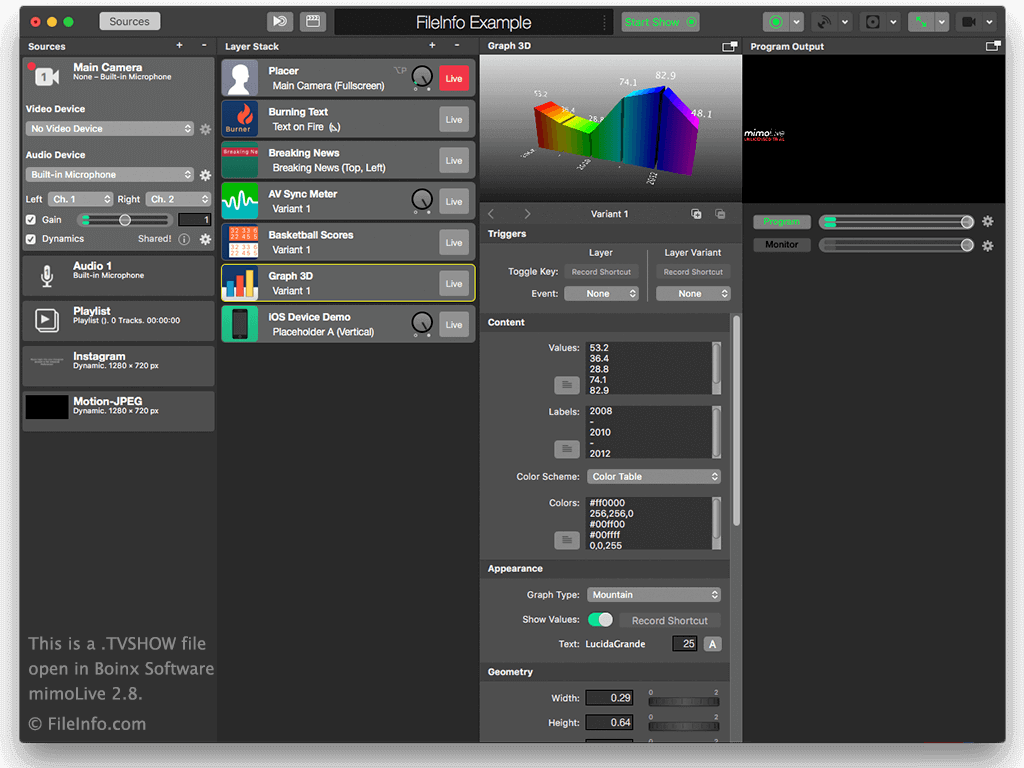
在 Boinx Software mimoLive 2.8 中打开的 .tvshow 文件截图
在 Boinx Software mimoLive 2.8 中打开的 TVSHOW 文件

When you save a project in mimoLive the TVSHOW file is created to store the content of the project. When your show is ready to record, hit the "Start Show" button at the top of the interface. When you are finished recording you can save the show as a .MOV file.

To create a TVSHOW file, select File → Save or Save As..., name the file, choose the save location, and click Save.

To open a TVSHOW file, double-click the file or select File → Open..., navigate to the file, and click Open.

mimoLive was formerly known as BoinxTV. The application is primarily used for live video streaming directly to sites such as YouTube, Facebook, and Twitch.tv and for projecting video to an external screen. It supports video from your computer, webcams, connected video cameras, and mobile devices. It comes with useful production tools that include support for multiple camera angles, graphics, keying capabilities, and social media integration. Also, nearly everything in mimoLive is customizable, which includes fonts, graphics, colors, and object positions.

使用File Viewer Plus打开 400 多种文件格式。免费下载

可打开 TVSHOW 文件的程序

Mac
分类: 视频
更新时间: 2017-02-22

验证者 FileInfo.com

FileInfo.com 团队 独立研究了本页面列出的 mimoLive Show 文件格式和 Mac 应用。 我们的目标是达到 100% 的准确率,并且仅发布我们已验证过的文件类型信息。

如果您想为此页面提出新增或更新建议,请告诉我们