.SCL 文件扩展名
Sibelius Chord Diagram Library
| 开发者 | Avid |
| 受欢迎程度 |
4.0 | 6 票 |
什么是 SCL 文件?
An SCL file is a chord library used by Sibelius, music notation software used to create scores. It contains one or more chord diagrams, which display the fingerings (finger placement in a musical score) for playing instruments such as guitar or trumpet. SCL files are useful for searching chord diagrams and sharing them with other users.
更多信息
You most likely will only see the SCL file if you share a chord diagram library with another Sibelius user. Otherwise, the Sibelius program allows you to create, open, edit, and remove chord diagrams directly through the interface.
To create a chord diagram library, select Create → Chord Diagram → New Chord Diagram Library.... You can add a chord to the library, select the chord and click "Add to Library." After you create a chord diagram library, Sibelius saves it in an SCL file and stores it in the "Chord Shapes" folder, which is located in the "Resources" folder in the main "Sibelius" program folder.
可打开 SCL 文件的程序
Scala Musical Scale
| 开发者 | Manuel Op de Coul |
| 受欢迎程度 |
2.0 | 1 票 |
An SCL file is a musical scale definition written in the Scala scale format. It contains plain text that defines the scale's included notes. Scala users can export scales they've created as SCL files, for use with various synthesizers.
更多信息
Scala is a musical scale creation and analysis tool available for Windows, Linux, and macOS. It allows musicians and composers to experiment with musical tunings and export tuning data to many different types of synthesizers, in either MIDI or SCL format.
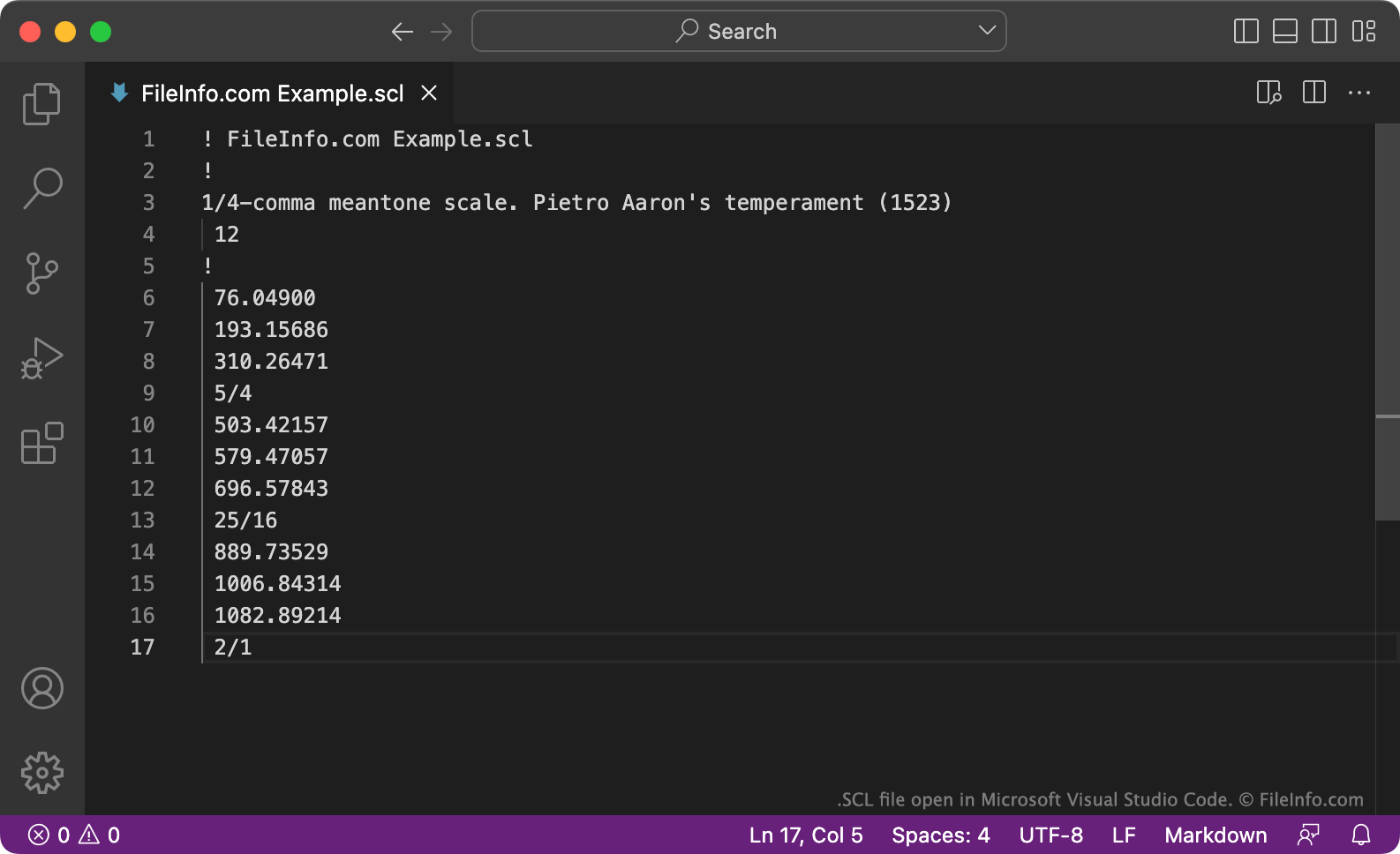
Typically, an SCL file begins with a comment noting the file's name, such as ! FileInfo.com Example.scl. The first non-comment line describes the scale the file contains. The second line defines the number of notes the scale includes. Finally, the file's remaining lines detail the notes the scale includes, in either ratio (e.g. 81/64) or cents (e.g. 408.0) format.
如何打开 SCL 文件
You can open and edit an SCL file with Scala (multiplatform). You can also open and edit an SCL file with Microsoft Notepad (Windows), Apple TextEdit (Mac), or any other text editor.