

.RMMZPROJECT 文件扩展名
RPG Maker MZ项目
| 开发者 | Gotcha Gotcha Games, KADOKAWA, Yoji Ojima |
| 受欢迎程度 |
3.0 | 1 票 |
什么是 RMMZPROJECT 文件?
RMMZPROJECT文件是由RPG Maker MZ创建的项目文件。RPG Maker MZ是一款角色扮演游戏(RPG)制作工具。它包含用于加载游戏制作项目及该项目全部资源的数据。游戏制作者使用RMMZPROJECT文件编辑、测试和创建游戏的最终可玩版本。
更多信息
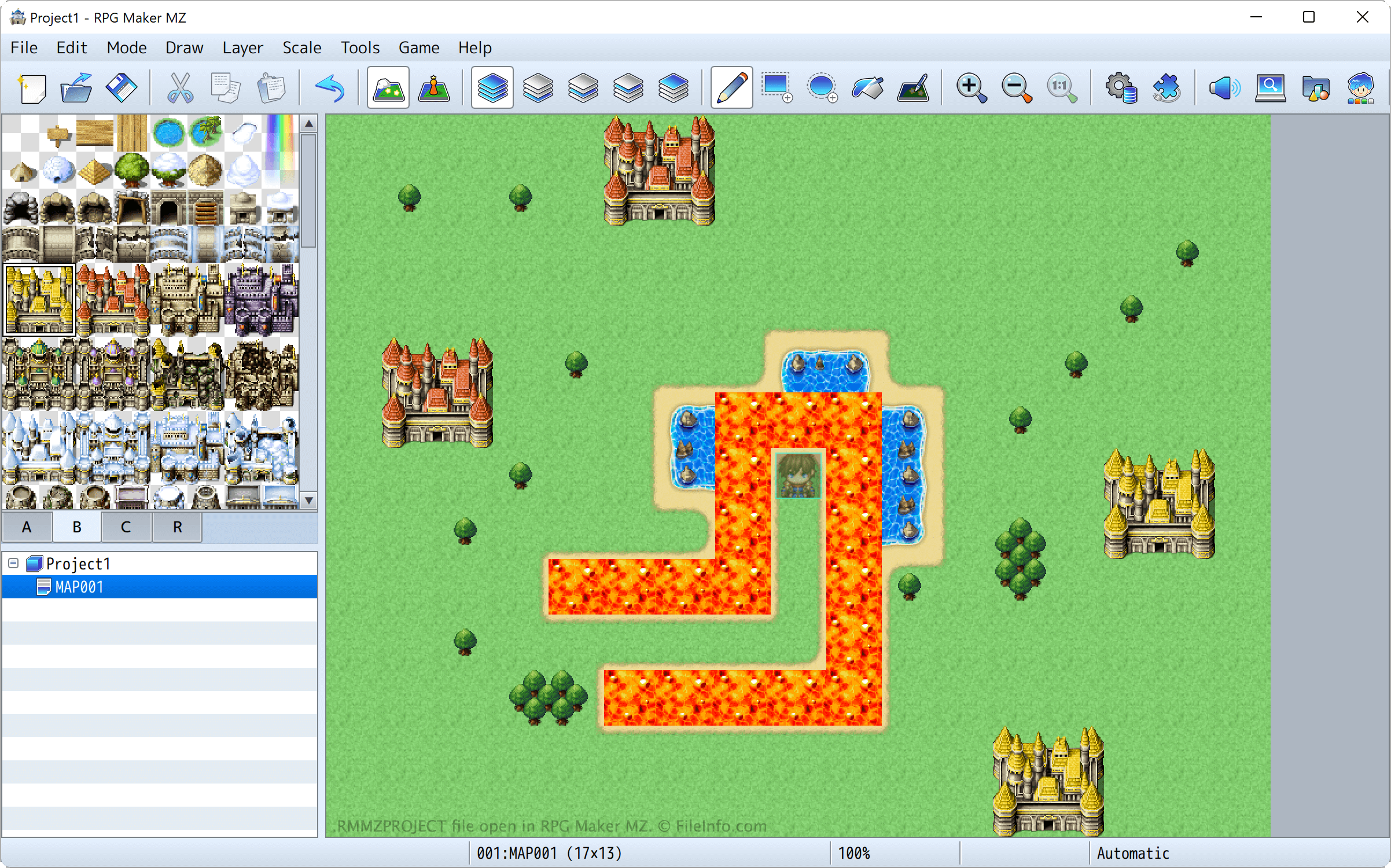
RPG Maker是一系列基于PC的RPG制作工具,允许玩家设计、游玩和发布自己的RPG。RPG Maker MZ是该系列的第九款产品,于2020年发布。
RPG Maker的不同版本会将项目文件保存为不同的文件格式。RPG Maker MZ会将项目文件保存为RMMZPROJECT文件。每个RMMZPROJECT文件都包含相关信息,使RPG Maker MZ能够加载该游戏制作项目及其中包含的资源,例如地图、精灵、声音和游戏逻辑。
RPG Maker MZ通常会将RMMZPROJECT文件保存到专门用于存放游戏制作项目及其资源的目录中。在Windows中,这些目录位于:
This PC/Documents/RMMZ
常见 .RMMZPROJECT 文件名
Game.rmmzproject - RPG Maker MZ为项目指定的默认名称。
如何打开 RMMZPROJECT 文件
你可以使用RPG Maker MZ(Windows、Mac)打开RMMZPROJECT文件。要打开该文件,请从程序的菜单栏中选择。然后找到并打开RMMZPROJECT文件。
可打开 RMMZPROJECT 文件的程序
Windows
免费试用
Mac
免费试用