

.MUSICLIBRARY 文件扩展名
Apple Music资料库
| 开发者 | Apple |
| 受欢迎程度 |
3.7 | 3 票 |
什么是 MUSICLIBRARY 文件?
MUSICLIBRARY文件是Apple Music使用的macOS软件包。Apple Music是macOS自带的免费音频播放器。它包含多个文件,包括.MUSICDB、.ITDB和.PLIST文件,这些文件存储Apple Music资料库的信息,例如用户偏好设置、播放列表和歌曲评分。
更多信息
Apple Music是一款音频播放器,支持多种音频格式,允许你通过iTunes Store购买音乐;订阅Music流媒体服务后,你还可以播放超过7500万首歌曲。2019年10月发布macOS Catalina(版本10.15)时,Apple正式用Music取代了iTunes音频播放器。
你可以在以下位置找到MUSICLIBRARY文件:
/Users/username/Music/Music/Music Library
macOS不会显示“Music Library”软件包的.musiclibrary文件扩展名。不过,如果你右键点击该文件并选择,就可以在“Name & Extension”字段中确认.musiclibrary文件扩展名。
注: 如果你删除“Music Library”文件,Music会通过搜索Music文件夹中的歌曲来重新创建该文件。不过,所有播放列表、歌曲评分和偏好设置都将丢失。
常见 .MUSICLIBRARY 文件名
Music Library.musiclibrary - 默认名称Music表示该MUSICLIBRARY数据库。
如何打开 MUSICLIBRARY 文件
MUSICLIBRARY文件不是用来打开的。相反,它们存储Apple Music用来播放和整理音乐的信息。
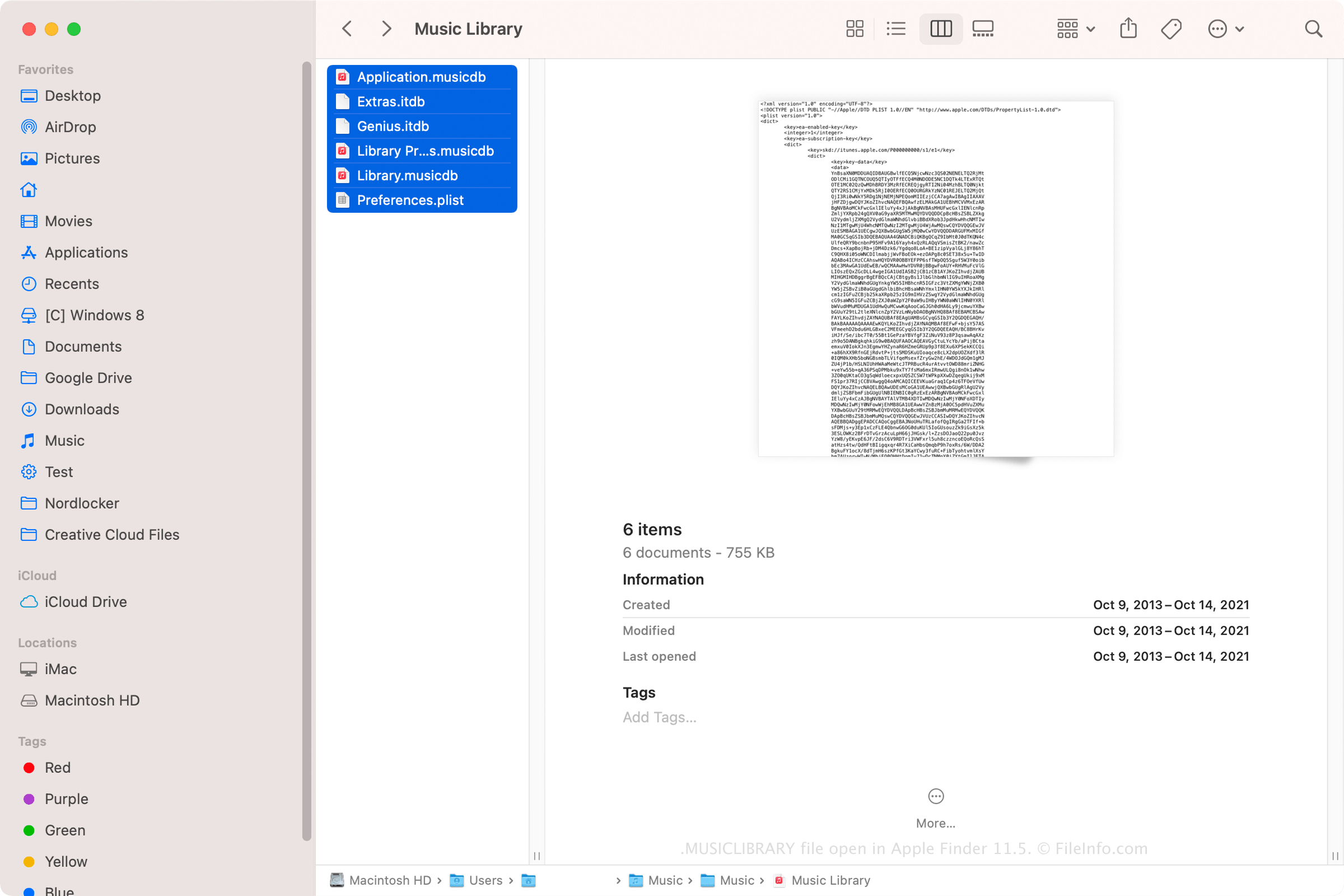
不过,你可以右键点击MUSICLIBRARY文件并选择来查看其内容。通常包含以下文件:
- Application.musicdb
- Extras.itdb
- Genius.itdb
- Library Preferences.musicdb
- Library.musicdb
- Preferences.plist
可打开或引用 MUSICLIBRARY 文件的程序
Mac
操作系统自带