.IES 文件扩展名

IES Photometric Data File

开发者 Illuminating Engineering Society
受欢迎程度
3.1  |  16 
 

什么是 IES 文件?

An IES file is a plain text file that contains measurements of light and light quantities. It is saved in a format specified by the Illuminating Engineering Society (IES). Building designers and civil engineers use IES files to simulate lighting systems while designing buildings, roadways, parks, and other structures.

更多信息

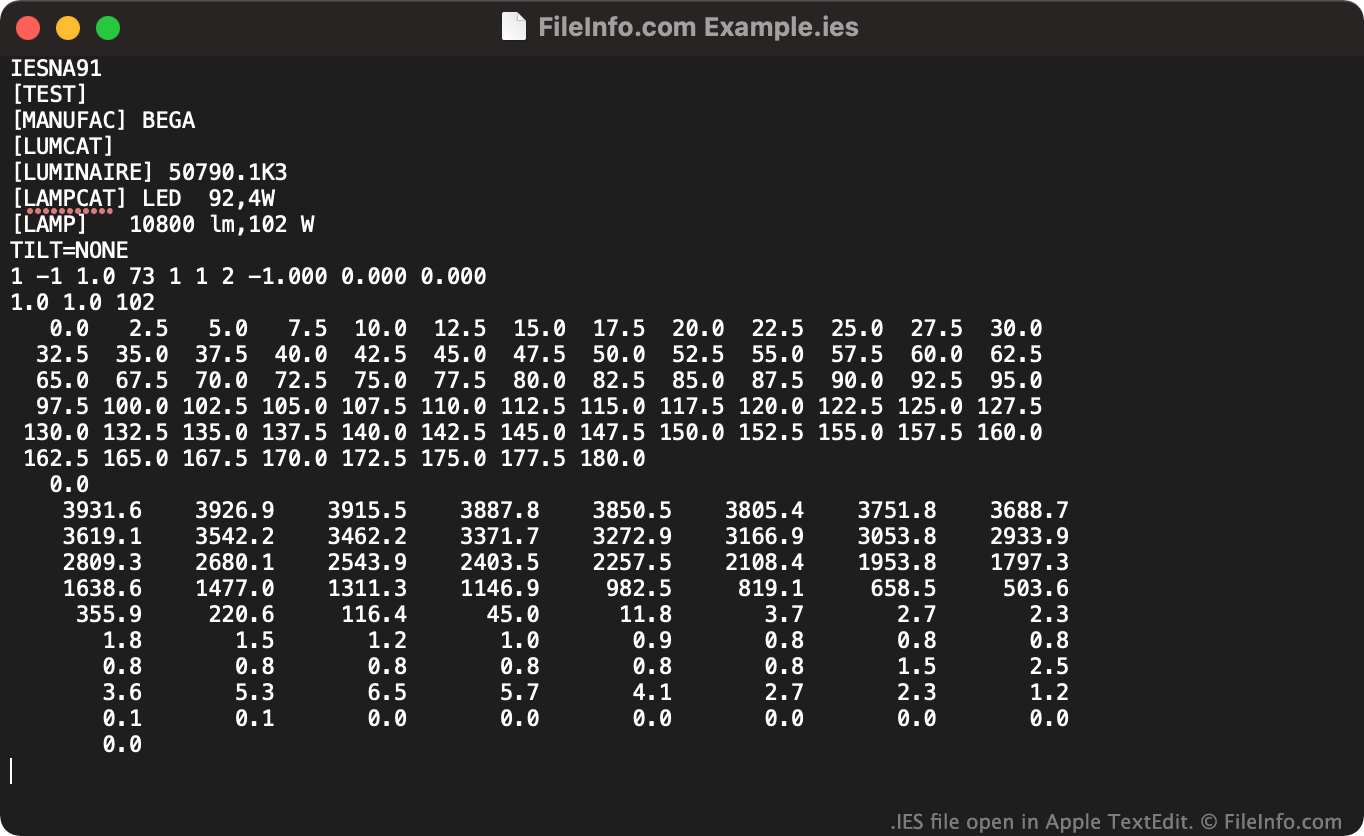
在 Apple TextEdit 中打开的 .ies 文件截图
在 Apple TextEdit 中打开的 IES 文件

Lighting manufacturers commonly create and publish IES files that designers and engineers can use to model how a lighting system behaves. These files describe how a lighting installation's light moves throughout a room or other area.

Many architectural programs that can simulate lighting, such as Autodesk Revit, allow engineers and designers to load IES files and use them in their models. Some interior design and 3D art programs also support IES files.

如何打开 IES 文件

You can use an IES file to simulate a light source in 3D modeling tools like Autodesk Revit LT (Windows), Autodesk AutoCAD (Windows, Mac), and Acuity Brands Lighting Visual Lighting (Windows).

To view the lighting information an IES file contains in an organized format, open the file in IESviewer (Windows), jSolutions Inc. Photometrics Pro (Windows), or Acuity Brands Lighting Visual Photometric Tool (Web). You can also open an IES file in any text editor, such as Microsoft Notepad or Apple TextEdit, to quickly view the plain text data it contains.

如何转换 IES 文件

You can use the PhotoView module included in OxyTech LITESTAR 4D Open to convert IES files to the following formats:

  • .LDT - Eulumdat Formatted Luminaire Data
  • .LTL - Luminaire Data
  • CIE - International Commission on Illumination Data

You can use the online Eulumdat Tools IES to ELUMDAT Converter to convert IES files to the LDT format.

使用File Viewer Plus打开 400 多种文件格式。免费下载

可打开 IES 文件的程序

分类: 数据
更新时间: 2022-04-13

验证者 FileInfo.com

FileInfo.com 团队 独立研究了本页面列出的 IES Photometric Data 文件格式和 Mac and Windows 应用。 我们的目标是达到 100% 的准确率,并且仅发布我们已验证过的文件类型信息。

如果您想为此页面提出新增或更新建议,请告诉我们