.GB3 文件扩展名
Geekbench 3 Pro Results
| 开发者 | Primate Labs |
| 受欢迎程度 |
3.5 | 2 票 |
什么是 GB3 文件?
A GB3 file is a test result saved using Primate Labs Geekbench 3 Pro, a cross-platform PC benchmarking application. It contains a record of how a computer's CPU or GPU performed during a Geekbench performance test. GB3 files contain a series of performance-related scores; higher scores are better.
更多信息
Geekbench 3 Pro is a program that allows PC users to check how their computer's CPU and GPU are performing. To test their CPUs and GPUs, Geekbench users run performance tests, known as benchmarks. After a user runs a benchmark, Geekbench 3 Pro outputs the results as a series of performance-related scores.
Users can save their Geekbench 3 Pro benchmark results as GB3 files. This allows users to load and review results in Geekbench 3 Pro at a later date. To save results as GB3 file, users must:
- In the GUI version of Geekbench 3 Pro, select File → Save as....
- In the command-line version of Geekbench 3 Pro, use the geekbench3 --save command.
Users can also choose to export their results as .CSV, .HTML, .JSON, and .TXT files, by selecting File → Export As... or using the --export command.
如何打开 GB3 文件
You can open a GB3 file in the paid version of Geekbench 3 Pro (cross-platform). (You cannot open a GB3 file in any other version of Geekbench Pro.) To do so, open the GUI version of Geekbench 3 Pro and select File → Open.... Then, navigate to and select your GB3 file. The results your GB3 file contains will appear in Geekbench 3 Pro.
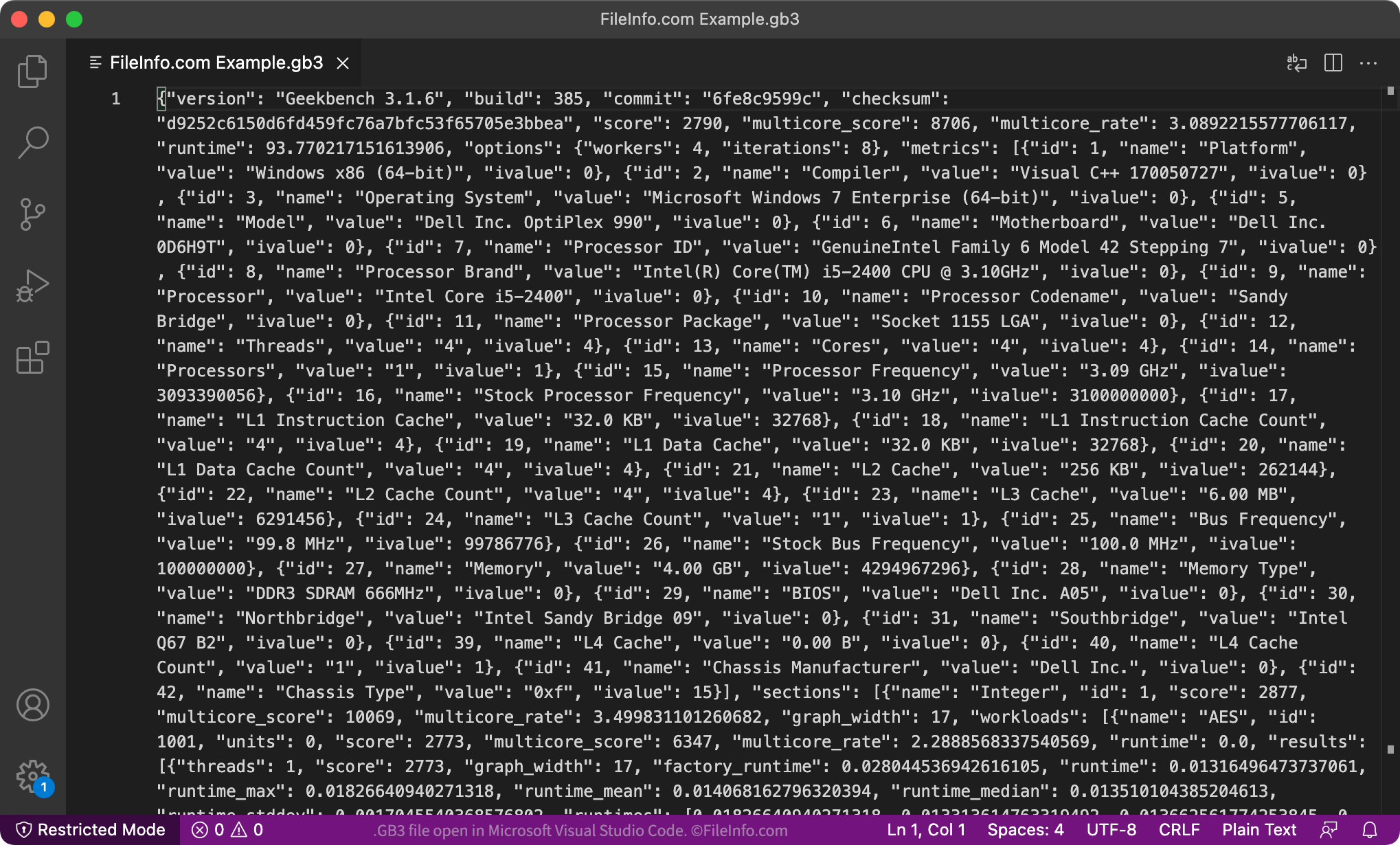
If you do not have access to Geekbench 3 Pro, you can also open your GB3 file in any text editor, such as Microsoft Notepad (Windows) or Apple TextEdit (Mac). This will allow you to view the plain text used to show your test results in Geekbench 3 Pro.