

.LCP Extensão de arquivo
Pacote de conteúdo do Lancer
| Desenvolvedor | Massif Press |
| Popularidade |
4,2 | 5 Votos |
O que é um arquivo LCP?
Um arquivo LCP é um pacote de conteúdo para Lancer, um jogo de RPG de mesa (TTRPG). Os jogadores podem importar arquivos LCP para o COMP/CON, um aplicativo web usado para criar e gerenciar personagens e encontros de Lancer. Importar um arquivo LCP para o COMP/CON permite que o jogador visualize e use o conteúdo do arquivo ao criar personagens e encontros.
Mais informações
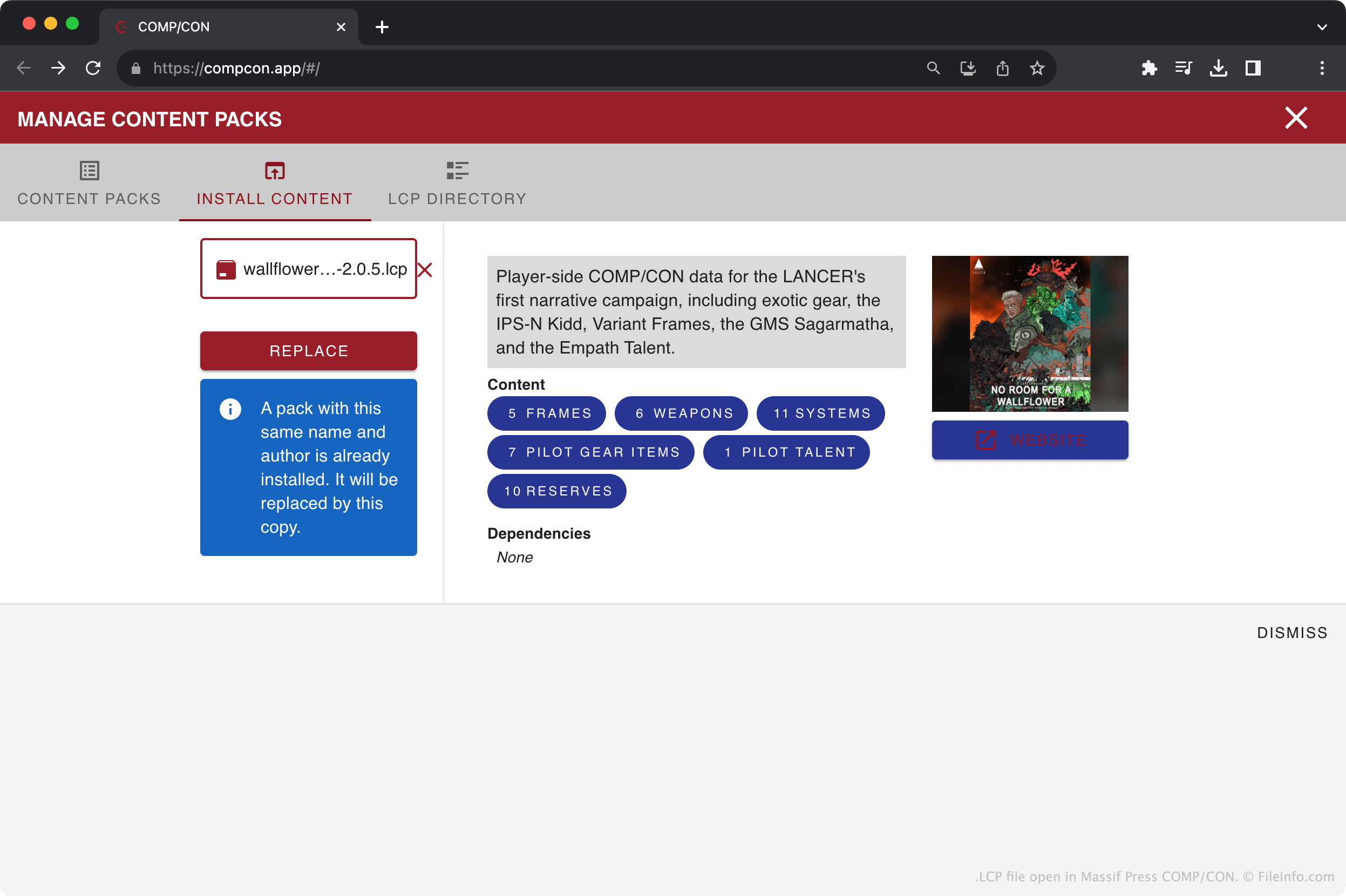
Lancer é um TTRPG publicado pela Massif Press. Nas partidas de Lancer, os jogadores assumem o papel de pilotos de mechs e participam de várias aventuras galácticas. Para ajudar jogadores e mestres a gerenciar seus personagens e partidas de Lancer, a Massif Press oferece um aplicativo web chamado COMP/CON.
As expansões digitais de Lancer normalmente incluem um ou mais arquivos LCP. Esses arquivos descrevem os equipamentos, armas, talentos e outros conteúdos relacionados a personagens incluídos na expansão. Jogadores e mestres podem importar os arquivos LCP de uma expansão para o COMP/CON e usar o conteúdo desses arquivos ao criar personagens e encontros.
NOTA: Os arquivos LCP são arquivos .ZIP renomeados que contêm arquivos .JSON. Cada arquivo JSON descreve uma parte do conteúdo do pacote de conteúdo.
Como abrir um arquivo LCP
Para importar um arquivo LCP para o COMP/CON:
- Abra o COMP/CON no navegador da web.
- Selecione .
- Clique em .
- Navegue até o arquivo LCP e abra-o.
- Clique em .
Se quiser visualizar o conteúdo de um arquivo LCP fora do COMP/CON:
- Renomeie o arquivo para usar a extensão .ZIP.
- Abra o arquivo renomeado como faria com qualquer arquivo ZIP.