

.PSPFRAME Bestandsextensie
PaintShop Pro-afbeeldingskaderbestand
| Ontwikkelaar | Corel |
| Populariteit |
2,0 | 1 stem |
Wat is een PSPFRAME-bestand?
Een PSPFRAME-bestand bevat een afbeeldingskader dat is gemaakt met PaintShop Pro, een afbeeldingseditor voor Windows. Het bevat een afbeelding van een kader dat je op een afbeelding kunt toepassen. PSPFRAME-afbeeldingen zijn verkrijgbaar in verschillende stijlen, waaronder ovaal, modern en klassiek, met passe-partouts of fotolijsten.
Meer informatie
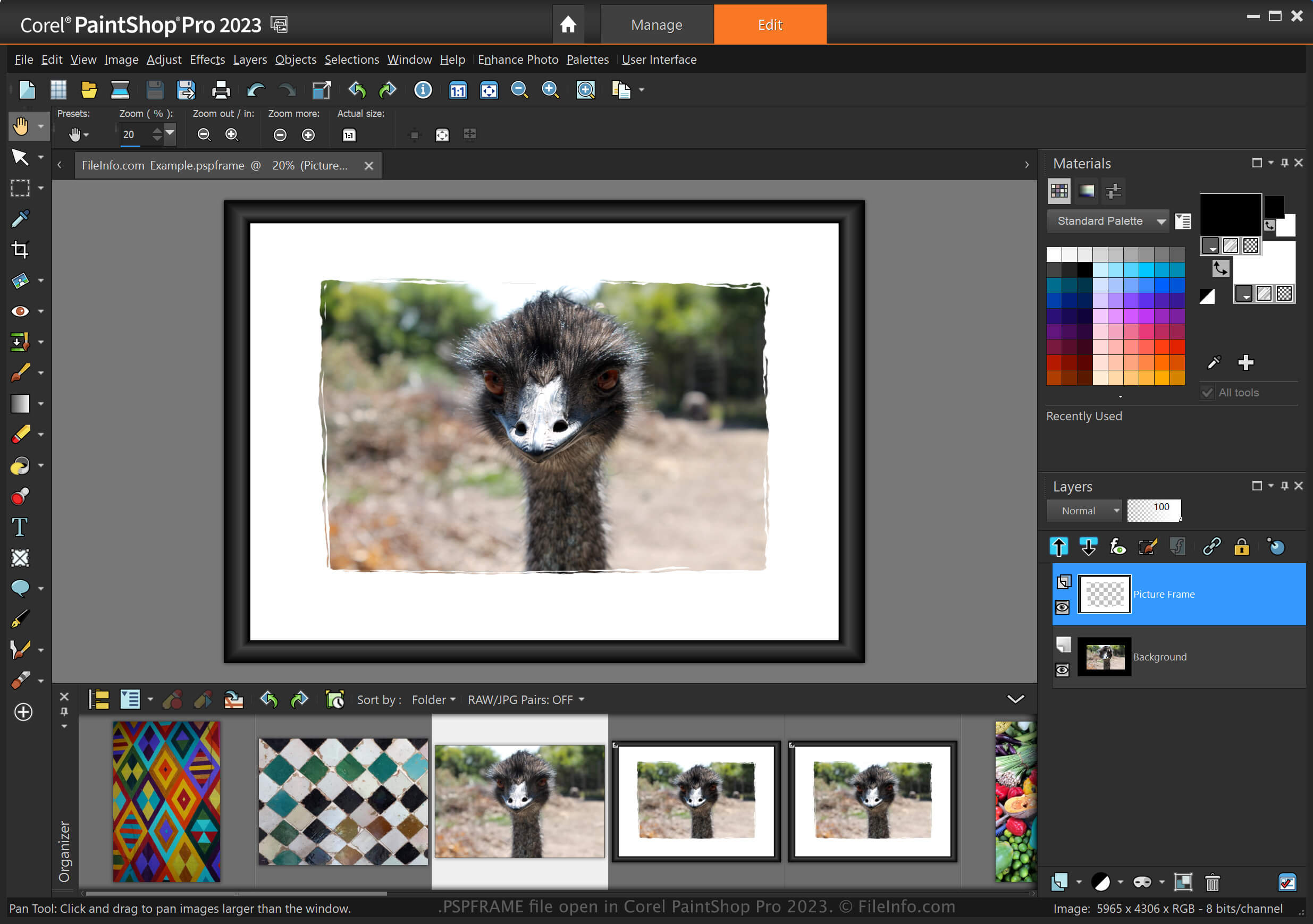
PaintShop Pro is een rasterafbeeldingseditor met verschillende hulpmiddelen om afbeeldingen te maken en digitale foto's te bewerken, waaronder camera-raw-afbeeldingen. Met het hulpmiddel voor afbeeldingskaders kun je een digitaal kader rond een afbeelding toevoegen om de aandacht van de kijker te richten.
PaintShop Pro wordt geleverd met vooraf gemaakte afbeeldingskaders die als PSPFRAME-bestanden in de volgende map zijn opgeslagen:
C:\ProgramData\Corel\Corel PaintShop Pro [version]\Corel_09
Je kunt ook aangepaste afbeeldingskaders maken en deze opslaan als PSPFRAME-bestanden door te selecteren.
Een PSPFRAME-bestand openen
Je kunt een PSPFRAME-bestand in Windows openen met Corel PaintShop Pro. Als je een afbeeldingskader uit een PSPFRAME-bestand aan een afbeelding wilt toevoegen, selecteer je .
Je kunt een PSPFRAME-bestand ook importeren door het in de volgende map te plaatsen:
Documents\Corel PaintShop Pro\[version]\Picture Frames
Het afbeeldingskader is daarna beschikbaar in het hulpmiddel Picture Frame.