

.MLAPP Bestandsextensie
MATLAB-applicatieproject
| Ontwikkelaar | The MathWorks |
| Populariteit |
3,0 | 1 stem |
Wat is een MLAPP-bestand?
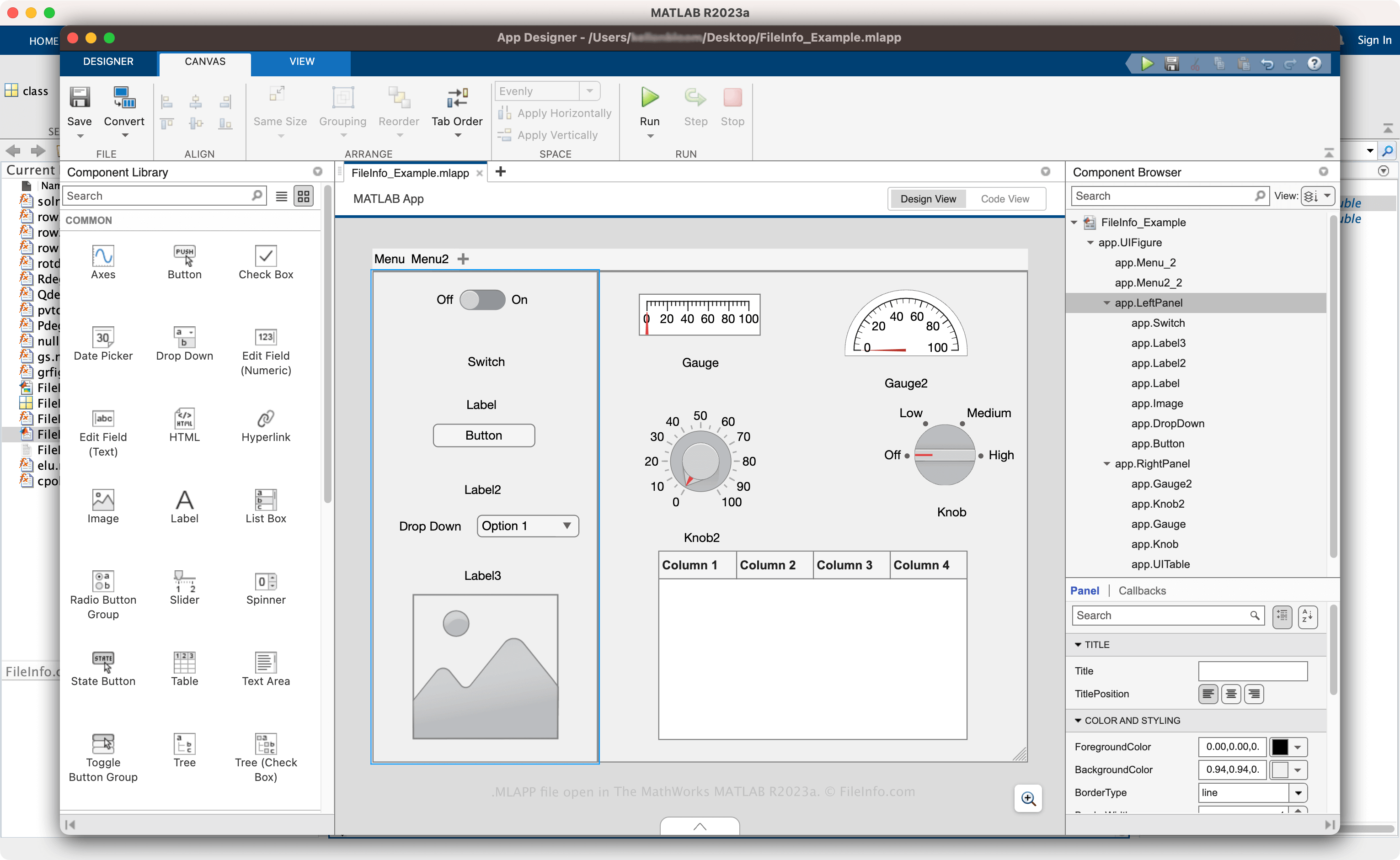
Een MLAPP-bestand is een applicatieproject dat is gemaakt met The MathWorks MATLAB, een programma voor programmeren en numeriek rekenen waarmee je gegevens analyseert, algoritmen ontwikkelt en modellen bouwt. Het bevat informatie over een app in de bedrijfseigen MATLAB App-indeling (MLAPP), waaronder de indeling van de visuele componenten, de MATLAB-code waarmee de functies van de app worden geconfigureerd en metagegevens. Voorbeelden van apps die je kunt maken en opslaan als MLAPP-bestanden zijn een datavisualisatieprogramma voor het meten en grafisch weergeven van gegevens uit bloedmonsters of een hulpmiddel voor het meten van de verschillende energieopbrengsten van zonnepanelen.
Meer informatie
MATLAB is technische software met een omgeving voor numeriek rekenen en een speciale programmeertaal. Ingenieurs en wetenschappers gebruiken MATLAB in verschillende vakgebieden, waaronder biologische wetenschappen, robotica, machine learning, draadloze communicatie, risicobeheer en signaalverwerking.
Een van de vele functies van MATLAB is een geïntegreerde ontwikkelomgeving (IDE) waarmee je apps kunt maken. Met deze functie kun je de indeling ontwerpen en de functies van de app programmeren en de app vervolgens opslaan als MLAPP-bestand. Als je de app met andere gebruikers wilt delen, kun je deze met andere MATLAB-gebruikers delen als een .MLAPPINSTALL-bestand of de app compileren als webapp of zelfstandige desktopapp.
Een MLAPP-bestand maken met MATLAB
Een MLAPP-bestand maken met MATLAB:
- Selecteer het tabblad .
- Klik op .
- Kies de indeling die je wilt gebruiken.
- Selecteer of .
Nadat je het bestand hebt opgeslagen, kun je het sluiten en opnieuw openen om het verder te bewerken. Wanneer je klaar bent met het ontwikkelen van de app, selecteer je op het tabblad en kies je ervoor om de app te delen als MLAPPINSTALL-bestand of te compileren als zelfstandige desktopapp of webapp.
Een MLAPP-bestand openen
Je kunt een MLAPP-bestand alleen openen met The MathWorks MATLAB (multiplatform). Als je een MLAPP-bestand wilt openen, selecteer je het tabblad , klik je op en selecteer je vervolgens .