

.PRTL 파일 확장자
Premiere Pro 제목
| 개발사 | Adobe Systems |
| 인기도 |
3.0 | 3 표 |
PRTL 파일이란 무엇인가요?
PRTL 파일은 전문 동영상 편집 애플리케이션인 Adobe Premiere Pro로 만든 동영상 제목입니다. 동영상 제목에 사용되는 텍스트와 스타일이 포함되어 있으며, 제작물 전체에 표시되는 머리글, 인트로, 로워 서드, 캡션 및 크레딧에 사용할 수 있습니다.
추가 정보
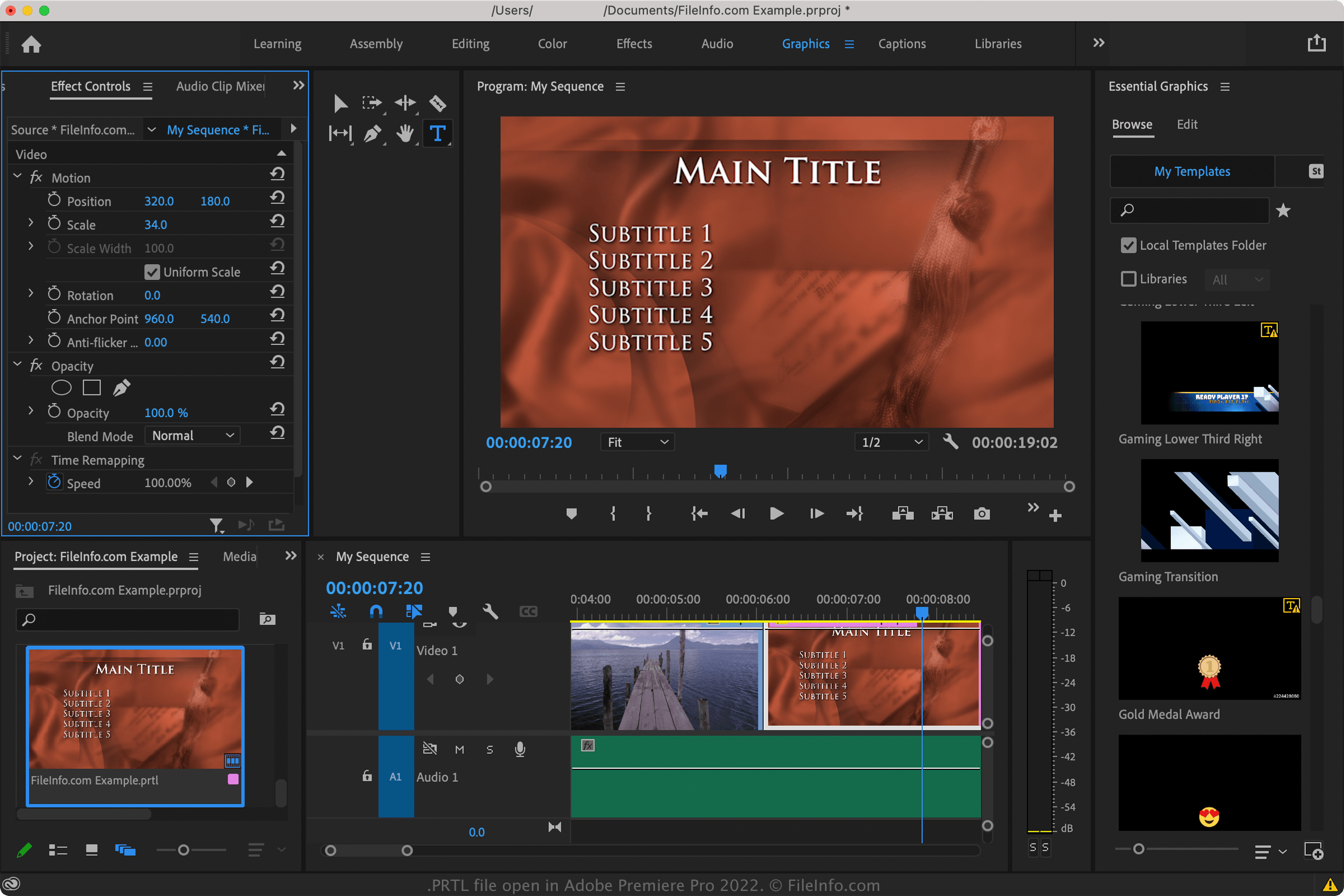
Premiere Pro에서 제목을 사용하면 스타일이 적용된 텍스트를 저장해 다른 동영상 세그먼트에서 재사용하고 제작물 전체에서 일관된 미관을 유지할 수 있으므로 시간을 절약할 수 있습니다. PRTL 파일을 사용하면 다른 Premiere Pro 사용자와 제목을 쉽게 공유할 수도 있습니다.
Premiere Pro에는 PRTL 파일이 함께 제공되지만, 사용자 지정 PRTL 파일을 만들 수도 있습니다. 함께 제공되는 PRTL 파일은 다음 위치에 저장됩니다.
- Windows - Adobe\Premiere Pro\[version]\Templates
- macOS - Adobe Premiere Pro [version]/Contents/Presets/Templates
Adobe Premiere Pro CC 2017이 출시되기 전에는 을 선택하여 PRTL 파일을 만들 수 있었습니다. 그러나 Adobe는 CC 2017 출시와 함께 PRTL 파일을 .MOGRT 파일로 단계적으로 대체하기 시작했습니다. 제목을 MOGRT 파일로 저장하려면 을 선택합니다.
PRTL 파일을 여는 방법
Adobe Premiere Pro로 PRTL 파일을 열 수 있습니다. PRTL 파일을 가져오려면 를 선택합니다. 이제 연 제목이 Premiere Pro의 "Project" 창에 표시됩니다(제목을 보려면 를 선택합니다).
PRTL 파일은 XML 표준으로 정보를 저장하므로 XML 또는 소스 코드 편집기로 열 수도 있습니다. 그러나 XML 편집기로 PRTL 파일을 직접 편집하면 파일이 손상될 수 있으므로 수동으로 편집하지 않는 것이 좋습니다.