.VPROJ ファイル拡張子

VSDC Video Editor Project

開発元 VSDC
人気度
3.8  |  5 
 

VPROJファイルとは?

A VPROJ file is a video editing project created using VSDC Video Editor, a video editing application available for Windows. It contains references to the video, audio, and image assets a project includes, as well as a record of the project's layers, timeline, effects, and edits. VPROJ files can be opened only in VSDC Video Editor.

詳細情報

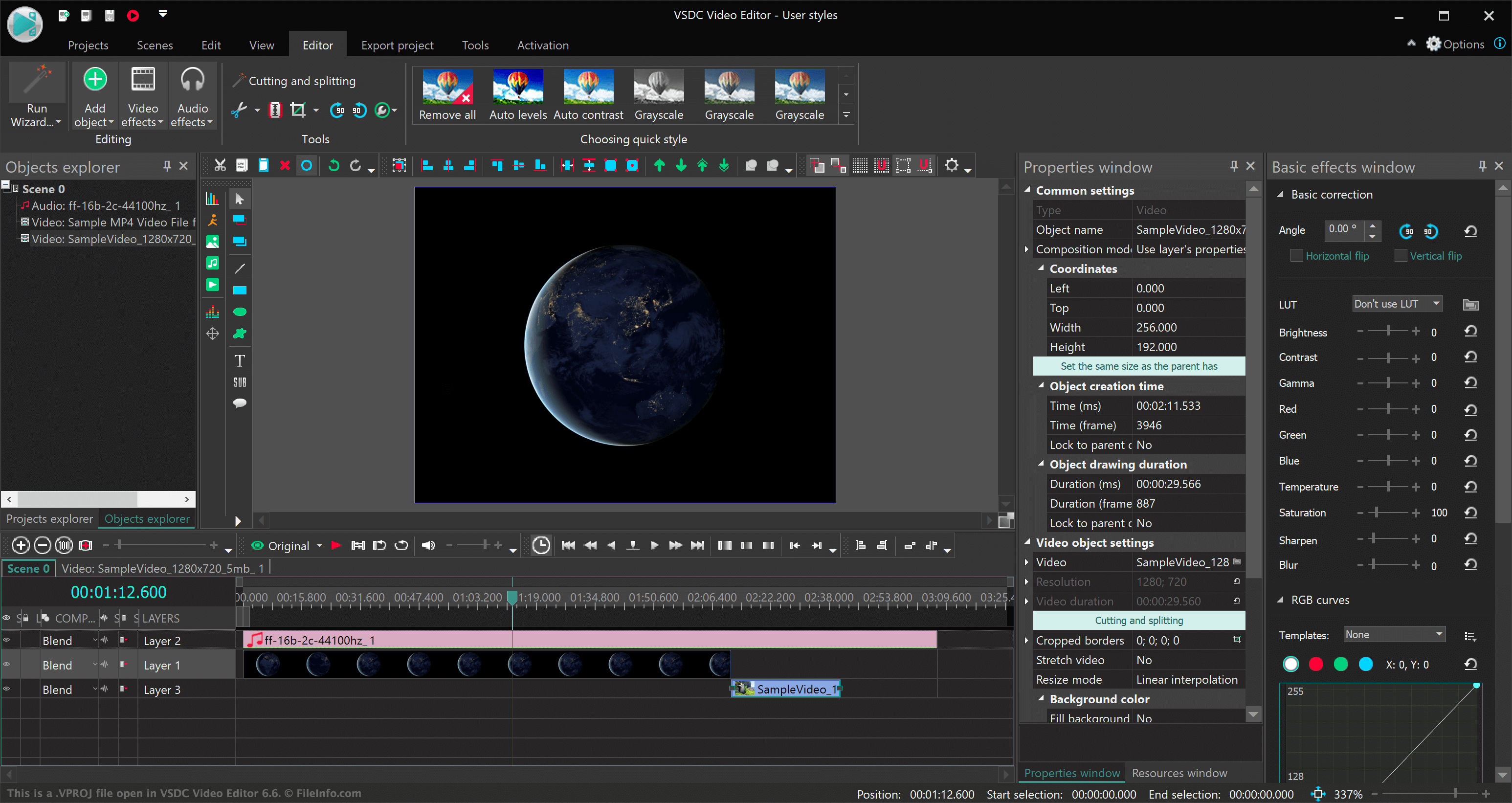
VSDC Video Editor 6.6で開いた.vprojファイルのスクリーンショット
VSDC Video Editor 6.6で開いたVPROJファイル

VSDC Video Editor allows video editors to import videos, audio, and images, edit and enhance those assets, and combine them into movies. Editors can place each asset in its own layer upon VSDC Video Editor's timeline, clip, trim, or extend each asset, and add a variety of visual effects to their movie, including transitions and color styles.

When a video editor saves a VSDC Video Editor project, the project is saved as a VPROJ file. VPROJ files do not actually contain the assets imported into a VSDC Video Editor project. Instead, they contain references to the locations at which the project's assets are stored. If you move an asset used in a VSDC Video Editor project, your VPROJ file may not open correctly in VSDC Video Editor.

After an editor finishes editing their video, they can export their finished project as an .AVI, .MPG, .MOV, or .MKV file, among other video formats. VSDC Video Editor allows editors to select the device their video will be played on, so the editor can export their video in a format optimized for that device.

VPROJファイルの開き方

You can open a VPROJ file in VSDC Video Editor (Windows). To do so, select Projects → Open project from the program's menu bar. Then, navigate to and open your VPROJ file.

File Viewer Plusで400種類以上のファイル形式を開けます。無料ダウンロード

VPROJファイルを開くプログラム

Windows
カテゴリ: ビデオ
更新日: 2021-04-08

検証者 FileInfo.com

FileInfo.comチーム は、このページに掲載されているVSDC Video Editor Projectファイル形式とWindowsアプリについて独自に調査しました。 私たちの目標は100%の正確性であり、検証済みのファイルタイプに関する情報のみを公開しています。

このページへの追加や更新をご提案いただける場合は、お知らせください。