.FAMILYX ファイル拡張子

My Family Tree Data File

開発元 Chronoplex Software
人気度
3.3  |  6 
 

FAMILYXファイルとは?

A FAMILYX file is a data file created by My Family Tree, a Windows genealogy program that organizes family tree information. It contains all family tree data, stories, images, audio, videos, and other attachments in the proprietary FAMILYX format, the primary format that My Family Tree uses to save family tree information.

詳細情報

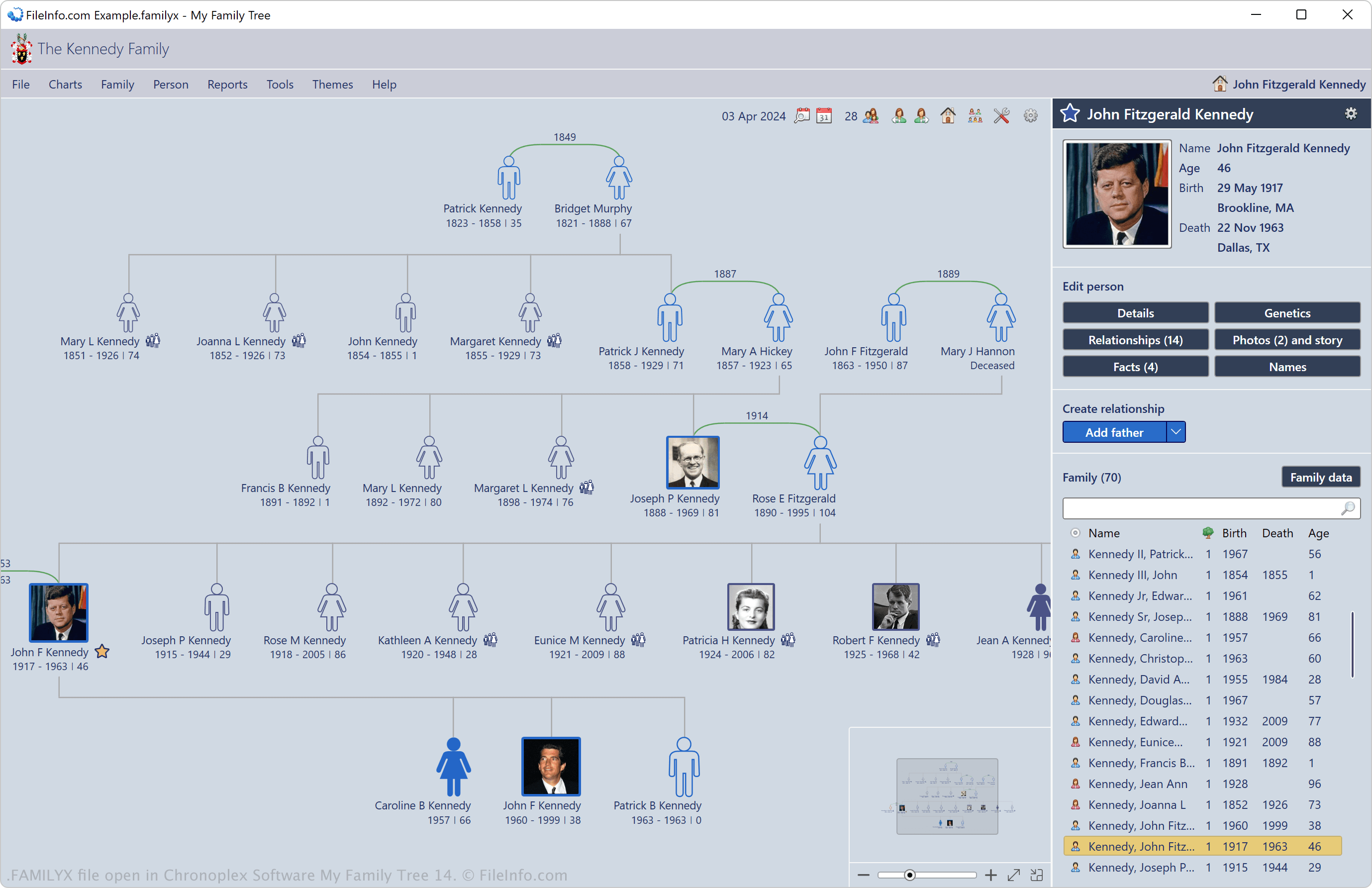
Chronoplex Software My Family Tree 14で開いた.familyxファイルのスクリーンショット
Chronoplex Software My Family Tree 14で開いたFAMILYXファイル

Chronoplex Software introduced the FAMILYX format in 2010 when it released My Family Tree. You can save your information to a FAMILYX file and then share it with other users or store it as a backup.

You can also protect FAMILYX files with a password by selecting File → Protect File. After protecting the file, the app sets it as a read-only version until you enter the correct password. If you want to encrypt the FAMILYX file with authenticated 256-bit AES encryption, select File → Save as and then choose My Family Tree Files (encrypted) from the "Save as" dropdown menu to save it as a .FAMILYXS file.

FAMILYXファイルの開き方

You can open FAMILYX files with My Family Tree in Windows. To open a FAMILYX file with the software, select File → Open.

Additionally, if the file is password-protected, you must enter the correct password to open it. If you do not have the correct password you will be unable to open or export it.

FAMILYXファイルの変換方法

My Family Tree can convert FAMILYX files to GEDCOM (.GED) and GEDZip Genealogy Data (.GDZ) files. To do so, select File → Export GEDCOM.

File Viewer Plusで400種類以上のファイル形式を開けます。無料ダウンロード

FAMILYXファイルを開くプログラム

カテゴリ: データ
更新日: 2024-04-04

検証者 FileInfo.com

FileInfo.comチーム は、このページに掲載されているMy Family Tree Dataファイル形式とWindowsアプリについて独自に調査しました。 私たちの目標は100%の正確性であり、検証済みのファイルタイプに関する情報のみを公開しています。

このページへの追加や更新をご提案いただける場合は、お知らせください。