

.TA6 Estensione file
File della dichiarazione dei redditi di TaxAct 2016
| Sviluppatore | TaxAct |
| Popolarità |
4,0 | 4 Voti |
Che cos'è un file TA6?
Un file TA6 è una dichiarazione dei redditi del 2016 creata con la versione 2016 di TaxAct, un programma per la preparazione delle dichiarazioni dei redditi. Contiene i dati fiscali relativi all'anno fiscale 2016, inclusi sia i moduli fiscali federali dell'IRS sia i moduli statali per uno specifico stato. I file TA6 memorizzano anche le informazioni di base dell'utente, come nome, data di nascita, professione, stato civile, persone a carico e numero di previdenza sociale.
Maggiori informazioni
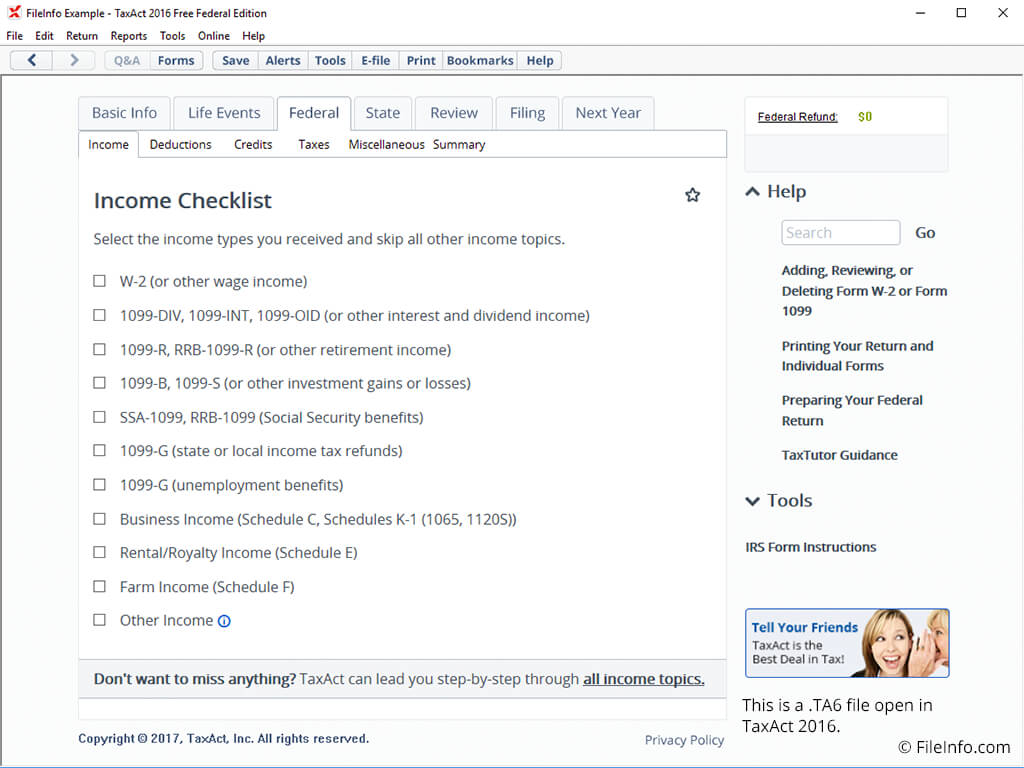
Poiché le dichiarazioni dei redditi annuali vengono presentate per l'anno precedente, il file TA6 viene comunemente creato nel 2017, dall'inizio di gennaio al 15 aprile. Un file TA6 può essere salvato dalla versione desktop di TaxAct oppure esportato da TaxAct Online. Una volta completata una dichiarazione dei redditi, puoi stampare e spedire i moduli fiscali oppure presentarli elettronicamente.
I file TA6 preparati dagli utenti della versione desktop di TaxAct (Free Federal, Basic, Plus e Premium) si trovano nella cartella "TaxAct2016" all'interno della cartella "My Documents".
Se temi che la tua dichiarazione dei redditi possa danneggiarsi o andare persa, puoi creare un backup della dichiarazione, selezionare e assegnare un nome al file. Verrà creata e salvata una copia di backup della dichiarazione dei redditi come file .BA6. È importante ricordare che devi salvare la dichiarazione dei redditi prima di creare il backup.
NOTA: Il file TA6 ha sostituito il file .TA5, utilizzato per le dichiarazioni dei redditi del 2015 create con la versione 2016 di TaxAct.